2. Rotate
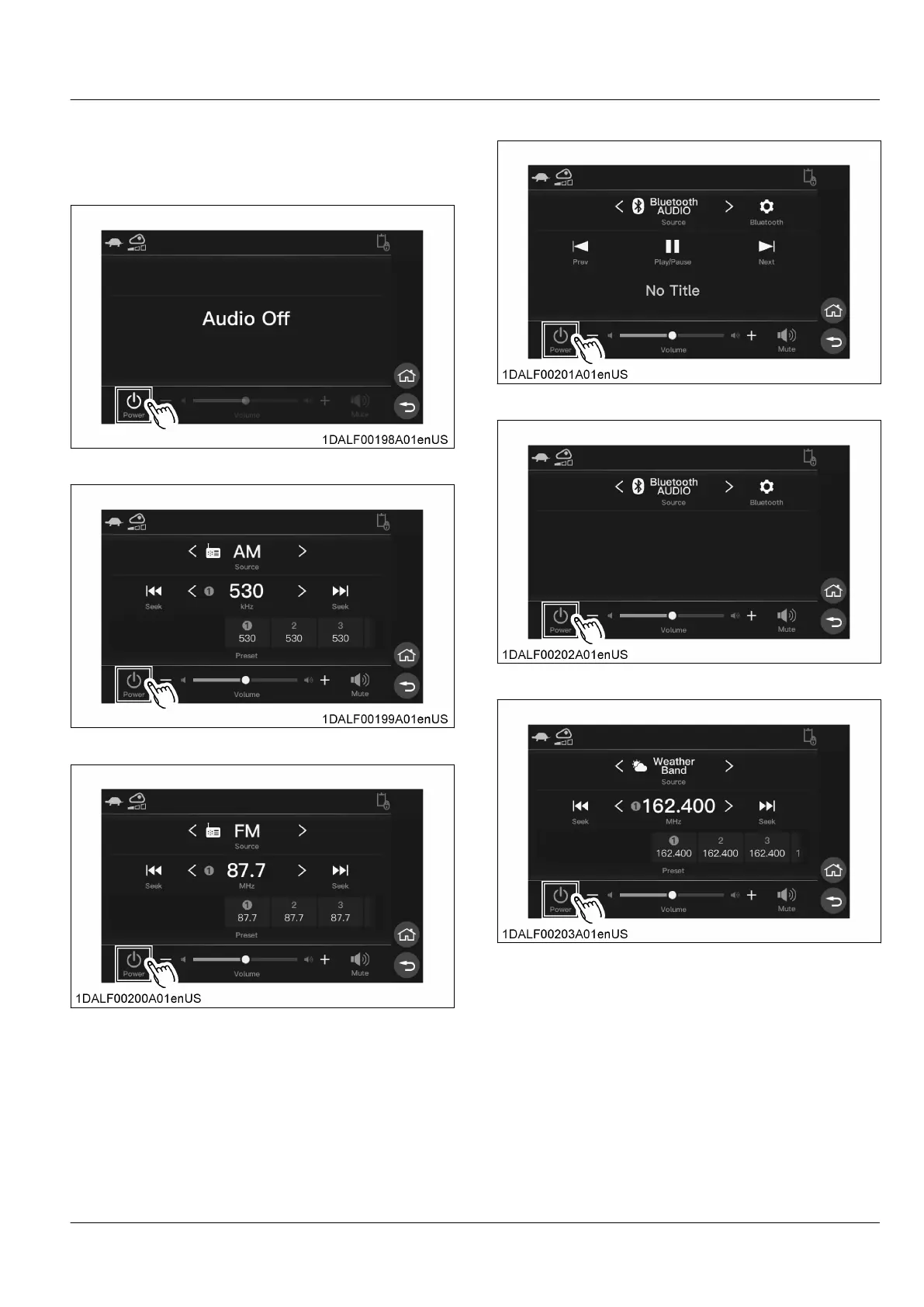
the jog dial to select the icon [Power] and
press the jog dial switch to turn the power ON/OFF.
For touch operation, touch the [Power] icon.
Power off state
Powered on state, AM radio selected
Powered on state, FM radio selected
Powered on state, Bluetooth device connected
Powered on state, Bluetooth device not connected
Powered on state, weather band selected
3. Operation of AM mode
Auto seek
1. Rotate
the jog dial, select the auto seek down
button or auto seek up button, press the jog dial
switch to search for frequencies that are available
for reception.
For touch operation, touch the auto seek down
button or auto seek up button
AUDIO MODE INSTRUMENT PANEL AND SWITCH


 To Next Page
 Loading...