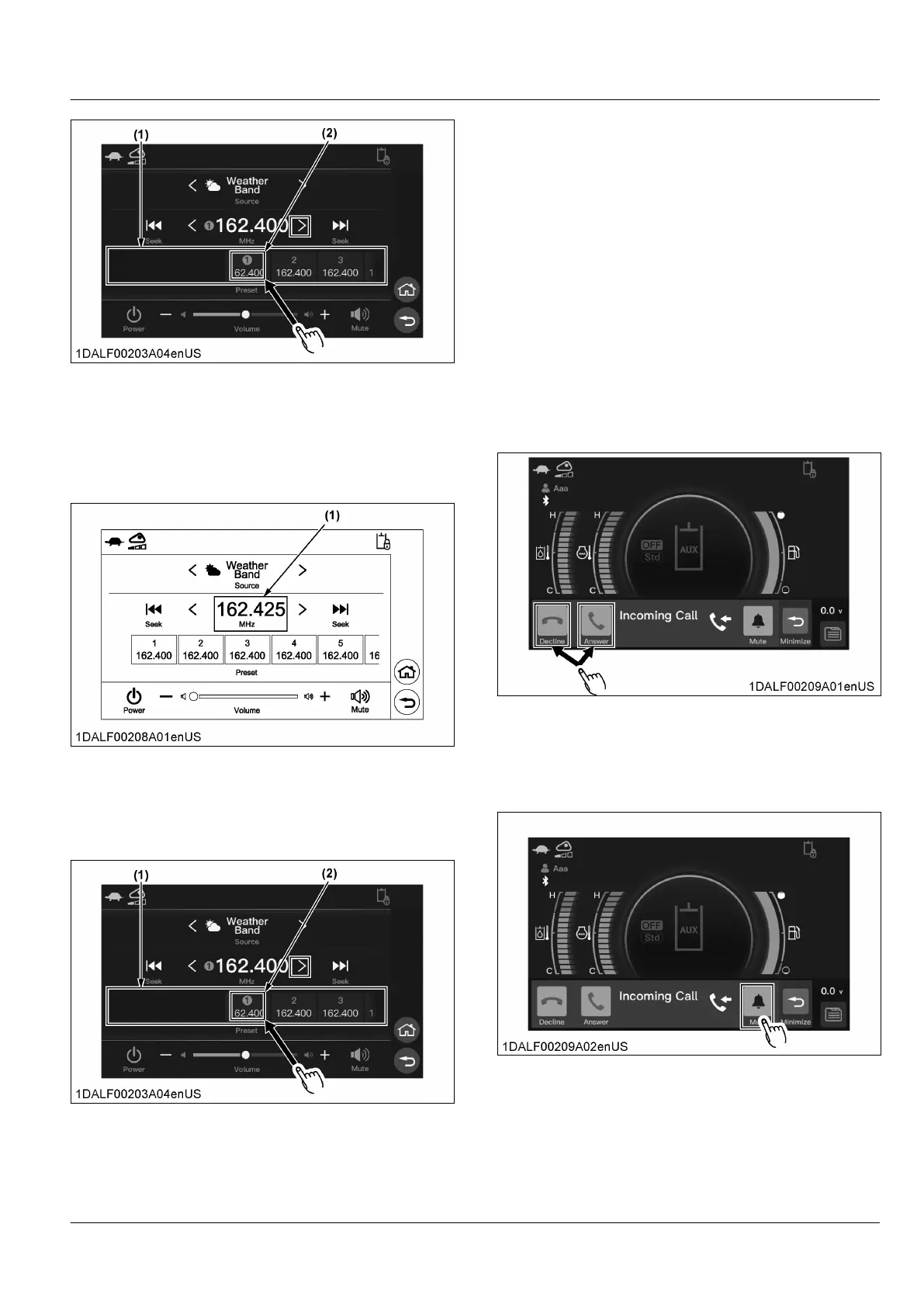
(1) Channel area (2) Channel
Registration of frequency
1. Changes
the receive frequency to the frequency
you want to register.
2. Rotate the jog dial to select the channel area and
press the jog dial switch.
(1) Receiver frequency
3. Rotate
the jog dial select the channel that you want
to register and press and hold the jog dial switch.
For touch operation, scroll to the left or right and
touch the channel you want to register.
(1) Channel area (2) Channel
7. Call control for Bluetooth-
connected cell phone
When the Bluetooth connected cell phone receives a
call, an incoming call pop-up is displayed.
While
talking on a Bluetooth connected cell phone, a
Talking pop-up appears on the display.
While making a call on a Bluetooth connected cell
phone, an outgoing call popup will appear on the
display.
Incoming
1. While the Incoming Call pop-up is displayed, rotate
the jog dial to select the answer button, and press
the jog dial switch to connect the call. Rotate the
jog dial to select the decline button, and press the
jog dial switch to end without receiving the call.
For touch operations, touch the button you want.
Mute ringtone
1. While
the Incoming Call pop-up is displayed, rotate
the jog dial to select the mute button, and press the
jog dial switch to mute the ringtone.
For touch operation, touch the mute button.
Ending a call
1. While
the Talking pop-up is displayed, rotate the jog
dial to select the end button, and press the jog dial
switch to end the call.
For touch operation, touch the end button.
AUDIO MODE INSTRUMENT PANEL AND SWITCH


 To Next Page
 Loading...