KE-2050/KE-2060, KE-2050R/2055R/KE-2060R Maintenance Manual
4-2
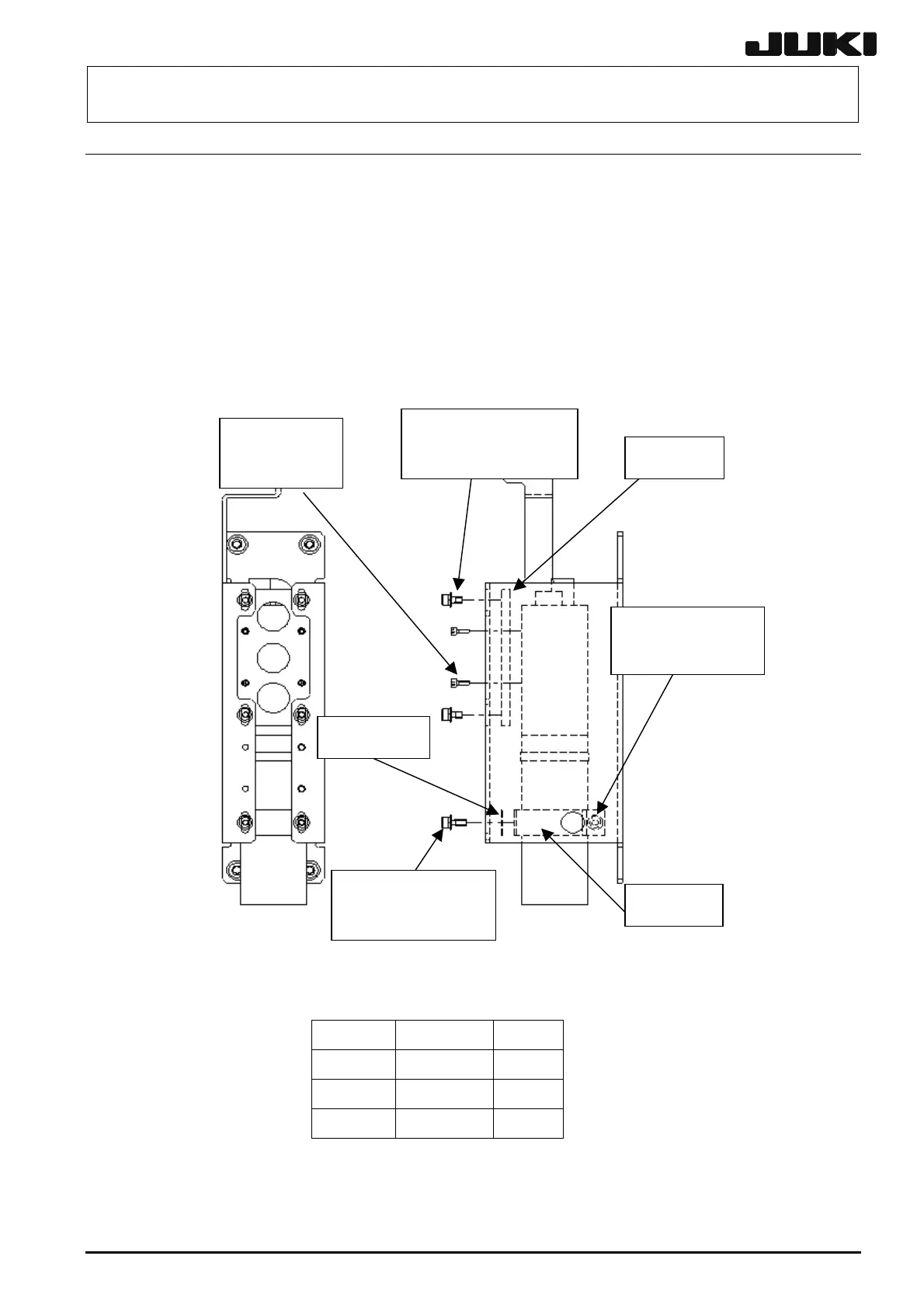
4-2. Replacing the CCD Camera and Lens Assembly
(1) Detach the camera assembly from the head plate using the procedure described in section 4-1,
Replacing the OCC Assembly.
(2) Remove the washer assembled hexagon socket head cap bolts fixing the CCD holder, lens
holder and lens to replace the CCD camera and lens.
(3) Reassemble the components in the reverse order of disassembly. At this time, select an
optimal lens holder shim from the shims A to D so that no load is applied to the lens.
(4) After the CCD camera and lens have been replaced, adjust the focus and input the MS
parameters. (See 4-8, List of Readjustment Items After Replacement.)
Shims A to D
Washer assembled
hexagon socket head
cap bolt (× 4)
Washer assembled
hexagon socket
head cap bolt
Lens holder
CCD holder
Hexagon
socket head
cap bolt (× 4)
Washer assembled
hexagon socket head
cap bolt (× 4)
Figure 4-2-1 CCD Camera/Lens
Table 4-2-1 List of Shims
Shim A 40001310 t0.05
Shim B 40001311 t0.1
Shim C 40001312 t0.3
Shim D 40001313 t0.5
Select an optimal shim from the shims A to D so that no load is applied to the lens. (Design value of
gap: 0.5 mm)
Rev. 2.10


 To Next Page
 Loading...





