4-5. Plug-In Board
4-5-1. Installing/Removing Plug-in Boards on the Front Side
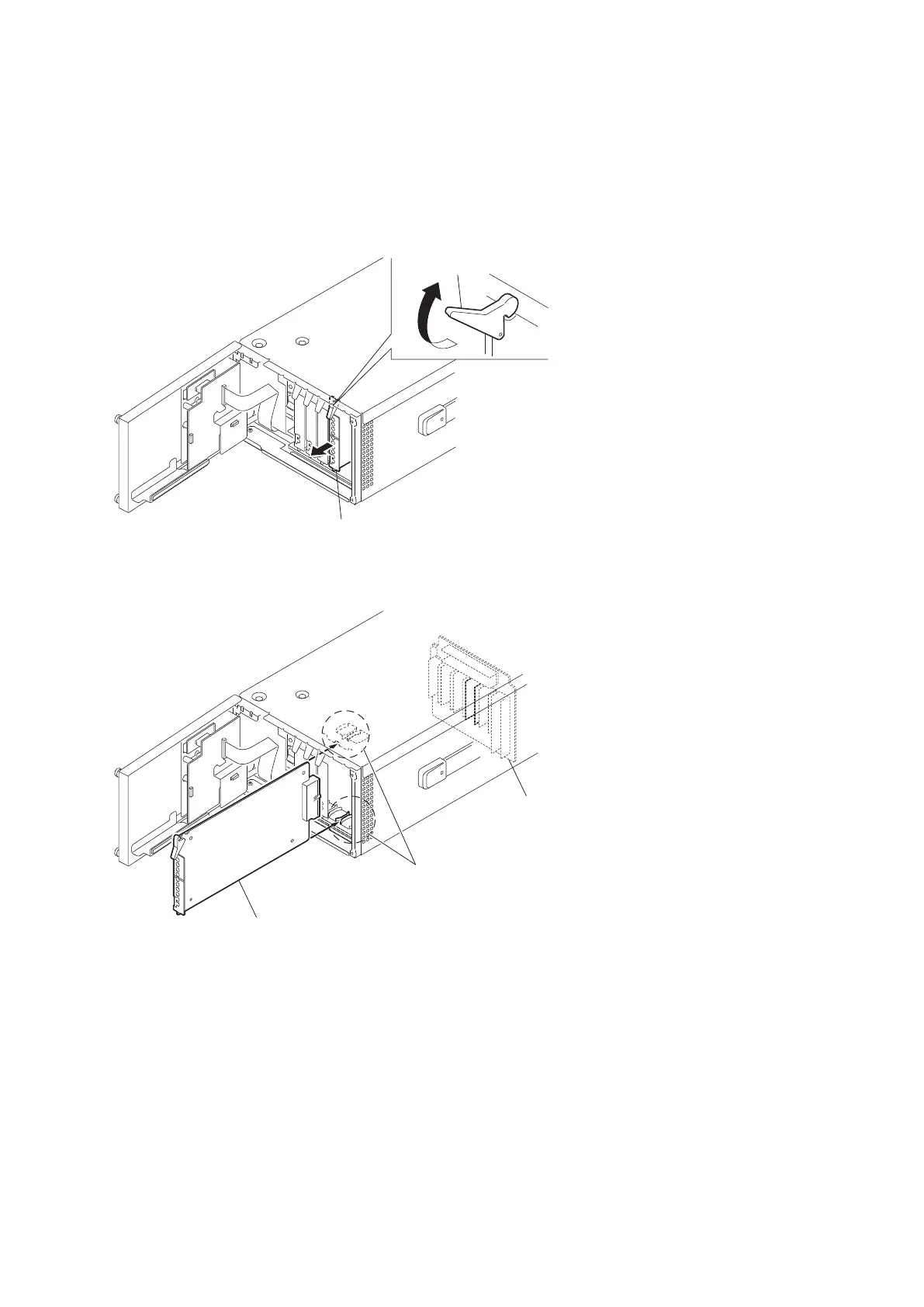
1. Open the front panel. (Refer to “4-3-1. Removal and Installation of Front Panel”)
2. Raise the lever in the arrow direction to remove each plug-in board.
3. To install the removed plug-in board, insert it along the guides of each slot and push it so that it is securely connected
to the connector on the MB-1181 board.
Plug-in board
Guides
MB-1181 board
4. Close the front panel.
HDCU2500
4-19



 To Next Page
 Loading...









