SC-T7000 series/SC-T5000 series/SC-T3000 series Revision B
DISASSEMBLY & ASSEMBLY Disassembly and Assembly Procedure 100
Confidential
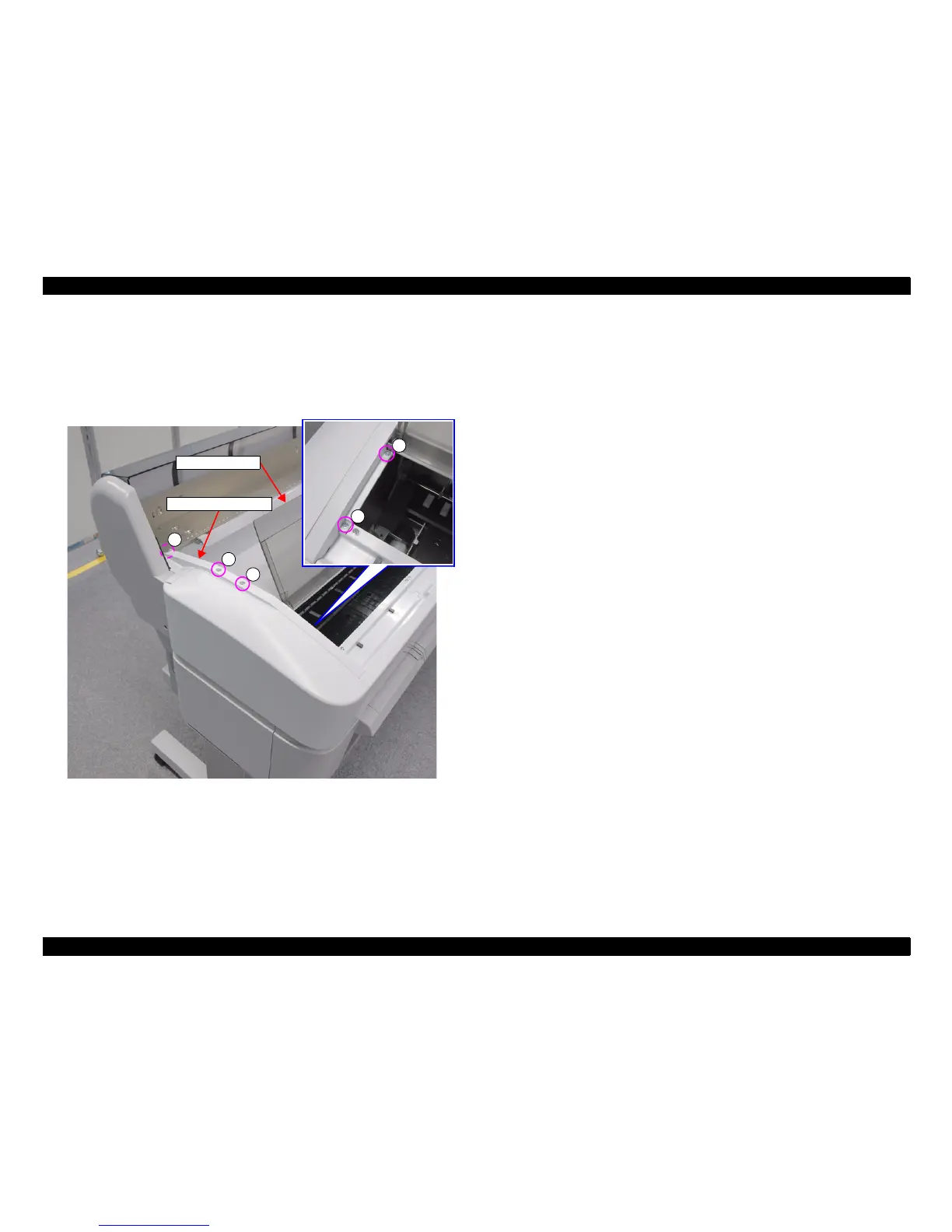
3.4.2.14 UPPER LEFT COVER
1. Open the PRINTER COVER.
2. Remove the five screws, and remove the UPPER LEFT COVER.
A) Silver M3x8 S-tite screw with built-in washer: 5 pcs
Figure 3-27. Removing the UPPER LEFT COVER
A
A
UPPER LEFT COVER
A
A
A
PRINTER COVER


 To Next Page
 Loading...