SC-T7000 series/SC-T5000 series/SC-T3000 series Revision B
ADJUSTMENT Image Print 230
Confidential
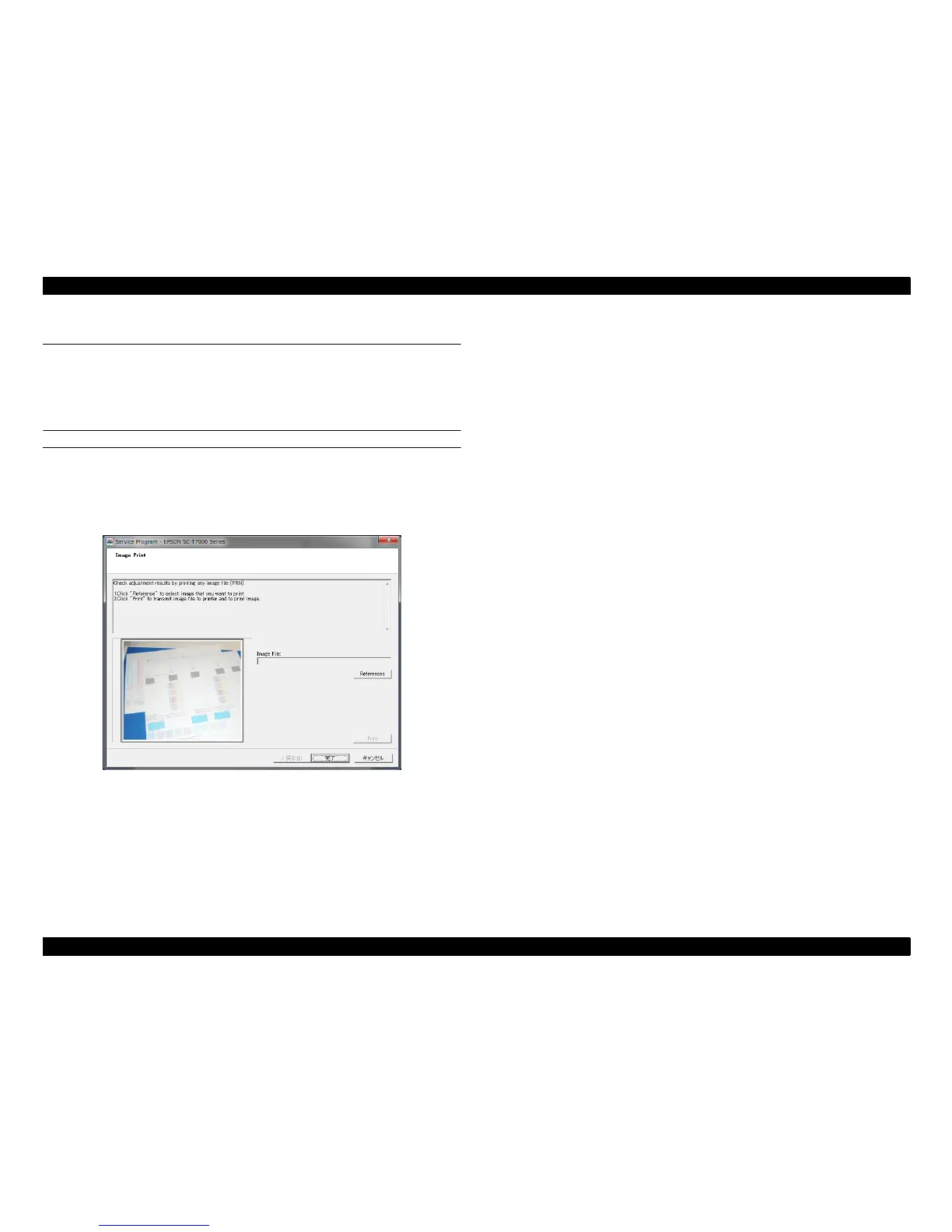
4.6 Image Print
The following functions are provided.
Prints an image file
Transfers the PRN. file
PROCEDURE
1. Click [IMAGE PRINT] from the main menu.
2. Click [References] and specify a file to print.
3. Click [Print].
Figure 4-10. [IMAGE PRINT] Screen


 To Next Page
 Loading...