SC-T7000 series/SC-T5000 series/SC-T3000 series Revision B
ADJUSTMENT CR Related Adjustments 244
Confidential
6. Remove paper from the paper cassette, and carry out Step 5 feeding paper from the
rear by hand.
Within the standards: Go to Step 9
Out of the standards: Go to Step 7
7. Input the value which was measured in Step 5 and is out of the standards.
8. Click [Write] and return to Step 4.
9. Click [Finish].
10. Turn the printer OFF to finish the adjustment.
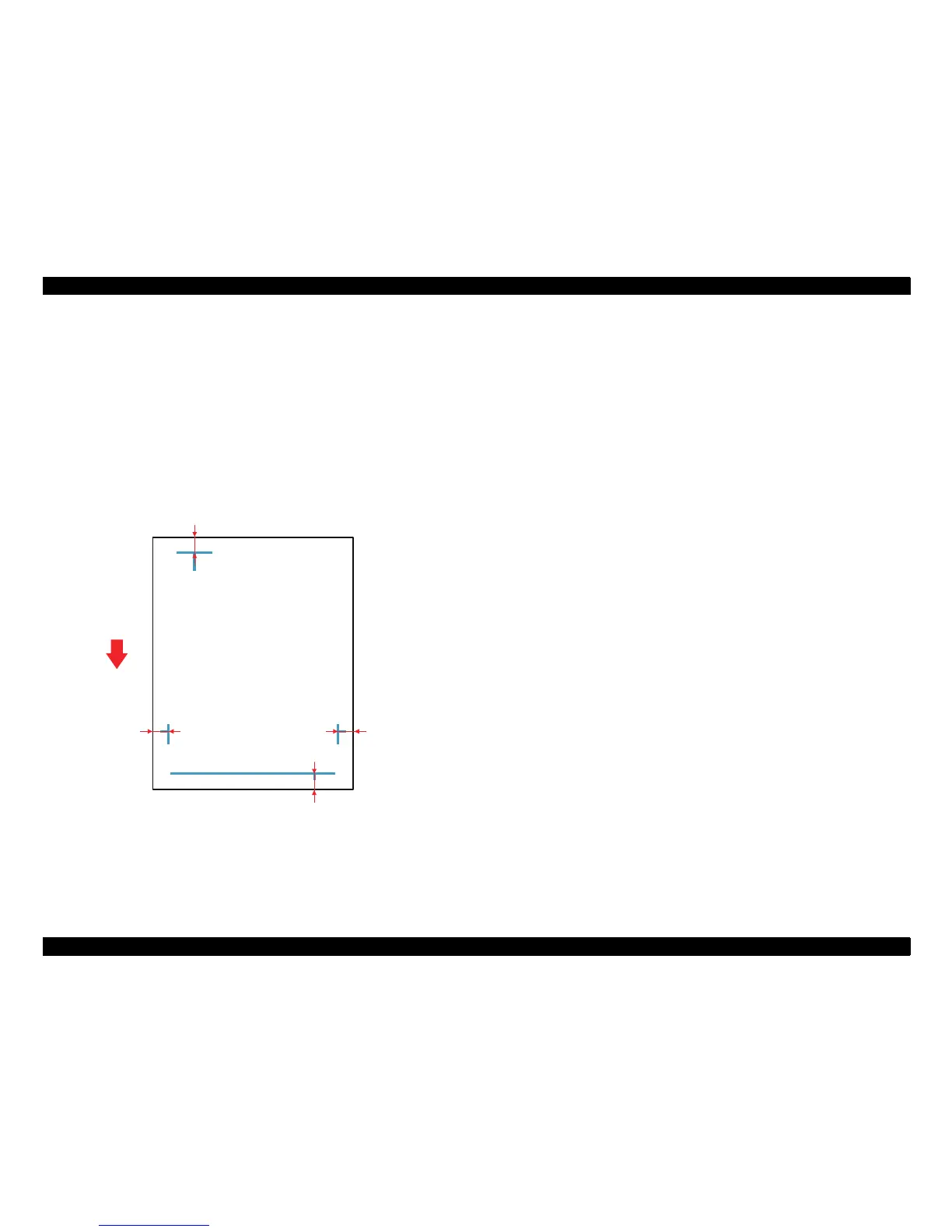
Figure 4-30. Adjustment Pattern
Bottom margin (14 ± 0.6 mm)
Side margin Home
side (10 ± 0.4 mm)
Paper feed
direction
Top margin (10 ± 0.4mm)
Side margin Full
side (10 ± 0.4 mm)


 To Next Page
 Loading...