Drum Unit
SM 4-27 D062/D063/D065/D066
Replacement
and
Adjustment
Drum Re-installation
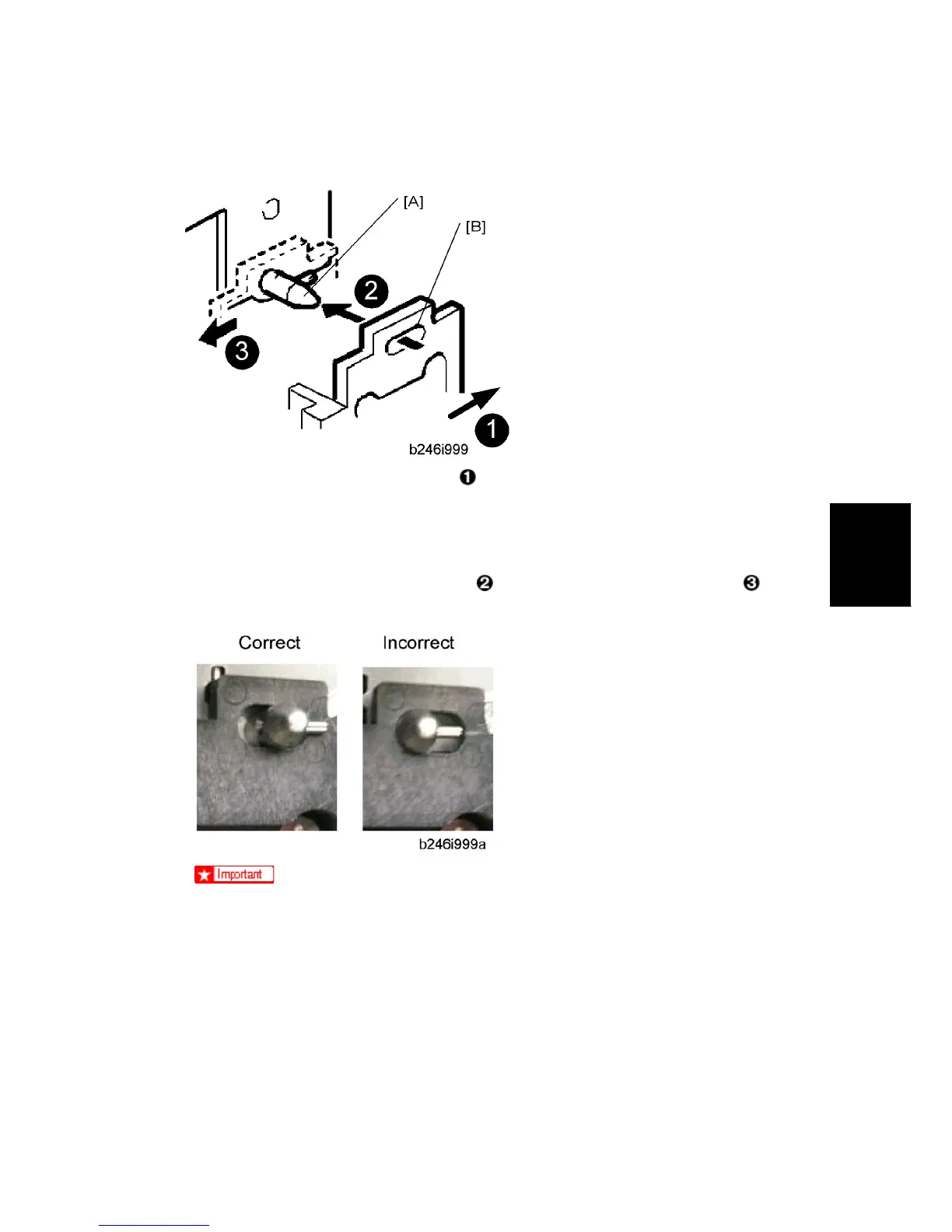
1. Push the development unit to the right
.
2. While continuing to hold the unit to the right, push it into the machine.
3. Confirm that the pin [A] goes into the left side of the oval hole [B] in the development
unit plate.
4. Push the development unit in completely
until it stops, then push it to the left .
5. Make sure you can see the horizontal pin in front of the plate as shown below.
If you cannot move the development unit plate behind the horizontal pin, turn
the front gear of the unit to the left and try again.
Make sure the pipeline shutter is rotated down to the open position.
6. Reattach all removed parts.
Replacement with a Used Development Unit
When using a development unit from another machine for test purposes, execute the
following procedure.
1. Check the value of SP2220 (Vref Manual Setting) in both the machine containing the



 To Next Page
 Loading...







