Configuring the Switch
3-164
3
Command Attributes
• DSCP Priority Table
– Shows the DSCP Priority to CoS map.
• Class of Service Value
– Maps a CoS value to the selected DSCP Priority value.
Note that “0” represents low priority and “7” represent high priority.
Note: IP DSCP settings apply to all interfaces.
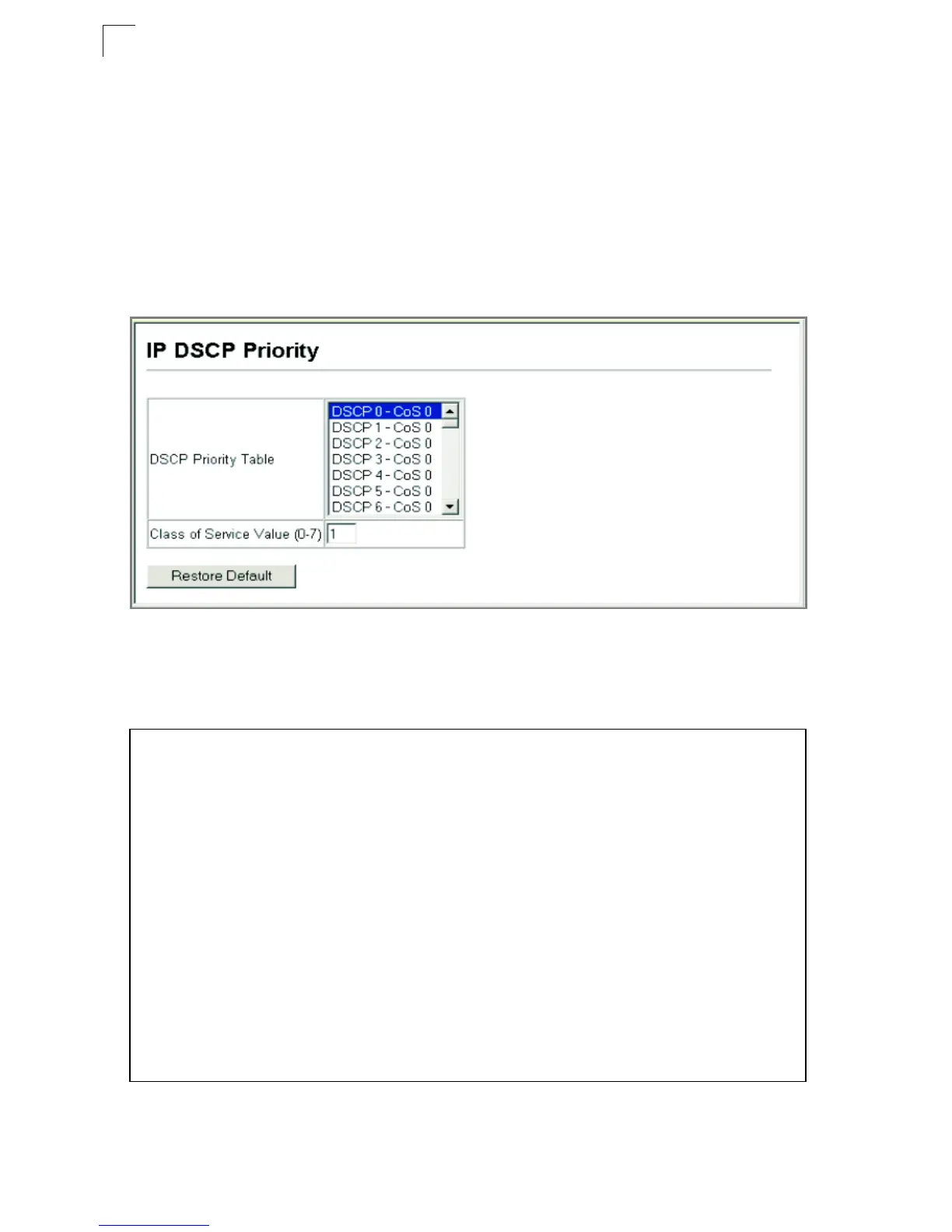
Web – Click Priority, IP DSCP Priority. Select a port or trunk from the Interface field.
Select an entry from the DSCP table, enter a value in the Class of Service Value
field, then click Apply.
Figure 3-100. IP DSCP Priority
CLI* – The following example globally enables DSCP Priority service on the switch,
maps DSCP value 1 to CoS value 0 on port 5, and then displays all the DSCP
Priority settings.
* Mapping specific values for IP Precedence is implemented as an interface configuration
command, but any changes will apply to the all interfaces on the switch.
Console(config)#map ip dscp 4-220
Console(config)#interface ethernet 1/5
Console(config-if)#map ip dscp 1 cos 0 4-220
Console(config-if)#end
Console#show map ip dscp ethernet 1/5 4-223
DSCP mapping status: disabled
Port DSCP COS
--------- ---- ---
Eth 1/5 0 0
Eth 1/5 1 0
Eth 1/5 2 0
Eth 1/5 3 0
.
.
.
Eth 1/5 61 0
Eth 1/5 62 0
Eth 1/5 63 0
Console#


 To Next Page
 Loading...