Configuring SNMP
3-41
3
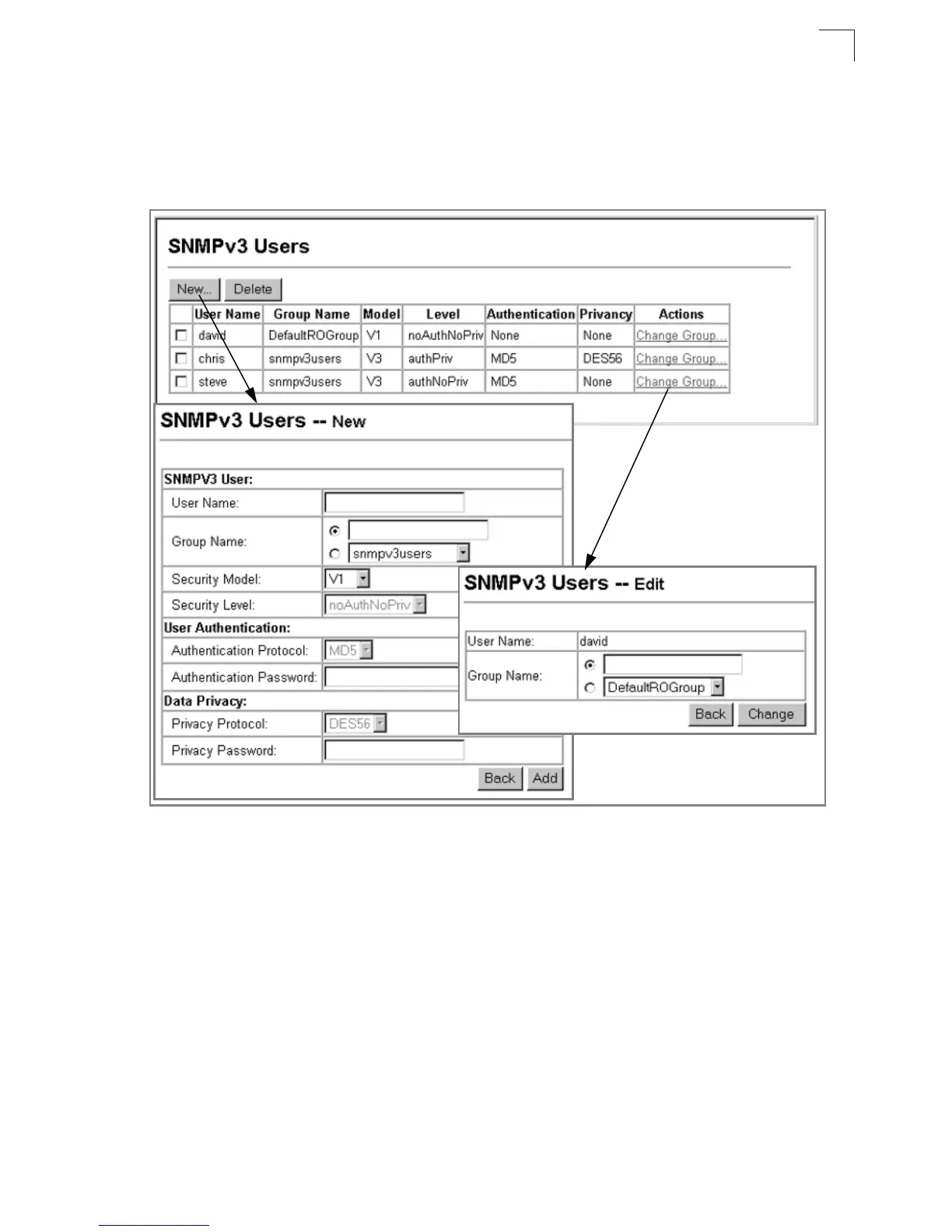
Web – Click SNMP, SNMPv3, Users. Click New to configure a user name. In the
New User page, define a name and assign it to a group, then click Add to save the
configuration and return to the User Name list. To delete a user, check the box next
to the user name, then click Delete. To change the assigned group of a user, click
Change Group in the Actions column of the users table and select the new group.
Figure 3-26. Configuring SNMPv3 Users



 To Next Page
 Loading...