OverviewControlsDriving hintsCommunication NavigationEntertainmentMobilityReference
249
Keys and softkeys
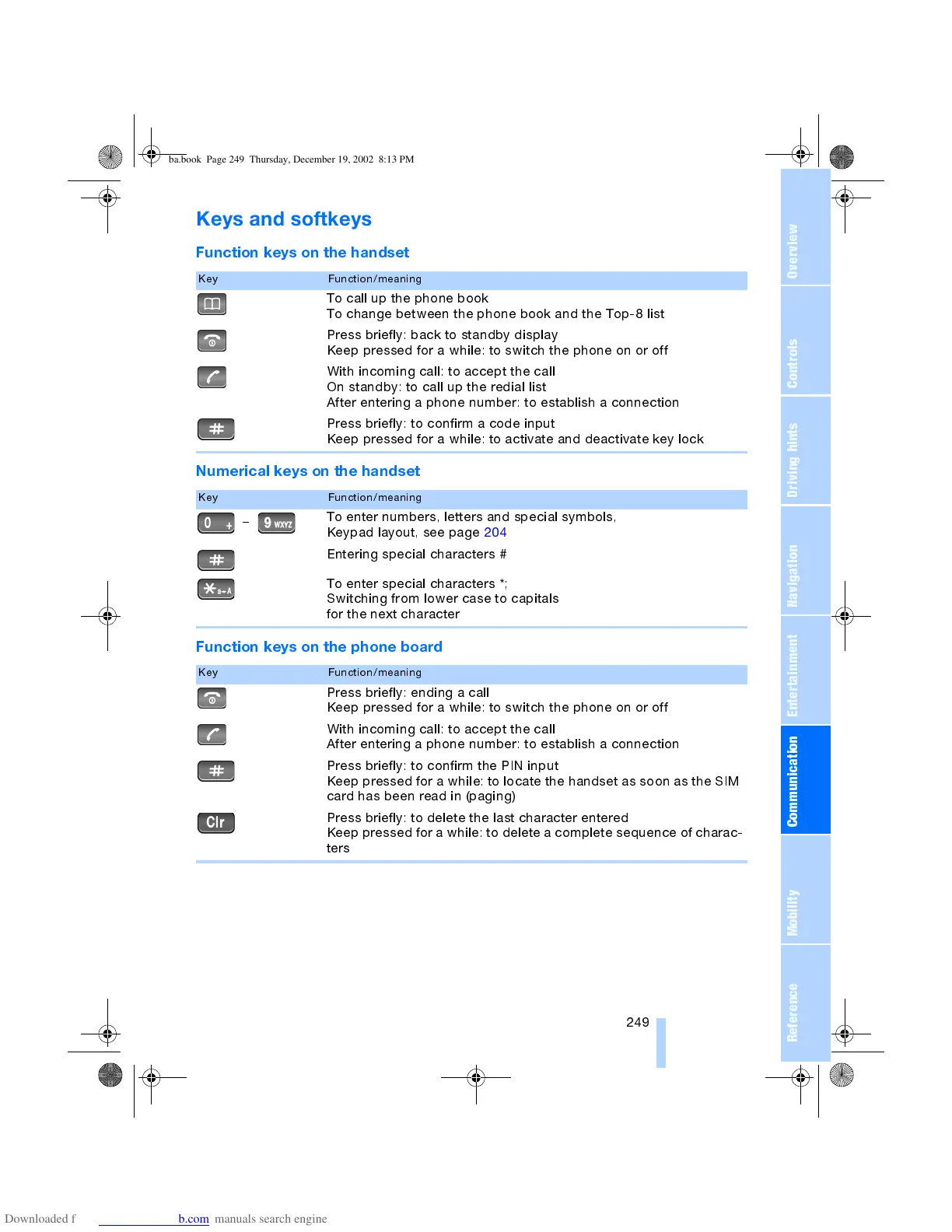
Function keys on the handset
Numerical keys on the handset
Function keys on the phone board
Key Function/meaning
To call up the phone book
To change between the phone book and the Top-8 list
Press briefly: back to standby display
Keep pressed for a while: to switch the phone on or off
With incoming call: to accept the call
On standby: to call up the redial list
After entering a phone number: to establish a connection
Press briefly: to confirm a code input
Keep pressed for a while: to activate and deactivate key lock
Key Function/meaning
To enter numbers, letters and special symbols,
Keypad layout, see page 204
Entering special characters #
To enter special characters *;
Switching from lower case to capitals
for the next character
Key Function/meaning
Press briefly: ending a call
Keep pressed for a while: to switch the phone on or off
With incoming call: to accept the call
After entering a phone number: to establish a connection
Press briefly: to confirm the PIN input
Keep pressed for a while: to locate the handset as soon as the SIM
card has been read in (paging)
Press briefly: to delete the last character entered
Keep pressed for a while: to delete a complete sequence of charac-
ters
ba.book Page 249 Thursday, December 19, 2002 8:13 PM



 To Next Page
 Loading...