Garmin G300 Pilot’s Guide
190-00921-00 Rev. D
126
Flight Planning
System
Overview
Flight
InstrumentsEIS
COM
Interface
GPS
Navigation
Flight
Planning
Hazard
Avoidance
Additional
Features
Integrated
AutopilotAnnun/AlertsAppendixIndex
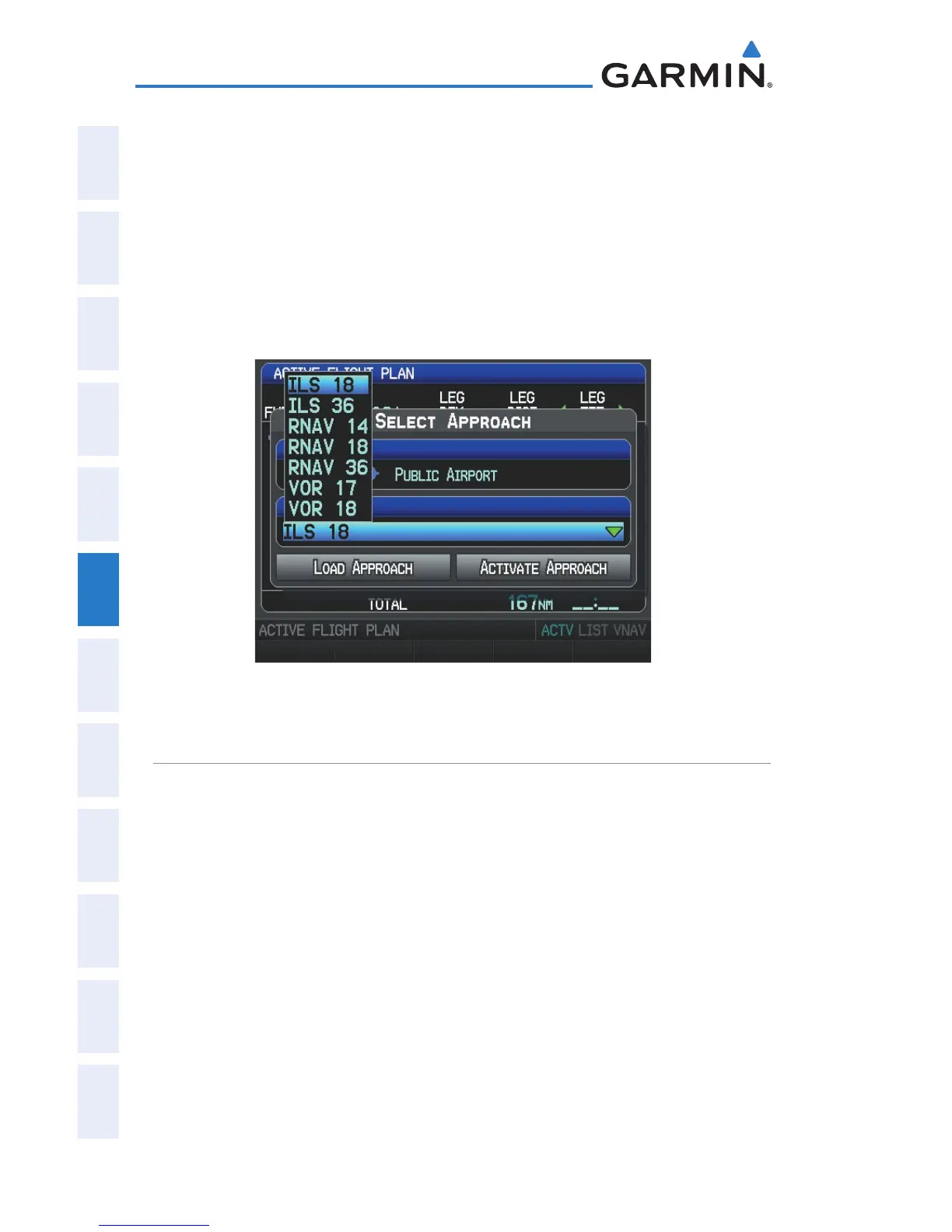
Whenever an approach is selected, the choice to either “Load Approach” or
“Activate Approach” is given. “Load Approach” adds the approach to the end
of the flight plan without immediately using it for navigation guidance. This
allows continued navigation via the intermediate waypoints in the original flight
plan, but keeps the procedure available on the Active Flight Plan Page for quick
activation when needed. “Activate Approach” also adds the procedure to the end
of the flight plan but immediately begins to navigate to the first waypoint in the
approach.
Select Approach Window (Single Display)
SELECTING AN APPROACH
When selecting an approach, it replaces the destination airport with the
sequence of waypoints for the selected approach. Keep in mind that the airport
must have a published approach (GPS, RNAV, VOR, NDB, localizer, or ILS) and
only the final course segment (final approach fix to missed approach point) of the
published approach is available in the G300.
An approach can be selected from the Direct-to Window, Waypoint (WPT) Page,
Active Flight Plan Page, and the Saved Flight Plan Page.
Loading an approach from the active or saved flight plan
page:
1)
Press the FPL Key.
2)
Turn the FMS Joystick to display the Active Flight Plan Page or Saved
Flight Plan Page.


 To Next Page
 Loading...












