Garmin G300 Pilot’s Guide
190-00921-00 Rev. D
44
System Overview
System
Overview
Flight
InstrumentsEIS
COM
Interface
GPS
Navigation
Flight
Planning
Hazard
Avoidance
Additional
Features
Integrated
AutopilotAnnun/AlertsAppendixIndex
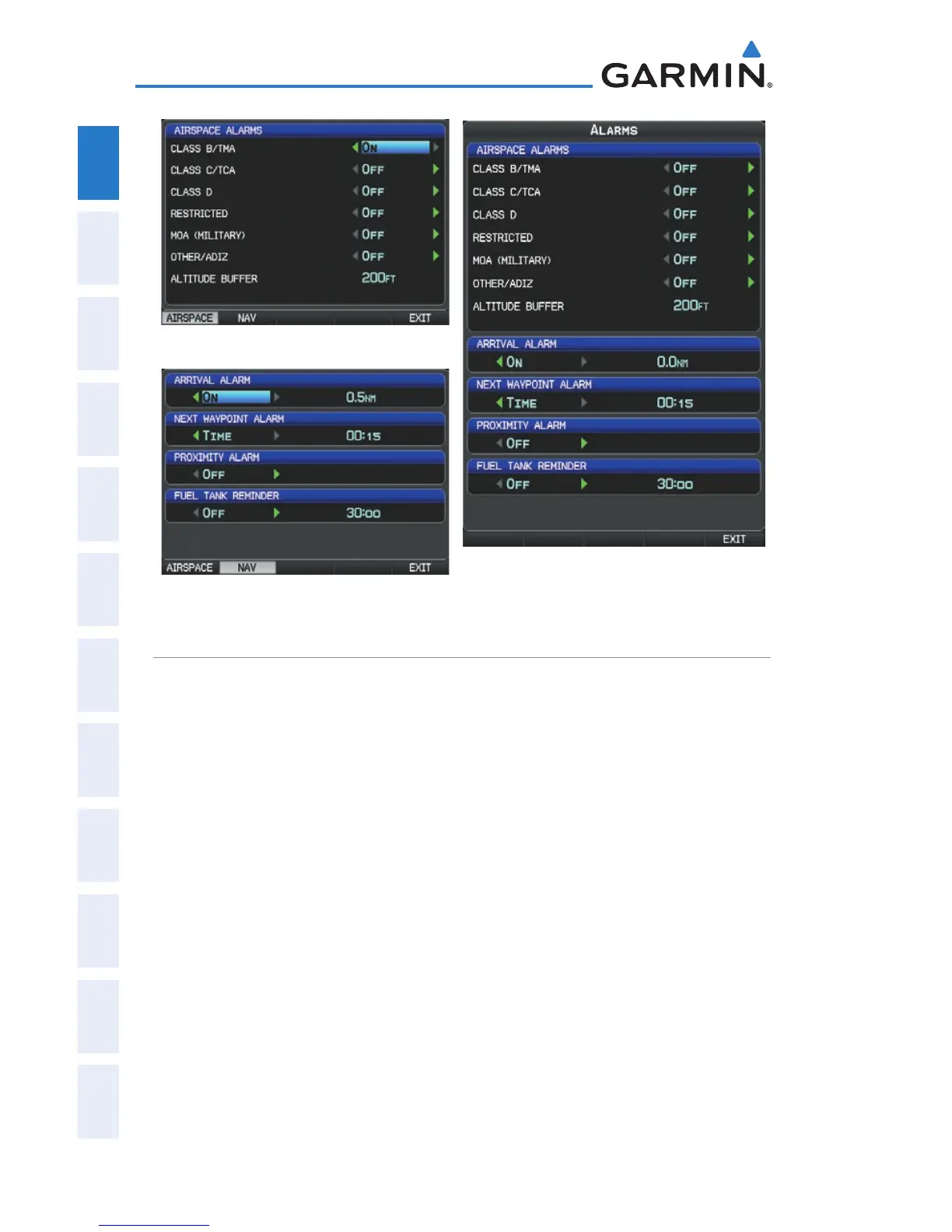
Alarms (Dual Display - MFD)
Airspace Alarms (Single Display)
Nav Alarms (Single Display)
SETTING AIRPORT CRITERIA
The Page Menu on the Nearest Airports Page allows the pilot to filter out airports
that do not meet a defined criteria. Specific surface types and runway lengths can
be defined, as well as the option to include private airports and/or heliports.
• Runway Surface
: Allows the pilot to set criteria for the type of surface on
the runway.
Any: Shows any runway, regardless of surface type, including water landing –
facilities.
Hard Only: Shows only runways with a concrete, asphalt, or similar sealed –
surface.
Hard or Soft: Shows all runways except water landing facilities. –
Water Only: Shows only water landing facilities. –
• Minimum Runway Length
: Allows the pilot to enter a specific length for the
shortest runway allowed.
•
Include Private Airports: Allows the pilot include Private Airports in the
search criteria.


 To Next Page
 Loading...












