Garmin G300 Pilot’s Guide
190-00921-00 Rev. D 33
System Overview
System
Overview
Flight
Instruments EIS
COM
Interface
GPS
Navigation
Flight
Planning
Hazard
Avoidance
Additional
Features
Integrated
Autopilot Annun/Alerts Appendix Index
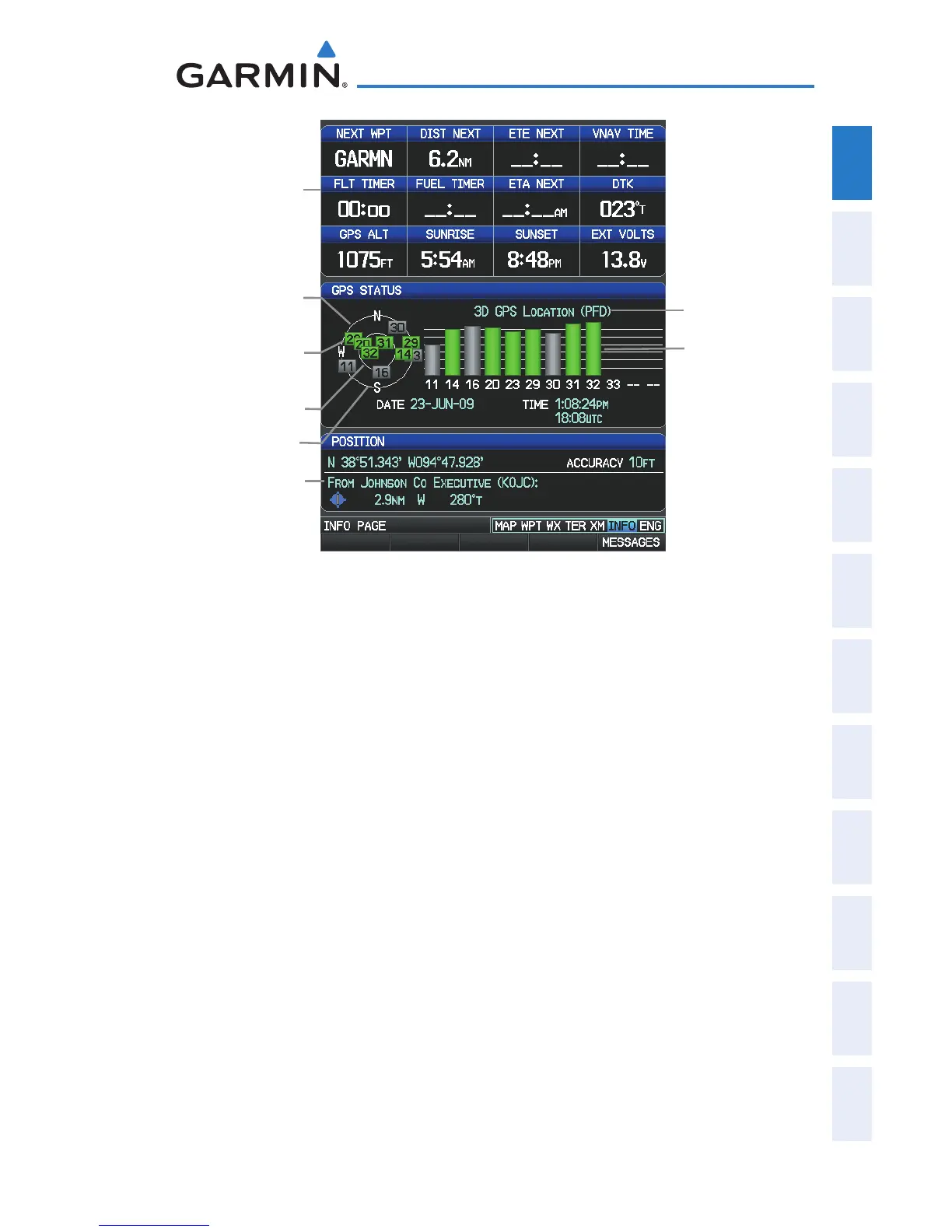
INFO Page (Dual Display - MFD)
Data Fields
Horizon
45° Above
Horizon
PRN Number
Constellation
Diagram
Receiver Status
Signal Strength Bars
Reference Waypoint
Viewing GPS receiver status information:
1)
If necessary press the FMS Joystick to begin interaction with the
Navigation Bar.
2)
Turn the
FMS Joystick
until the Info Page is selected.
NEW LOCATION
The ‘New Location’ menu option on the INFO Page is used when the GPS
Receiver is having trouble finding the satellites it expects to be there.
Entering a new location:
1)
From the
INFO
Page, while the unit is searching for satellites, press the
MENU Key.
2)
With ‘New Location’ menu option highlighted, press the
INFO
Key.
3)
Move the
FMS
Joystick to highlight ‘Use Map’ or ‘Use Identifier’, and
press the
ENT
Key.
4)
After selecting your approximate position using the map pointer or
entering an identifier, press the
ENT
Key.
5)
The GPS Receiver will begin a new search based on the location
entered.


 To Next Page
 Loading...












