Garmin G300 Pilot’s Guide
190-00921-00 Rev. D 159
Additional Features
System
Overview
Flight
Instruments EIS
COM
Interface
GPS
Navigation
Flight
Planning
Hazard
Avoidance
Additional
Features
Integrated
Autopilot Annun/Alerts Appendix Index
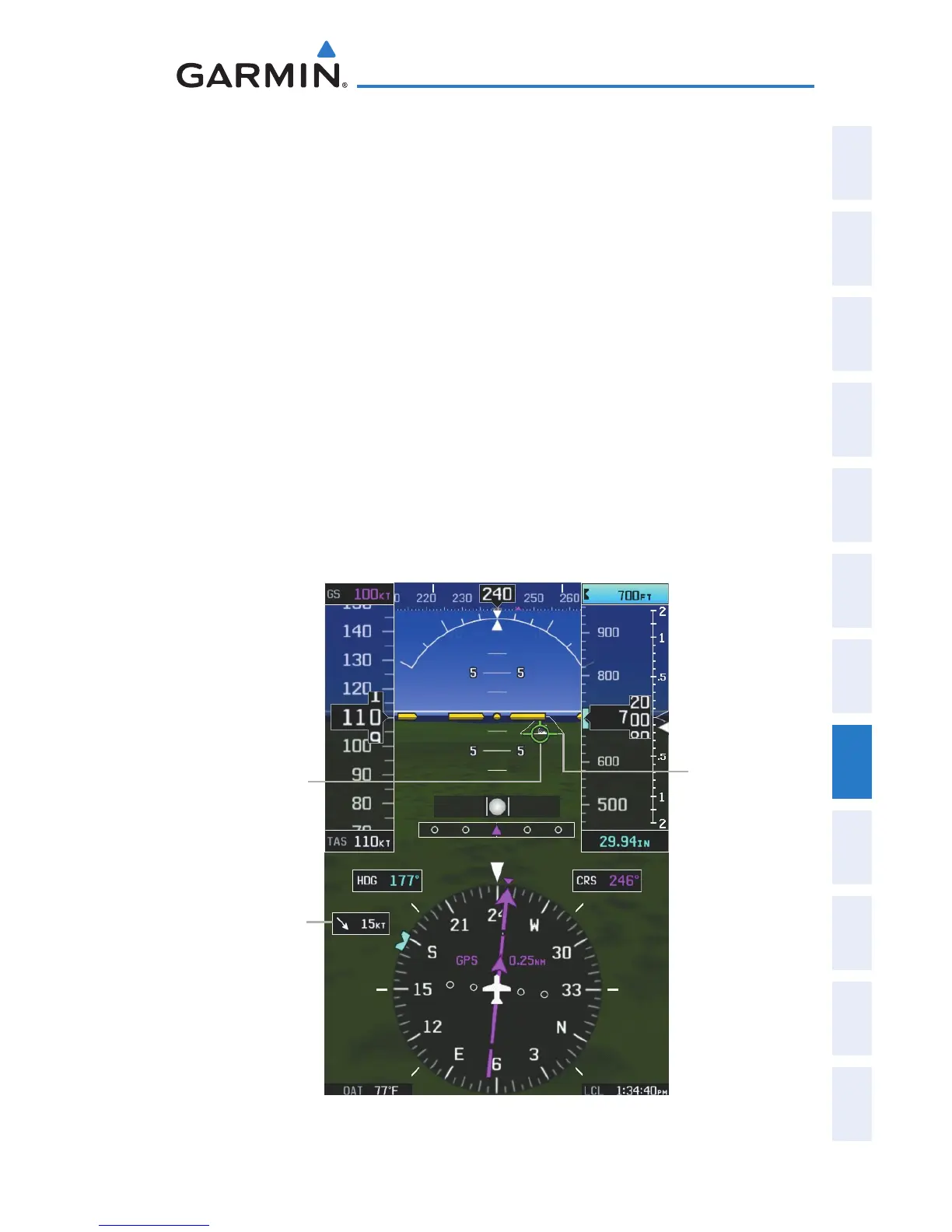
FLIGHT PATH MARKER
The Flight Path Marker (FPM), also known as a Velocity Vector, is displayed
on the PFD at groundspeeds above 30 knots. The FPM depicts the approximate
projected path of the aircraft accounting for wind speed and direction relative to
the three-dimensional terrain display.
The FPM is always available when the Synthetic Terrain feature is in operation.
The FPM represents the direction of the flight path as it relates to the terrain
and obstacles on the display, while the airplane symbol represents the aircraft
heading.
The FPM may be used to identify a possible conflict with the aircraft flight path
and distant terrain or obstacles. Displayed terrain or obstacles in the aircraft’s
flight path extending above the FPM could indicate a potential conflict, even
before a terrain alert is issued. However, decisions regarding terrain and/or
obstacle avoidance should not be made using only the FPM.
Flight Path Marker (PFD or PFD Page)
Flight
Path
Marker
Wind
Vector
Airport
Runway


 To Next Page
 Loading...












