Garmin G300 Pilot’s Guide
190-00921-00 Rev. D 71
COM Interface
System
Overview
Flight
Instruments EIS
COM
Interface
GPS
Navigation
Flight
Planning
Hazard
Avoidance
Additional
Features
Integrated
Autopilot Annun/Alerts Appendix Index
SECTION 4 COM INTERFACE
4.1 AUTO-TUNING FREQUENCIES
NOTE:
Comprehensive operating instructions for the SL40 VHF
Communication Transceiver can be found in the SL40 VHF Comm Pilot’s
Guide.
Frequencies can be automatically tuned from the following:
•Map Page
•Weather Page
•Waypoint Page
•Nearest Airports Page
•Nearest Airport Weather Page
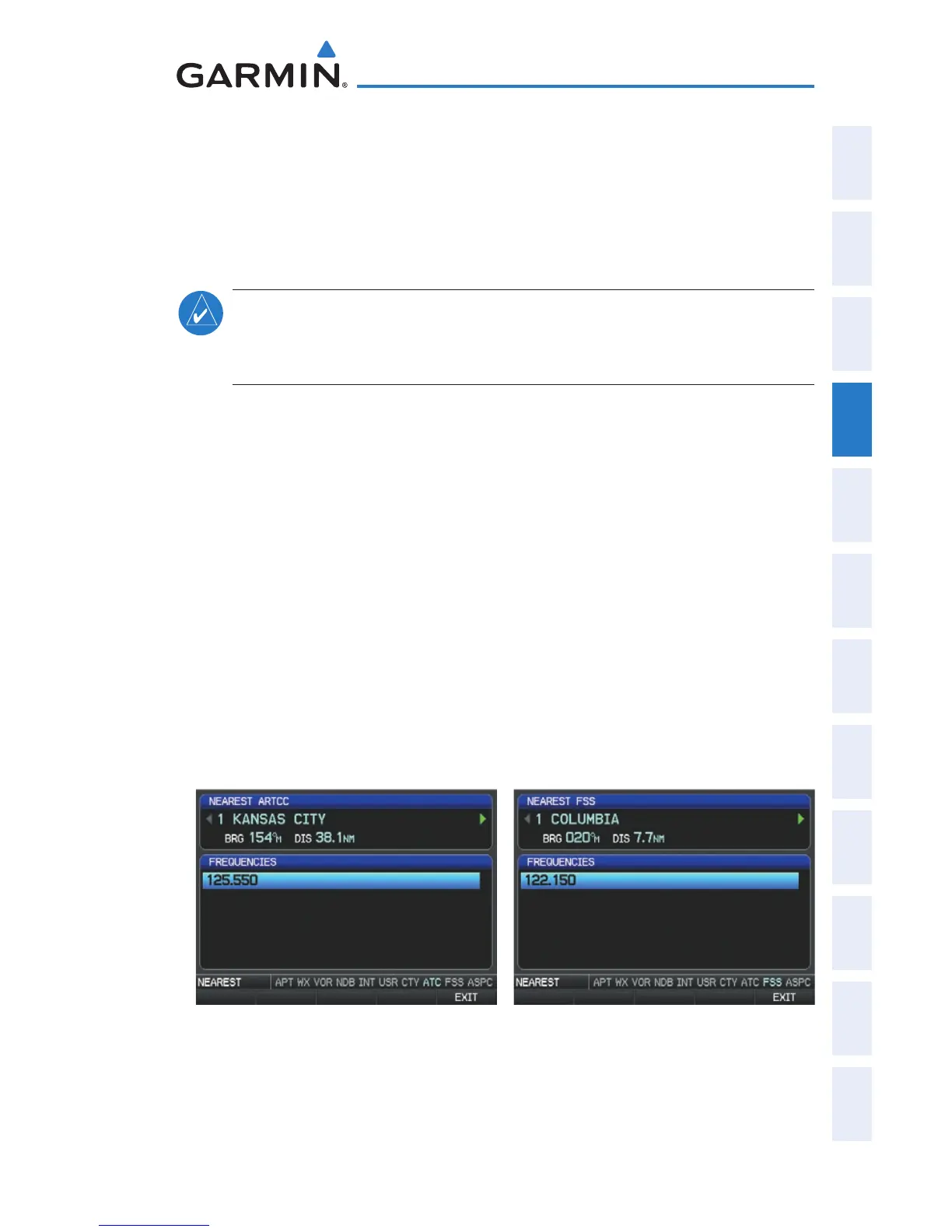
•Nearest ARTCC Page
•Nearest FSS Page
•Nearest Airspace Page
Auto-tuning a frequency from the Nearest Pages:
1)
Press the NRST Key to display the Nearest Pages.
2)
Turn the FMS Joystick to select the Nearest (Airports, Airport Weather,
ARTCC, FSS, or Airspace) Page.
3)
From the Nearest ARTCC or Nearest FSS, move the FMS Joystick to
highlight the desired frequency.
Nearest ARTCC (Single Display) Nearest FSS (Single Display)
Or
:
a)
From the Nearest Airport Weather Page, highlight the desired
airport weather, and press the ENT Key.


 To Next Page
 Loading...












