Garmin G300 Pilot’s Guide
190-00921-00 Rev. D
Appendix B
223
System
Overview
Flight
Instruments EIS
COM
Interface
GPS
Navigation
Flight
Planning
Hazard
Avoidance
Additional
Features
Integrated
Autopilot Annun/Alerts Appendix Index
4)
Turn the FMS Joystick to select the desired setting.
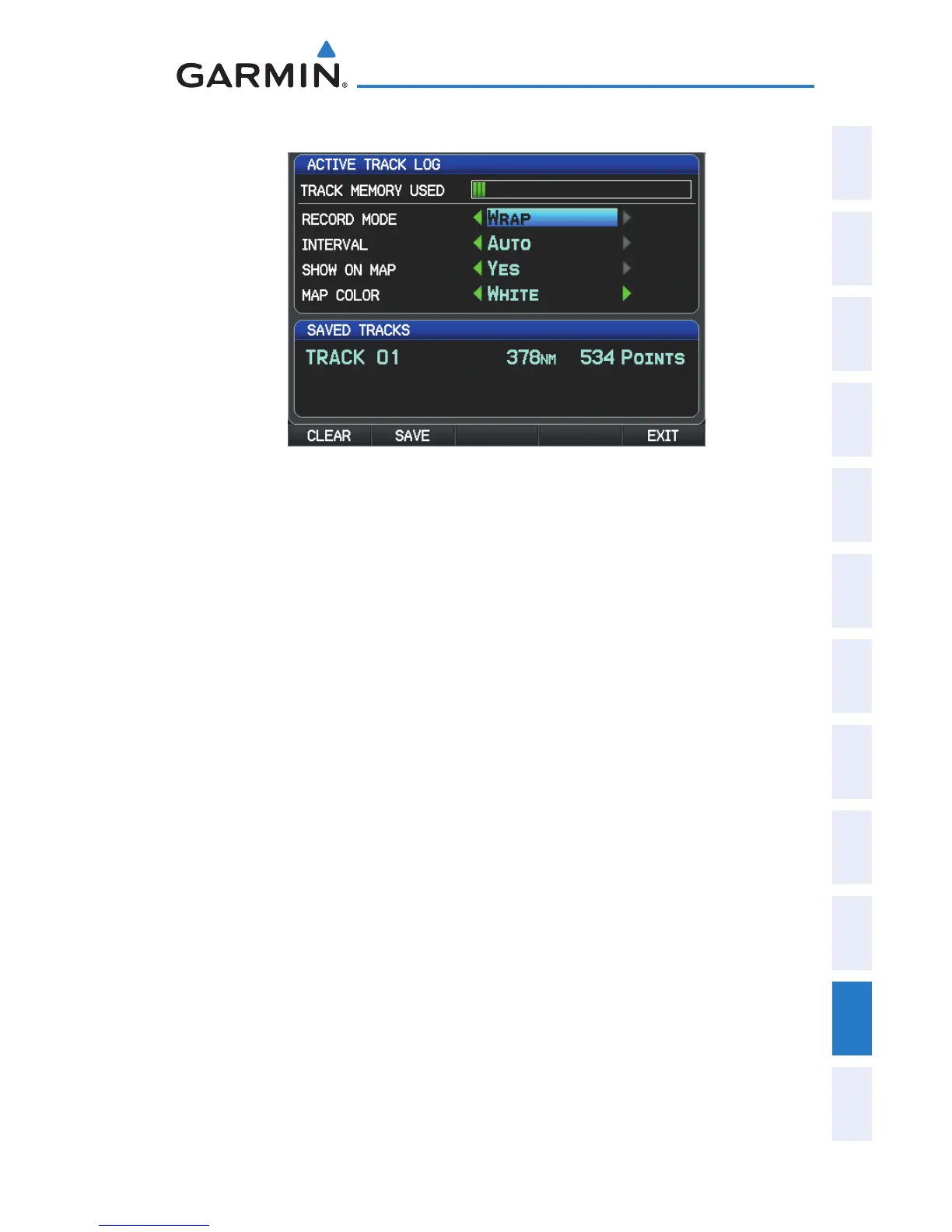
Track Log Window (Single Display)
Record Mode—’Wrap’ records over the oldest tracks when the track log •
reaches 100%. ‘Fill’ records a track log until the track log is full (100%).
Interval—’Distance’ records track points after a specified distance has been •
traveled. ‘Time’ creates track points after a specified time has elapsed.
Show On Map—Select ‘Yes’ to display the track log on the map.•
Map Color—Select a color for the track when it appears on the map.•
Clearing the track log:
1)
From the Single Display or Dual Display MFD, press the MENU Key
twice. (The ‘Track Log’ option is not available from the Dual Display
PFD Main Menu).
2)
Turn or move the FMS Joystick to select ‘Track Log’ from the Main
Menu, and press the ENT Key.
3)
Move the FMS Joystick to highlight the desired saved track, and press
the CLEAR Softkey. (Or press the MENU Key, with ‘Clear Active Track‘
selected, press the ENT Key.) The ‘Clear Active Track Log?’ window is
displayed.
4)
With ‘Yes’ selected, press the ENT Key.


 To Next Page
 Loading...












