Garmin G300 Pilot’s Guide
190-00921-00 Rev. D
36
System Overview
System
Overview
Flight
InstrumentsEIS
COM
Interface
GPS
Navigation
Flight
Planning
Hazard
Avoidance
Additional
Features
Integrated
AutopilotAnnun/AlertsAppendixIndex
DISPLAYING/REMOVING LAT/LON ON THE INFO PAGE
If the Location Format selected on the Position Setup Page (refer to Appendix
D, Map Datum and Location Formats) is not set to a Lat/Lon format, a new menu
option ‘ Lat/Lon’ will appear on the INFO Page. Selecting ‘Show Lat/Lon’ allows
simultaneous display of the current position in both the selected location format
as well as Lat/Lon format.
DATA FIELDS AND LAYOUT (DUAL DISPLAY - MFD)
The page layout and Data Fields of the Dual Display Info Page can be
independently configured by the user. Refer to the Annunciations and Alerts
Section for a list of available Info Page Data Field options.
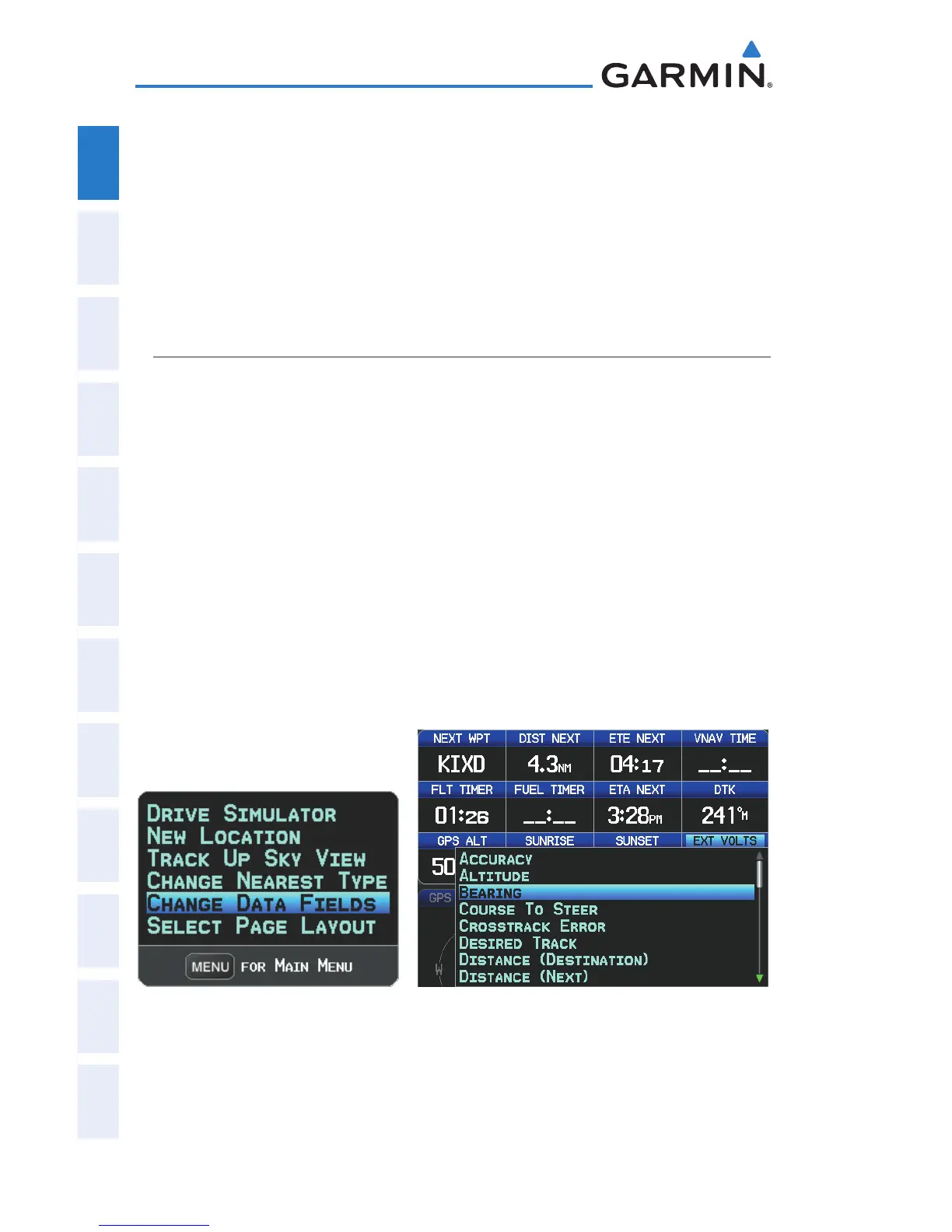
Changing the Info Page Data Fields (Dual Display):
1)
From the Info Page press the MENU Key.
2)
Turn or move the FMS Joystick to highlight ‘Change Data Fields’ and
press the ENT Key. The cursor is displayed on the first Data Field.
3)
Move the FMS Joystick to highlight the desired Data Field.
4)
Turn the FMS Joystick to access a list of available Data Field options.
5)
Turn or move the FMS Joystick to highlight the desired Data Field, and
press the ENT Key.
INFO Page Menu Data Field Options


 To Next Page
 Loading...












