Garmin G3X Touch
™
Pilot’s Guide for Certified Aircraft
190-02472-00 Rev. D
78
Flight Instruments
System
Overview
Flight
InstrumentsEIS
CNS
Interface
GPS
Navigation
Flight
Planning
Hazard
Avoidance
Additional
FeaturesAFCSAnnun/AlertsAppendixIndex
WIND DATA
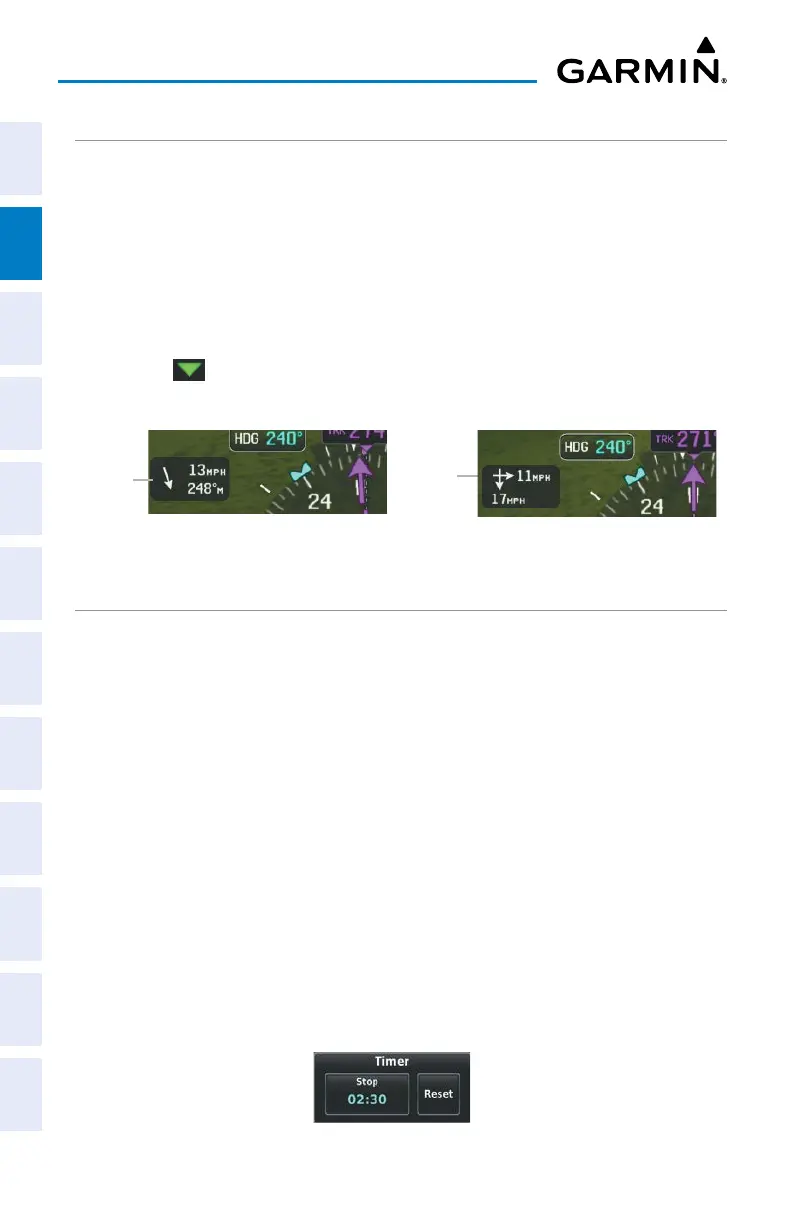
Wind direction/speed or headwind/Crosswind information can be displayed in a
window to the upper left of the HSI. When the window is selected for display, but
wind information is invalid or unavailable, the window displays “No Wind Data”.
Showing/hiding wind data:
1)
From the full-screen PFD, press the MENU Key.
2)
Touch More Options.
3)
Touch in the Wind Vector field to display the Air Temperature options.
4)
Touch Speed/Dir, Head/X-wind, or Off.
Wind Data
Wind
Speed and
Direction
Headwind
and
Crosswind
USER TIMER
The G3X Touch provides a simple stopwatch for measuring periods of time separately
from the Flight Timer. The User Timer can be accessed from the Main Menu or by
touching the field labeled 'TMR' in the PFD Status Bar. Additionally, the User Timer can
be optionally configured to appear in the Data Bar at the top of all screens.
Using the User Timer:
1)
From any screen, press the MENU key twice.
2)
Touch User Timer.
Or:
Touch the TMR field, if present, in the Status Bar at the bottom of the
display.
Or:
Touch the Timer field, if present, in the Data Bar at the top of the display.
Touch
Start to start the Timer. While the Timer is running, the Start button becomes
a Stop button which pauses the Timer. Reset will set the Timer to zero and stop the
Timer. Pressing the Back Key to close the User Timer box will not interrupt the Timer.
User Timer


 To Next Page
 Loading...













