Garmin G3X Touch
™
Pilot’s Guide for Certified Aircraft
190-02472-00 Rev. D 133
GPS Navigation
System
Overview
Flight
Instruments EIS
CNS
Interface
GPS
Navigation
Flight
Planning
Hazard
Avoidance
Additional
Features AFCS Annun/Alerts Appendix Index
SECTION 5 GPS NAVIGATION
5.1 INTRODUCTION
The Map Page displays aviation data (e.g., airports, VORs, airways, airspaces),
geographic data (e.g., cities, lakes, highways, borders), and topographic data (map
shading indicating elevation) to be used for situational awareness only.
An aircraft icon is placed on the Navigation Map at the location corresponding to
the calculated present position. The aircraft's current location is depicted as the center
of the aircraft icon. The aircraft position and the flight plan legs are accurately based
on GPS calculations. The basemap upon which these are placed is from a source with
less resolution, therefore the relative position of the aircraft to map features is not
exact. The leg of the active flight plan currently being flown is shown as a magenta
line on the navigation map. The other legs are shown in white.
The Direct-to Window and the Nearest Pages can be displayed by pressing the
corresponding buttons.
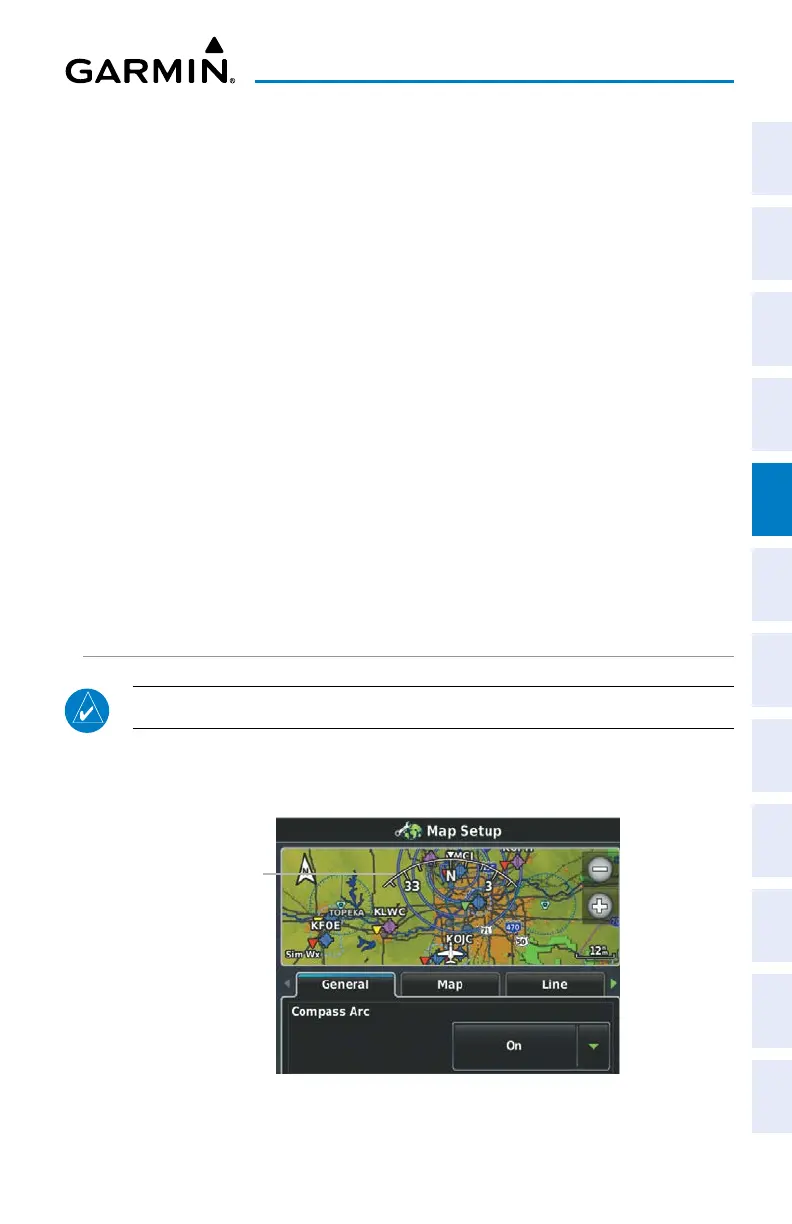
COMPASS ARC
NOTE: The compass arc is not available in ‘North Up’ map orientation.
A compass arc representing the aircraft’s ground track, appears by default on the
Map Page. The route line represents the course.
Compass Arc
Compass Arc


 To Next Page
 Loading...













