Garmin G3X Touch
™
Pilot’s Guide for Certified Aircraft
190-02472-00 Rev. D 345
Annunciations & Alerts
System
Overview
Flight
Instruments EIS
CNS
Interface
GPS
Navigation
Flight
Planning
Hazard
Avoidance
Additional
Features AFCS Annun/Alerts Appendix Index
CAS MESSAGES
NOTE: A standalone MFD does not display CAS messages.
The CAS messages displayed depend upon the current configuration, and will vary
from the examples listed below. Refer to the G3X Touch Installation Manual for more
information on configuring CAS messages (if applicable).
CAS Messages are grouped by criticality (warning, caution, advisory, and safe):
• WARNING (red): Requires immediate attention. Warning messages will flash
until acknowledged by pressing the
BACK
Key or touching the on-screen message.
• CAUTION (yellow): Requires pilot awareness and possible future corrective
action.
• ADVISORY (white): Provides general information.
• SAFE (green): Indicates a safe condition (i.e., GEAR DOWN).
Warning annunciation text is shown in red in the CAS Annunciation Window on the
full-screen PFD and/or split-screen PFD Page.
Touch on an active CAS message to acknowledge it.
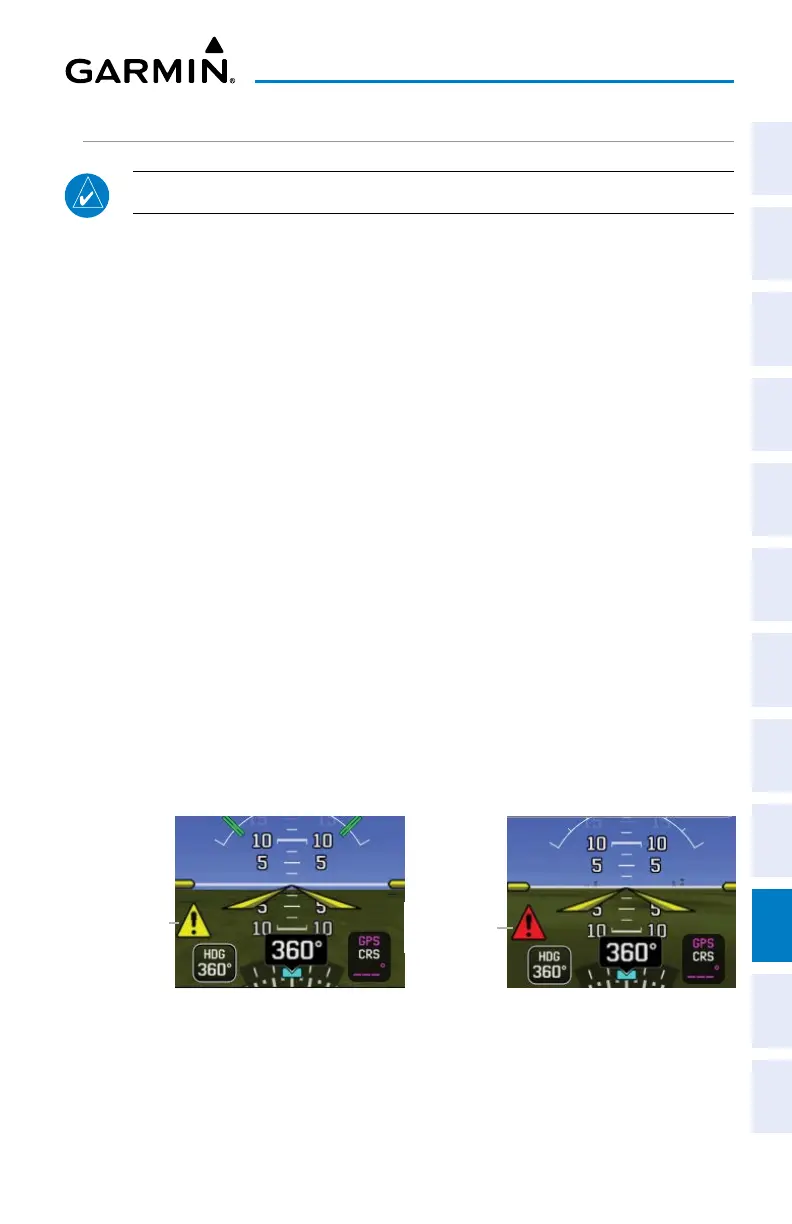
When in split-screen mode on the GDU 470, the CAS Window is hidden. A yellow or
red warning symbol is depicted on the PFD indicating the presence of a CAS message.
To view the CAS message(s) return to full screen PFD mode.
Caution CAS Message Symbol
(Split-Screen GDU 470)
Caution CAS
Message
Symbol
Warning
CAS Message
Symbol
Warning CAS Message Symbol
(Split-Screen GDU 470)


 To Next Page
 Loading...













