Adjustment
■ Height/ Inclination Checking and Adjustment
NOTE:
• The illustrations of "Height/Inclination Checking and Adjustment" procedure are those of imagePRESS C10000VP series.
• An improperly adjusted height or inclination could result in jams frequently occurring at the paper folding unit inlet.
CAUTION:
If the height and inclination of the equipment and the connected host machine are not within their standards, adjust them.
● Height Check
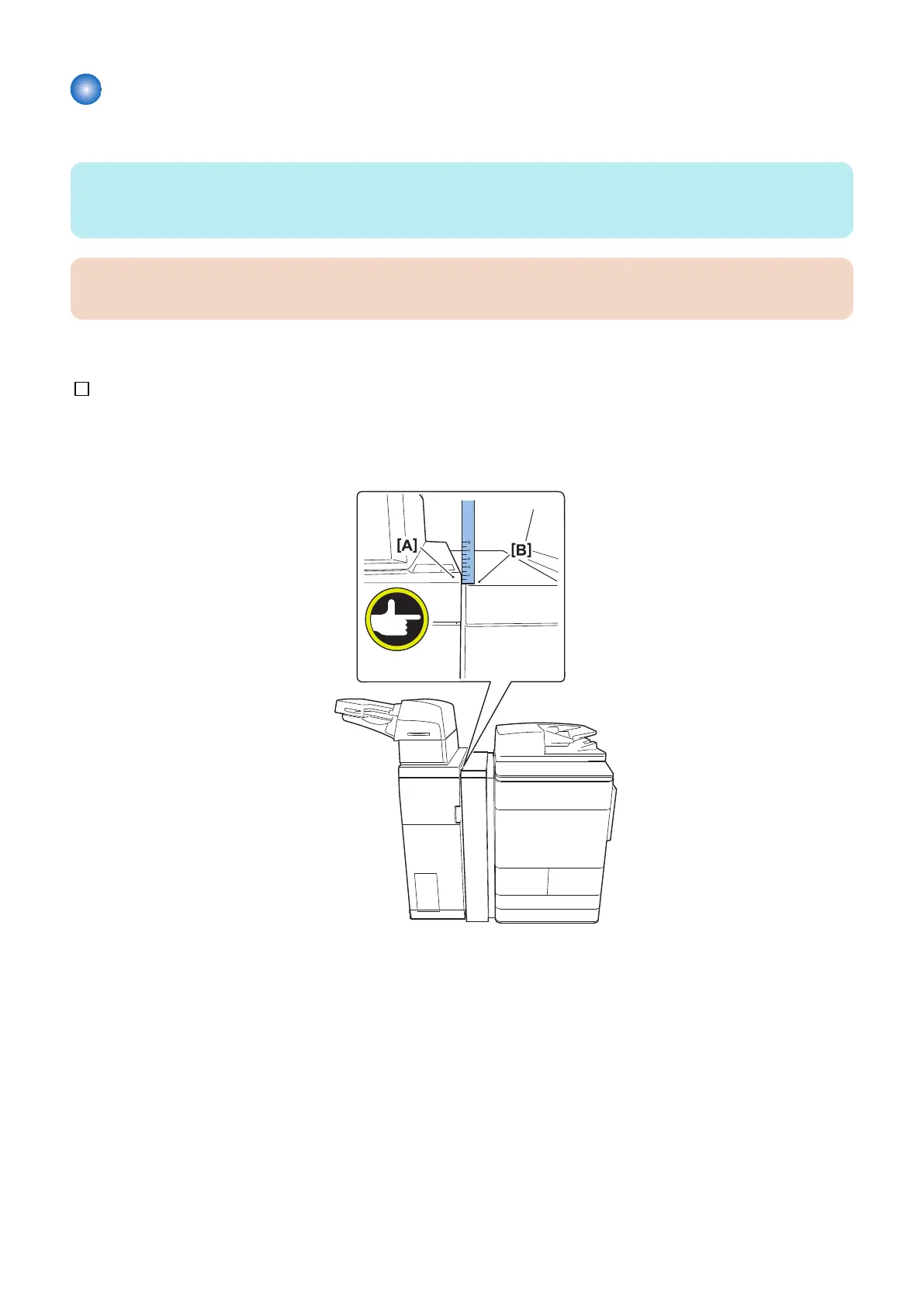
1. Check whether the difference of the height between [A] and [B] is 22 -/+ 3mm.
[A] : Right upper surface of the inserter
[B] : Left upper surface of the Buffer Pass Unit
6. Paper Output Options
596


 To Next Page
 Loading...





