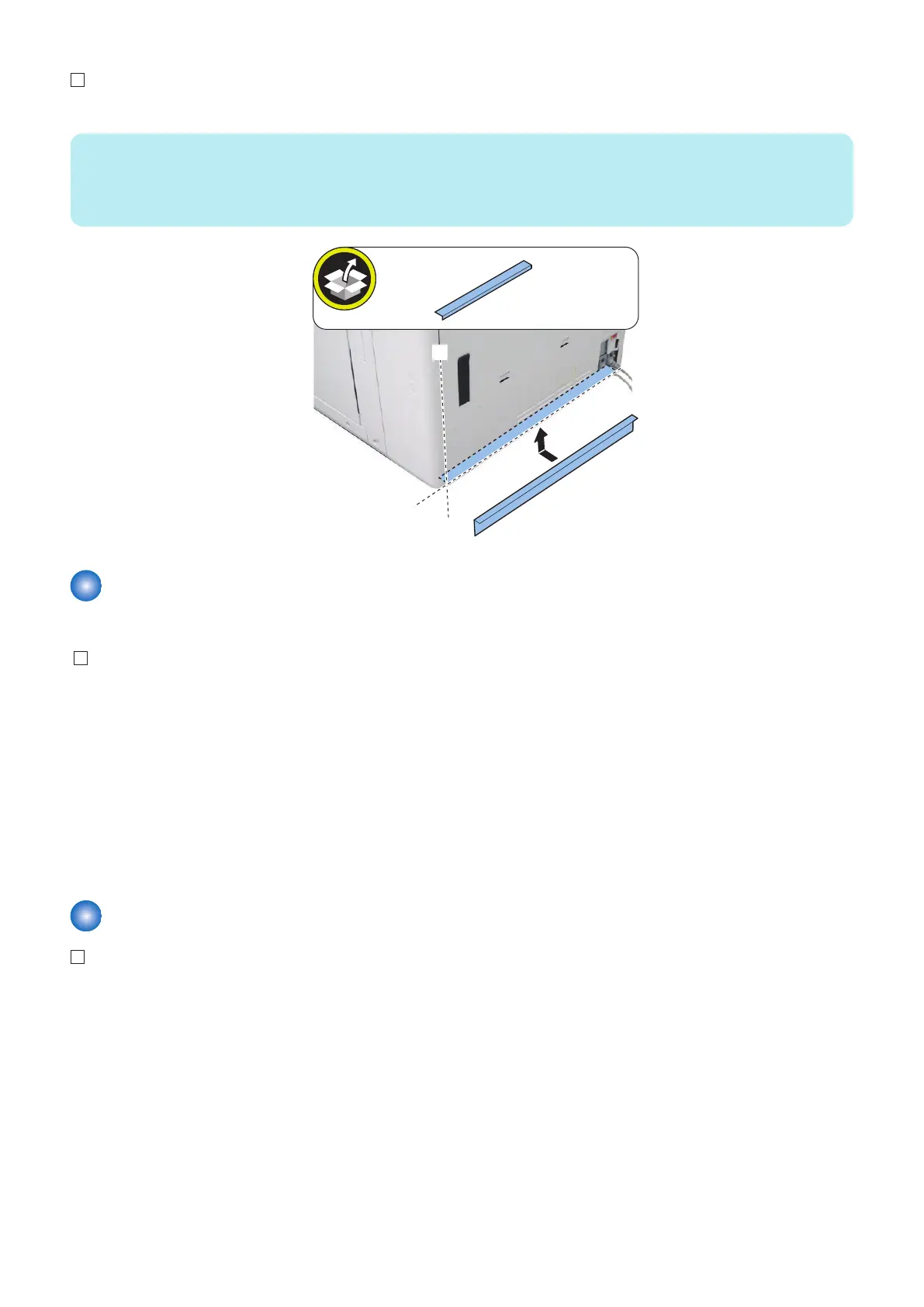
3. Affix the Rear Lower Curtain Sheet.
NOTE:
Standard for affixing them
• Align the sheet with the left edge [A] of the Rear Lower Cover.
• Align the sheet with the edge [B] of the bent part of the Rear Lower Cover.
Checking the K Paper Settings (Only for CHINA)
Check the following service mode, and change the setting value if different.
1. Check that the setting value is "0" in the following service mode.
COPIER > OPTION > FNC-SW > MODEL-SZ
2. Check that the setting value is "0" in the following service mode (Lv.2).
COPIER > OPTION > FNC-SW > SENS-CNF
COPIER > OPTION > FNC-SW > MODELSZ2
3. Check that the setting value is "1" in the following service mode (Lv.2).
COPIER > OPTION > FNC-SW > KSIZE-SW
4. When having changed the setting, turn OFF and then ON the main power to enable the setting value.
Deck Settings
1. Open the Front Cover.
2. Pull out the Left and Right Decks.
2. Host Machine
82



 To Next Page
 Loading...




