GERAFT LOGIQ P9/P7
D
IRECTION 5604324, REVISION 11 DRAFT (JANUARY 24, 2019) SERVICE MANUAL
8-144 Section 8-28 - Replacement of the Harness Cable and OPIO Cable Assy
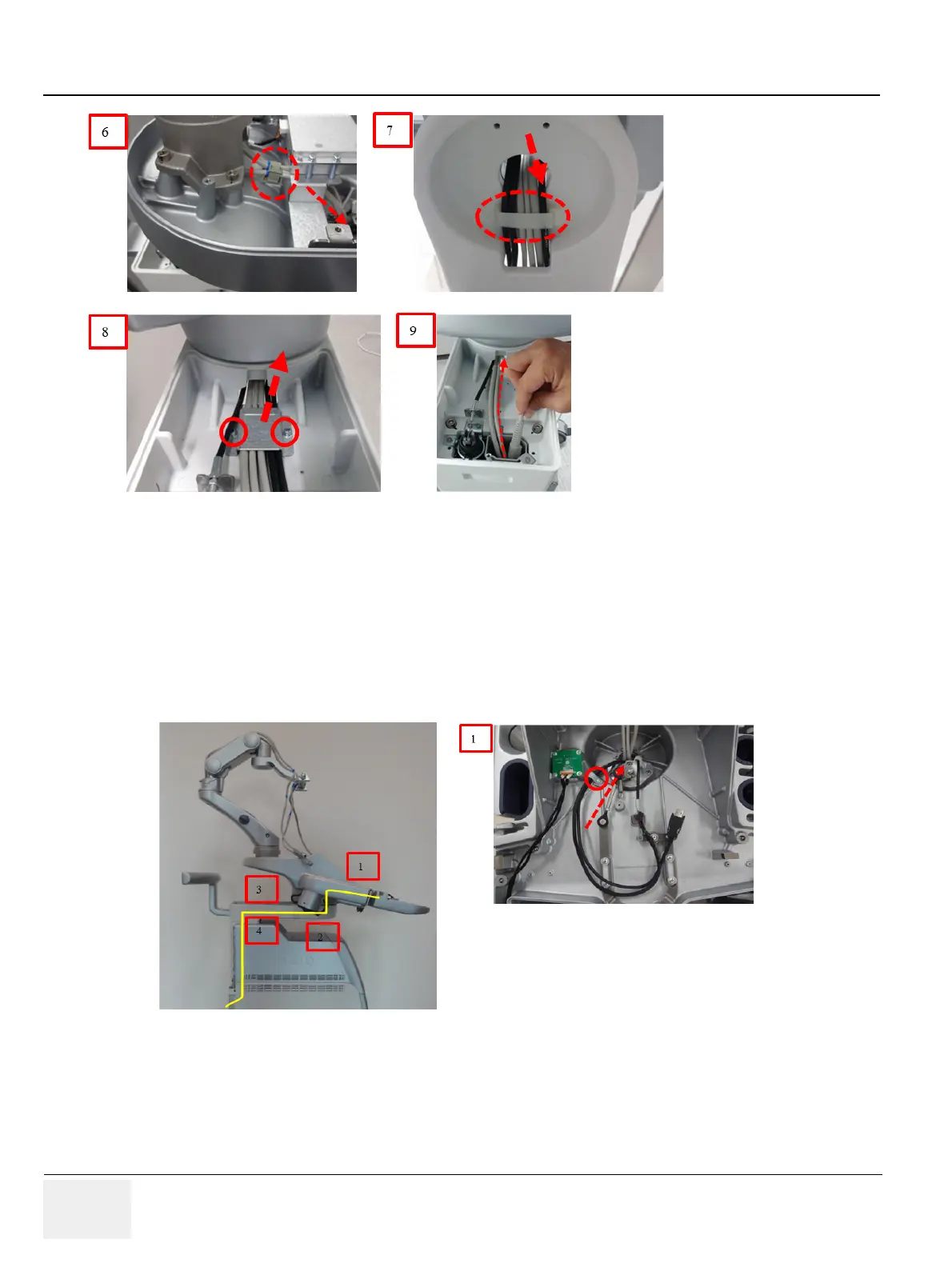
Figure 8-167 Removal of Harness Cable Assy
8-28-5 Removal Procedure (OPIO Cable Assy)
1) Unscrew 1 screw, remove cable clamp, and then loosen cable through hole.
NOTE: There is cable position marker at this location.
2) Release the cable holder and carefully pull down cables.
3) Unscrew 2 screws and remove Link arm cable fix brkt.
4) Carefully pull up cables and remove cables
Figure 8-168 Removal of Harness Cable Assy
8-28-6 Installation Procedure
Install components in reverse order of removal. Replace the cut cable ties with new ones of the
appropriate length.



 To Next Page
 Loading...