P1086708-001 ZXP Series 9 Card Printer Service Manual 255
Replacement Procedures for the Printer
Procedures: Halogen Bulb
Halogen Bulb
For replacement, use Kit Halogen Bulb 105936G-110 (Qty 2). Contact Zebra Customer Service at
+01 877-275-9327 for ordering information.
Hot Surface • Halogen bulbs produce intense heat. Use caution when handling the transfer
station assembly.
Removal
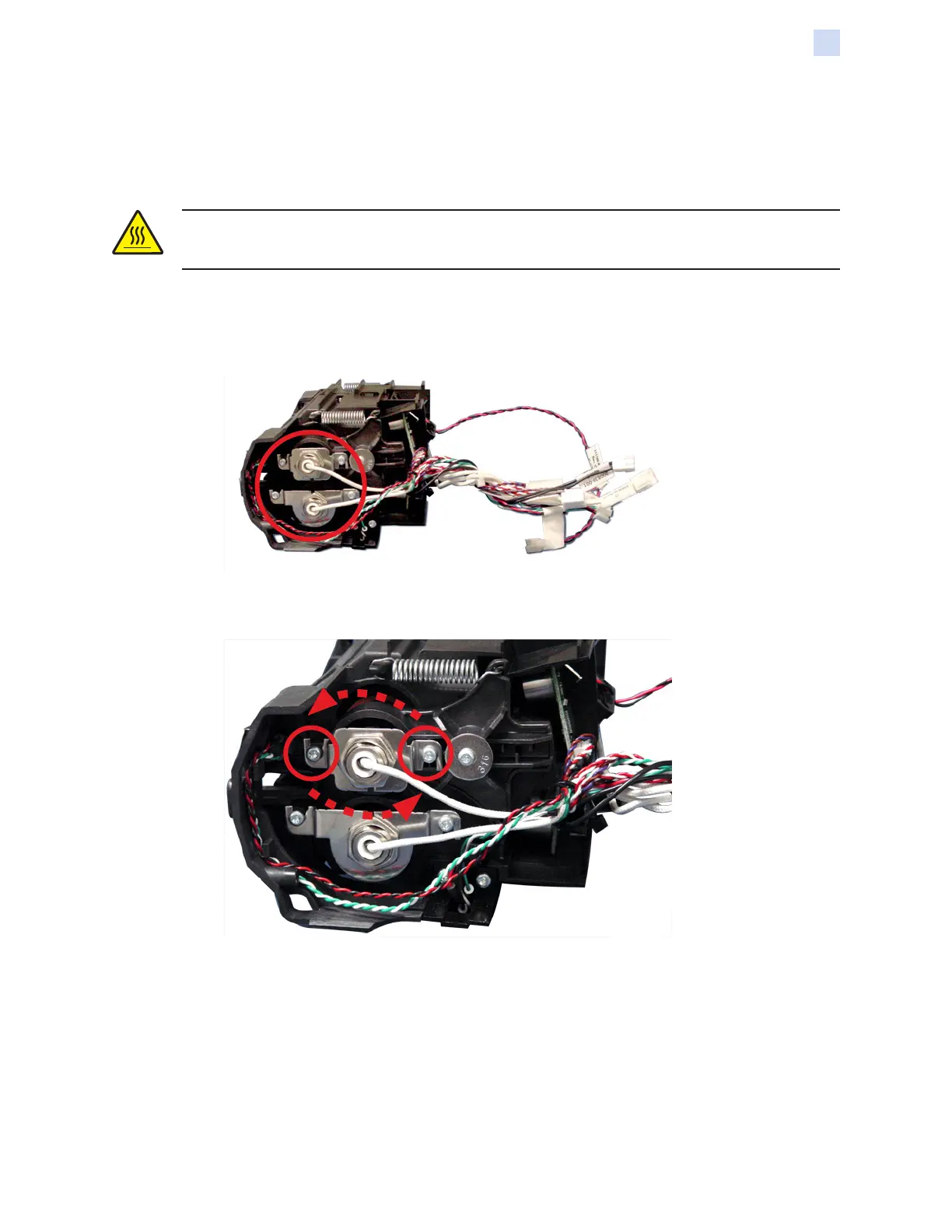
Step 1. Locate the halogen bulbs (circled below).
Step 2. With a TORX T10 driver, loosen the two screws (circled below) and rotate the socket
assembly counterclockwise to release the halogen bulb socket.



 To Next Page
 Loading...