83
2.7 Electrical Unit
REGIUS MODEL 190 Service Manual Ver.1.00 2004.11.01
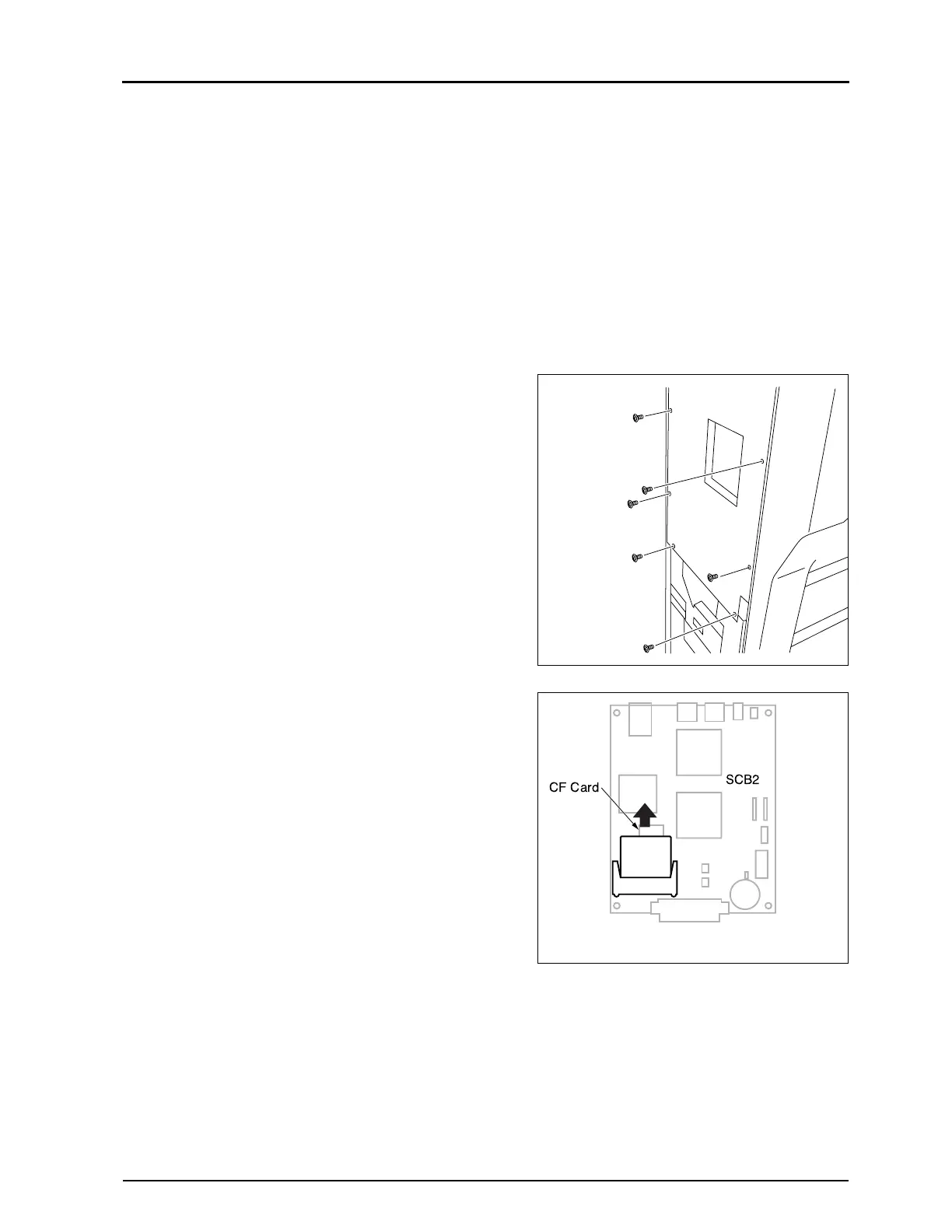
2.7.2 Replacement of CF Card
When the CF card is replaced, it is necessary, after completing
the replacement to restore the original data of the CF card that
have been backed up in the REGIUS Console in advance. All
related settings necessary when the CF card is replaced, refer
to ("5.3Replacement Procedures of CF Card", p.187).
CF card is installed in the card slot on the SCB2.
1.
Detach the left cover. ("2.2.2 Removal of the Left & Right
Covers, p.29")
2.
Loosen 6 fixing screws, and remove the cover for the PCB.
3.
Ware an earth strap.
4.
Slide the CF card along the arrow, and pull it out from the
card slot.
5.
Insert a new CF card into the card slot.
Fixing Screw 6pcs)
(loosen)


 To Next Page
 Loading...






