63
2.4 Transport Unit
REGIUS MODEL 190 Service Manual Ver.1.00 2004.11.01
2.4.8 Replacement of Receiver Sensor
1.
Remove the receiver assy. ("2.4.2 Removal of the Cassette
Receive Unit, p.54")
2.
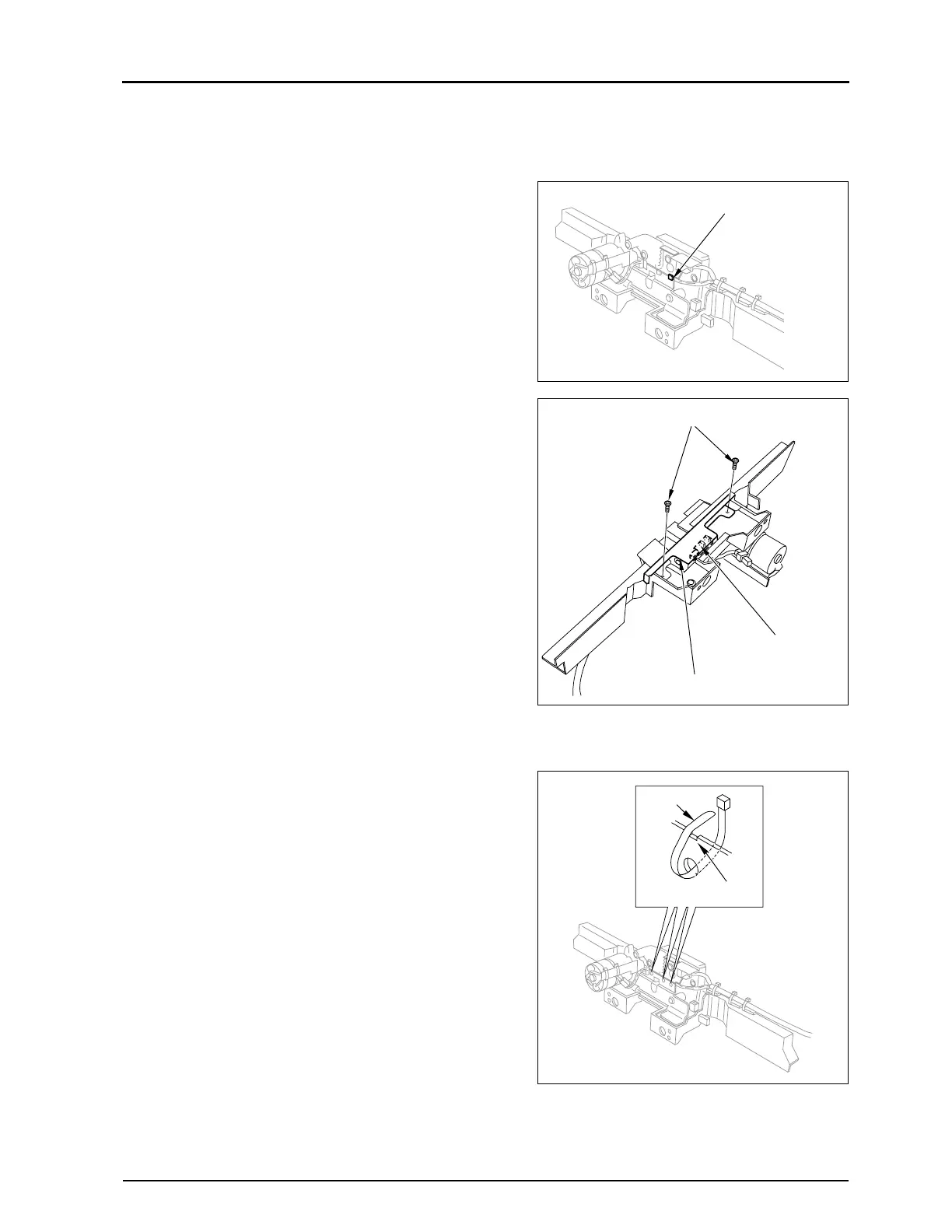
Cut the tie band of the receiver motor bracket.
3.
Remove the two fixing screws, and remove the receiver
sensor bracket.
4.
Unplug the connector from the receiver.
• JP21
5.
Remove the receiver sensor (S2) from the receiver sensor
bracket.
6.
Carry out reassembly in the reverse order to that described
above.
• Remarks for installation
When attaching the tie band to the wires on the receiver sensor
bracket, fit it into the groove with its end shown in the right.
Tie Band
Fixing Screws
Receiver Sensor (S2)
Receiver Sensor Blacket
Groove
Tie Band


 To Next Page
 Loading...






