Deleting the digital master key
The digital master key can be deleted from the
smartphone or via iDrive.
The deletion of the digital master key is comple‐
ted immediately.
Deleting a shared key
Shared keys can be deleted via the smartphone
associated with the main digital key, via the
smartphone associated with a shared key or in
iDrive.
A shared key will only be deleted via the smart‐
phone associated with the main digital key if the
vehicle is being used with a key other than the
one that is to be deleted.
If the smartphone associated with a shared key
or iDrive is used to delete a shared key, it will be
deleted immediately.
Deletion in iDrive
To enable a digital key to be deleted in iDrive,
there must be an authorised vehicle key in the
vehicle or the main key must be in the smart‐
phone tray.
1.
"MENU"
2. "Vehicle apps"
3. "Doors and windows"
4. "Digital Key"
5. Select a digital key as necessary.
6. Delete the Digital Key.
Resetting the function
To reset BMW Digital Key function, there must
be an authorised vehicle key in the vehicle.
All digital keys, including the main key, are de‐
leted when the BMW Digital Key function is re‐
set.
Following the reset, it will no longer be possible
to lock, unlock or start the vehicle with a digital
key.
The main digital key must be enabled again in or‐
der to be able to use BMW Digital Key again.
1. "MENU"
2. "Vehicle apps"
3. "Doors and windows"
4. "Digital Key"
5. "Reset function"
Unlocking and locking the vehicle
The vehicle can be unlocked and locked as fol‐
lows:
▷ Via the outside door handle.
▷ With Comfort Access: depending on the na‐
tional-market version, the vehicle can be
locked and unlocked with no-touch activation.
For further information:
Access to the vehicle interior, see page 94.
Switching on drive-ready state
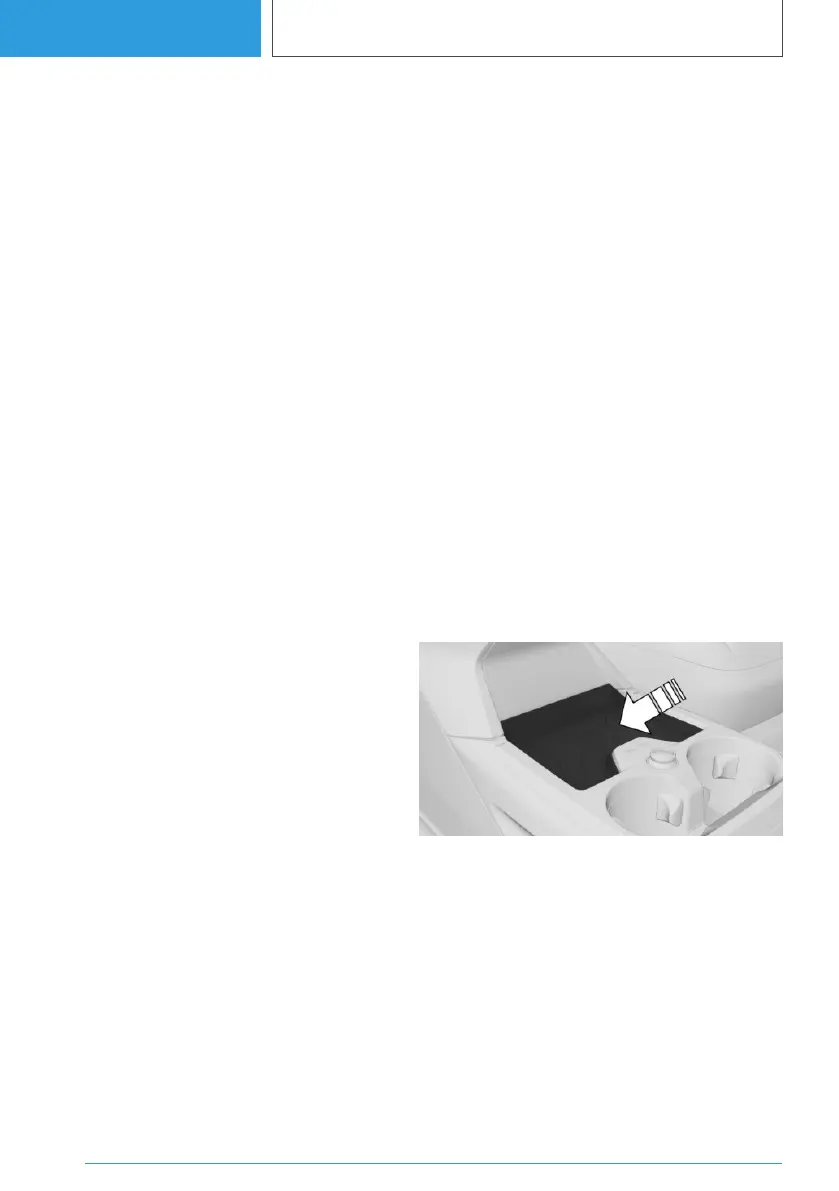
Using the smartphone tray
1.
Place the smartphone in the middle of the
smartphone tray.
Make sure that the display is pointing up‐
wards.
2. Press the Start/Stop button to turn on the
drive-ready state.
With Comfort Access
Depending on the national-market version, the
drive-ready state with Comfort Access can also
Seite 104
CONTROLS
Opening and closing
104
Online Edition for Part no. 01405A38CB9 - VI/21



 To Next Page
 Loading...