4. "Instrument cluster"
5. "Display Assisted View when driver
assistance is active"
Display
An example with active driver assistance: the in‐
dicator and warning lights for the distance con‐
trol and the Lane Change Assistant indicate a
lane change to the next lane. At the same time,
the lane change to the next lane is shown with
animation in the Assisted View.
System limits
The detection capability of the system is limited.
Only objects detected by the system are taken
into account.
For further information:
▷ Cameras, see page 48.
▷ Radar sensors, see page 49.
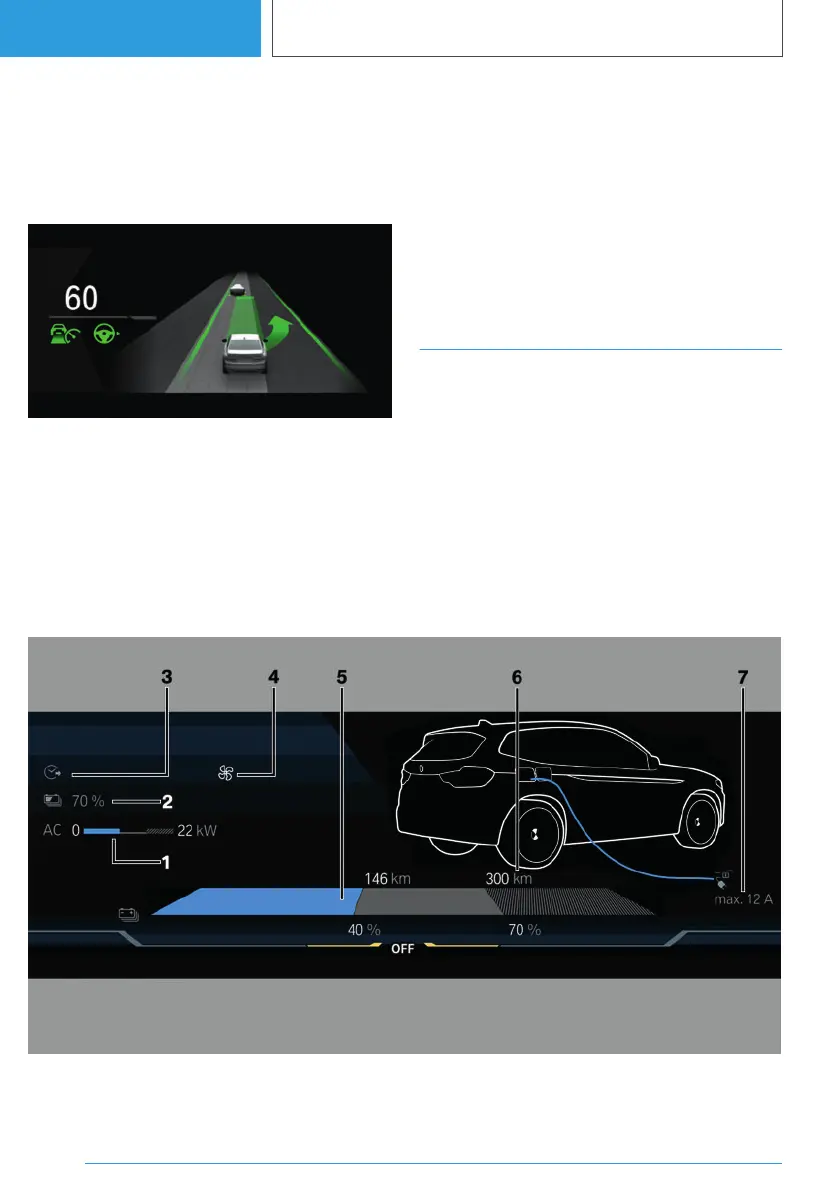
Charge display
General
The charging screen displays information about
the charging process in the instrument cluster.
The displays in the instrument cluster can some‐
times differ from the illustrations in the Owner's
Handbook.
For further information:
Charge vehicle, see page 322.
Overview
1 Current charging power 330
2 Set target charge 330
3 Departure time for timer 331
Time for end of charging 330
Seite 156
CONTROLS
Displays
156
Online Edition for Part no. 01405A38CB9 - VI/21


 To Next Page
 Loading...