Safety note
WARNING
The system does not relieve you of your per‐
sonal responsibility to assess the traffic situa‐
tion correctly. Due to system limitations, it can‐
not respond independently and appropriately in
all traffic conditions. There is a risk of accident.
Adapt your driving style to the traffic conditions.
Observe the traffic situation and intervene ac‐
tively if the situation warrants it.
Overview
Buttons on the steering wheel
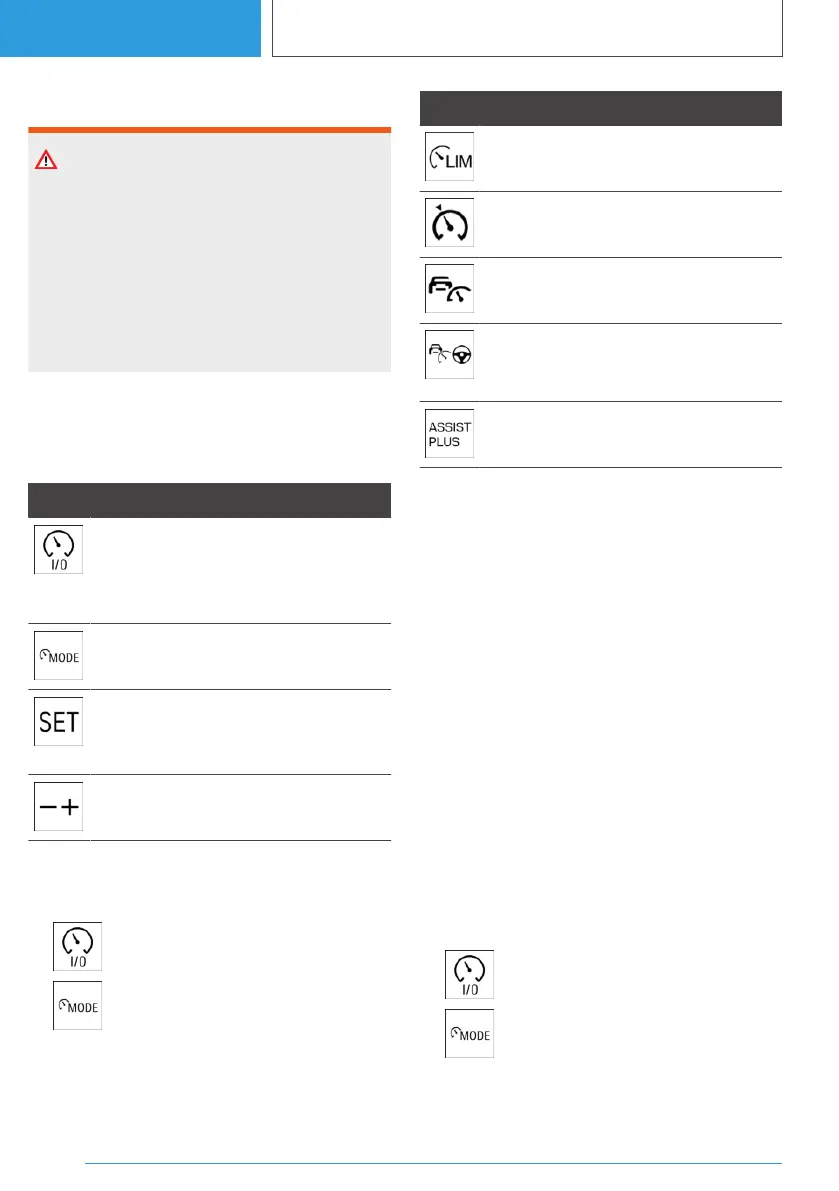
Button Function
Turn last active Cruise Control System
on/off.
Interrupt and continue Cruise Control
Systems.
Select the desired Cruise Control Sys‐
tem.
To store the current speed.
Speed Limit Assist: to accept the sug‐
gested speed manually.
To set the speed.
Turning on/selecting Cruise Control
Systems
1.
Turn on: press the button.
2. Select: when the system active, press
the button repeatedly until the desired Cruise
Control System is displayed in the toolbar in
the instrument cluster.
Icon Cruise Control System
Manual Speed Limiter.
Cruise Control.
Distance control.
Assisted Driving. Cruise Control with
distance control, Steering Assistant
and tracking.
Assisted Driving Plus. System for traffic
queues.
The selected function is shown in green.
The function is displayed in grey when the func‐
tional requirements are not met.
The setting is saved for the current driver profile.
Interrupting Cruise Control Systems
automatically
Depending on the system, Cruise Control Sys‐
tems are interrupted automatically, for example,
in the following situations:
▷ Depending on the system, when exiting se‐
lector lever position D to P, N or R.
▷ The Dynamic Stability Control adjusts.
▷ The Dynamic Stability Control is restricted.
▷ When braking manually.
Interrupting Cruise Control Systems
manually
▷ Press the button.
▷ Press button to select another Cruise
Control System.
Seite 228
CONTROLS
Driver assistance systems
228
Online Edition for Part no. 01405A38CB9 - VI/21



 To Next Page
 Loading...