be turned on with a compatible smartphone with
digital key.
1. The smartphone must be in the vehicle inte‐
rior.
2. Press the Start/Stop button to turn on the
drive-ready state.
Selling the smartphone
Delete all digital keys from the smartphone be‐
fore selling it. This ensures that the smartphone
can no longer be used for the vehicle.
Selling the vehicle
Before selling a vehicle, reset the digital key
function or remove the vehicle from the Connec‐
tedDrive account of the current registered
keeper.
If the vehicle is removed from the Connected‐
Drive account, all digital keys for the vehicle are
deleted.
Malfunction
It may be difficult for the vehicle to detect the
digital key in some circumstances, including the
following:
▷ The smartphone is shielded from the sensors
in the vehicle by an unsuitable smartphone
cover.
▷ There are objects between the smartphone
and its cover, for example a card with a chip
or the Key Card.
▷ Fault of the connection from transmission
towers or other equipment with high trans‐
mitting power.
▷ Shielding of the smartphone due to buildings
or metal objects.
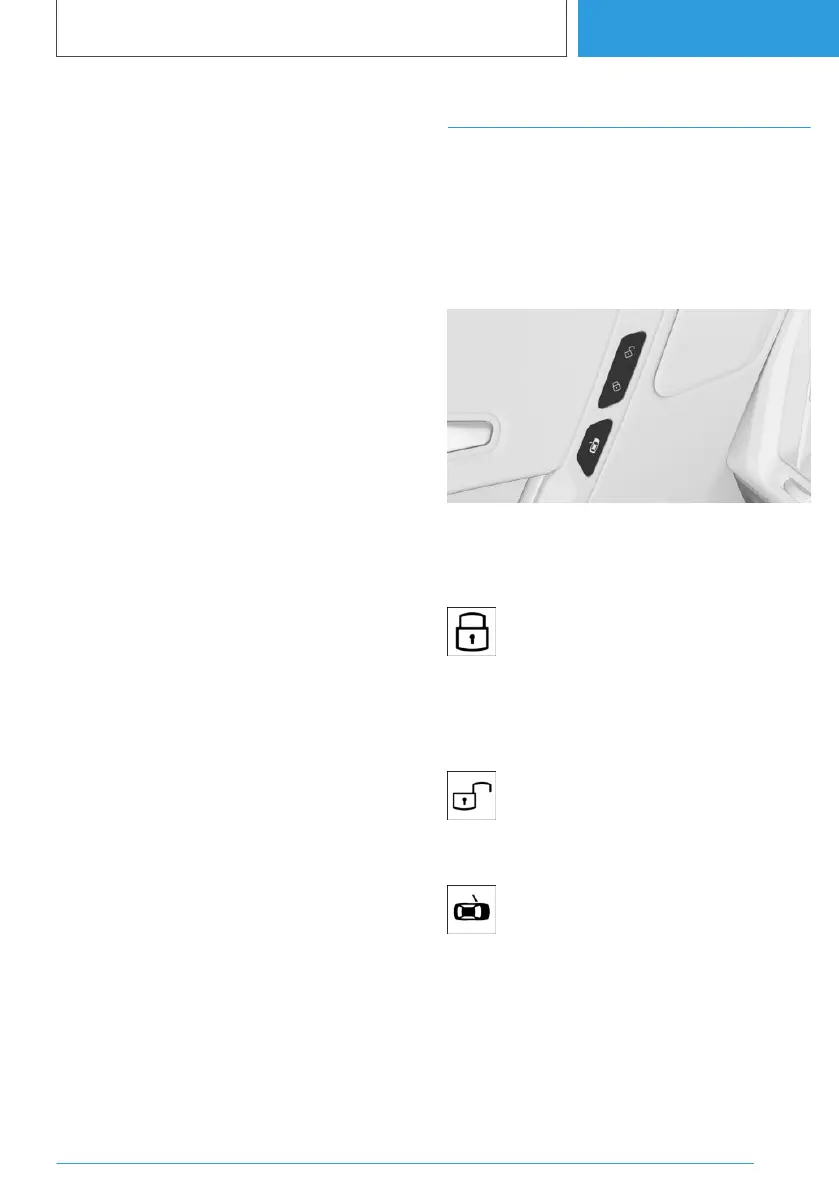
Central locking buttons
General
If an accident of appropriate severity occurs, the
vehicle is automatically unlocked. The hazard
warning lights and interior lights are switched on.
Overview
Central locking buttons.
Locking the vehicle
Press the button with the front doors
closed.
Locking does not activate the vehicle's anti-theft
protection system.
Unlocking the vehicle
Press the button.
Opening the door
Press the button.
The door is unlocked and opened slightly.
Press door outwards.
Seite 105
Opening and closing
CONTROLS
105
Online Edition for Part no. 01405A38CB9 - VI/21


 To Next Page
 Loading...