SmartPAC 2 User Manual 1126700
Initialization Mode 4-39
COMMUNICATIONS
(INITIALIZATION – DIAGNOSTICS – COMMUNICATIONS)
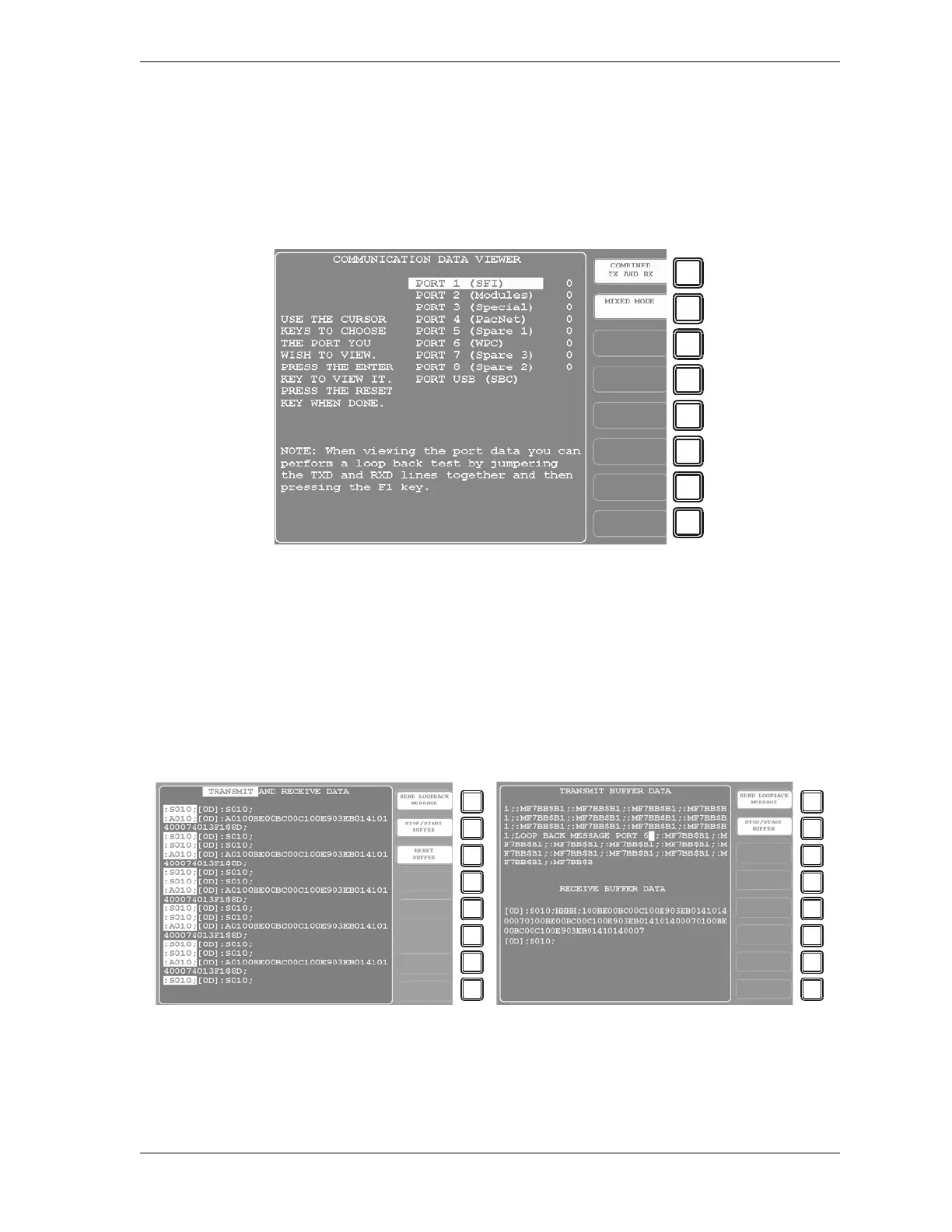
When you select the COMMUNICATIONS item on the Diagnostics Menu, the
Communications Data Viewer screen, shown in Figure 4-30, displays.
This screen allows you to verify communications between SmartPAC 2 and its installed
modules, including SFI and WPC. When you press ENTER with the highlight bar resting on
one of the communications ports (e.g., PORT 1 (SFI)), the Transmit and Receive Data screen
for that communications port displays (see Figure 4-31).
You can view communications data in two screen formats: combined and split. Press ENTER
with the F1 key label showing “COMBINED TX AND RX” to view the combined format.
Press ENTER with F1 showing “SPLIT TX AND RX” to view the split format.
Figure 4-30. Communications Data Viewer Screen
Figure 4-31. Transmit and Receive Data Screen: Combined View (Left), Split View (Right)


 To Next Page
 Loading...

