1126700 SmartPAC 2 User Manual
G-20 Reporting Downtime and Scrap to LETS
Making Scrap Entries
To document scrap for a currently running job, do the following:
1. With the tool loaded and running, select “COUNTERS” on the Main Run Menu (see
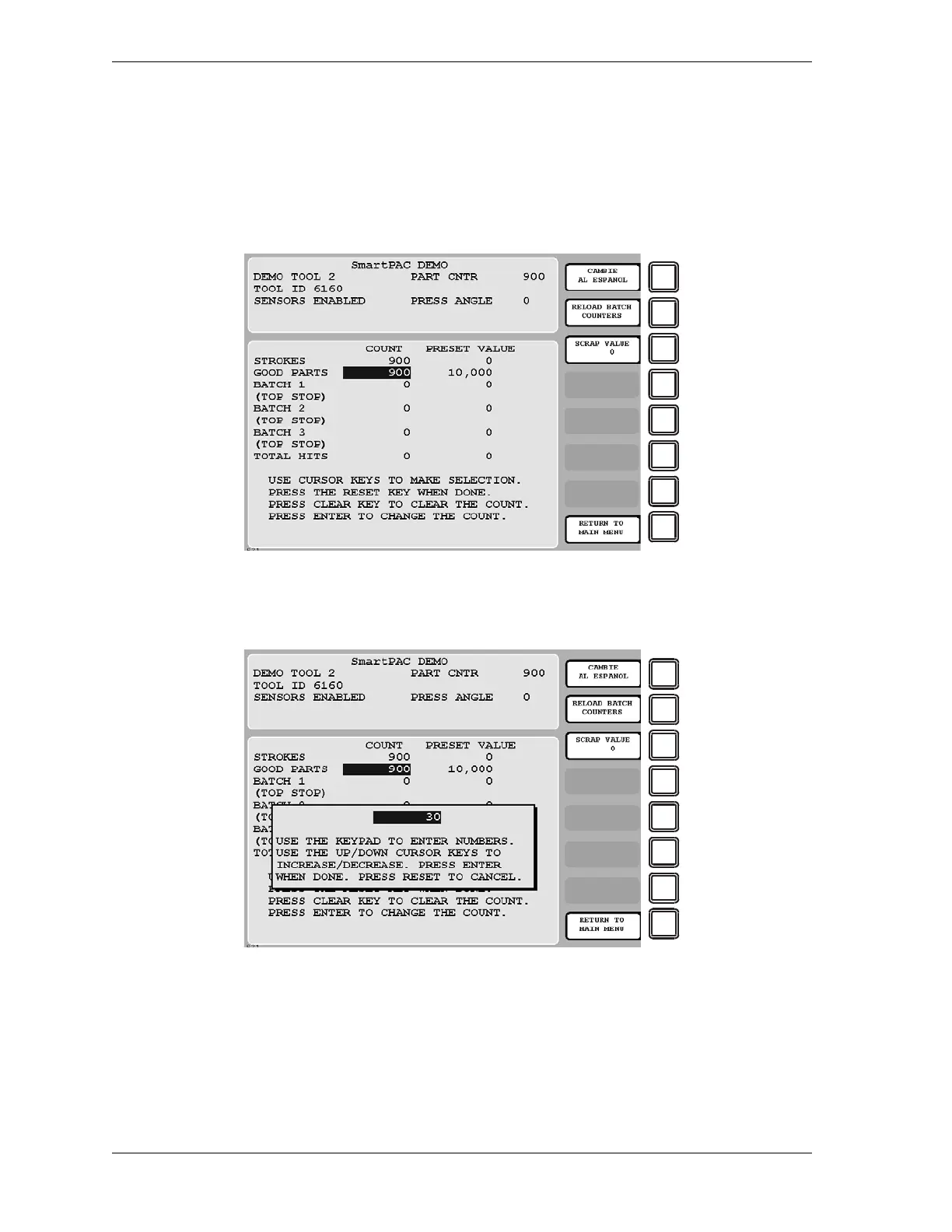
Figure G-11, page G-17) to display the Counters screen (see Figure G-13).
2. Press F3 (Scrap Value). The Scrap Value Entry window displays (see Figure G-14).
3. If this is your first scrap entry for the job, perform this step; otherwise, go to step 4.
Key in the amount of scrap you wish to document, following the directions in the window,
and press ENTER. (Figure G-14 shows a scrap entry of “30” as an example.)
Figure G-13. Counters Screen with “Scrap Value” Function (F3) Shown
Figure G-14. Counters Screen with Scrap Value Entry Window Displayed (30 Items Shown)


 To Next Page
 Loading...

