SmartPAC 2 User Manual 1126700
Reporting Downtime and Scrap to LETS G-7
Making Downtime Reporting Settings
To enable and configure the SmartPAC 2 downtime reporting features described in the
previous section, perform the following steps:
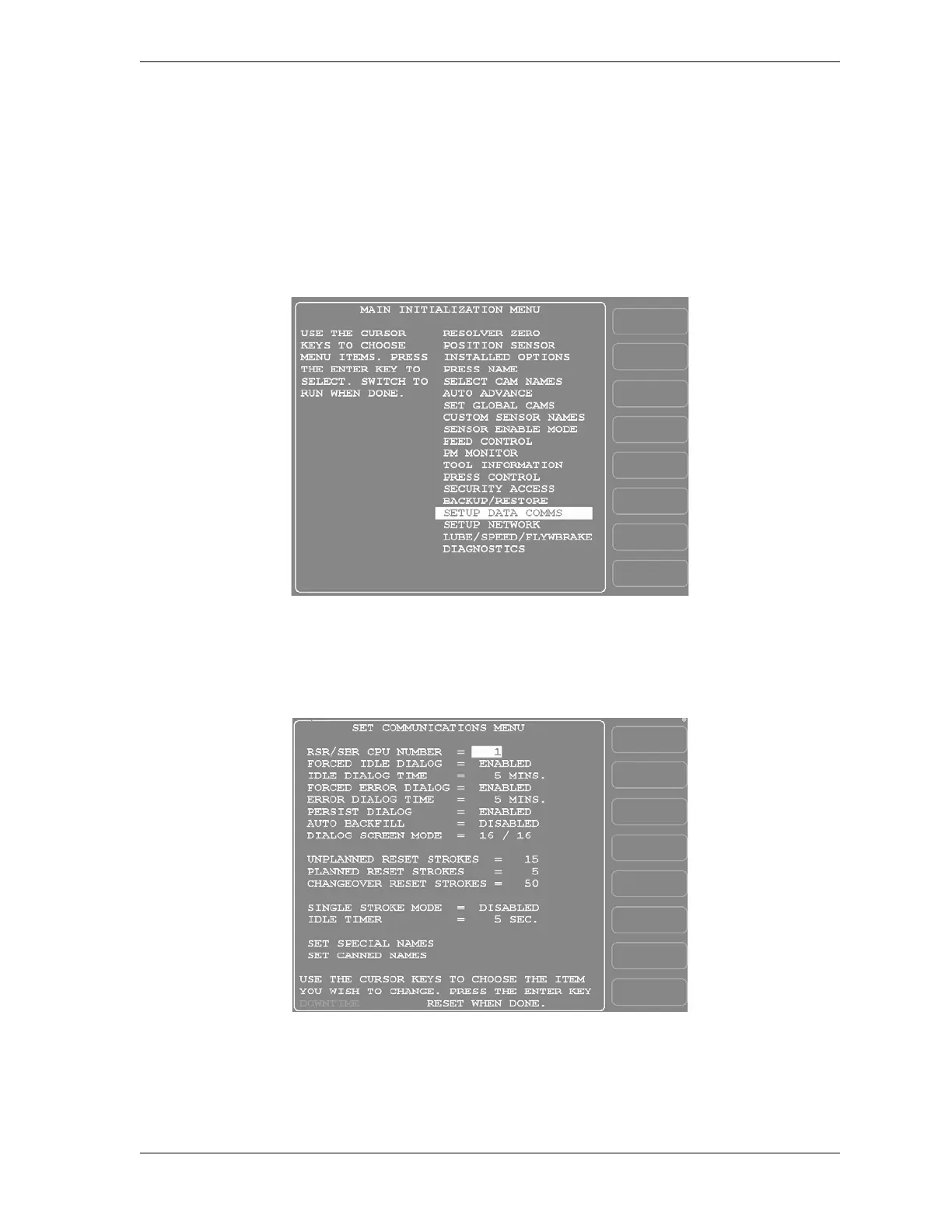
1. At the SmartPAC 2, turn the Program/Run key to “PROG,” then press the “1” and
“CLEAR” keys simultaneously for a second or two until the Main Initialization Menu (see
Figure G-4) displays.
2. Highlight the “SETUP DATA COMMS” menu item, using the Up () or Down ()
cursor key, and press ENTER. The Set Communications Menu (see Figure G-5) displays:
Figure G-4. SmartPAC 2 Main Initialization Menu
Figure G-5. Set Communications Menu


 To Next Page
 Loading...

