SmartPAC 2 User Manual 1126700
Run Mode 6-35
TOGGLE HOT KEYS
(RUN – TOGGLE HOT KEYS)
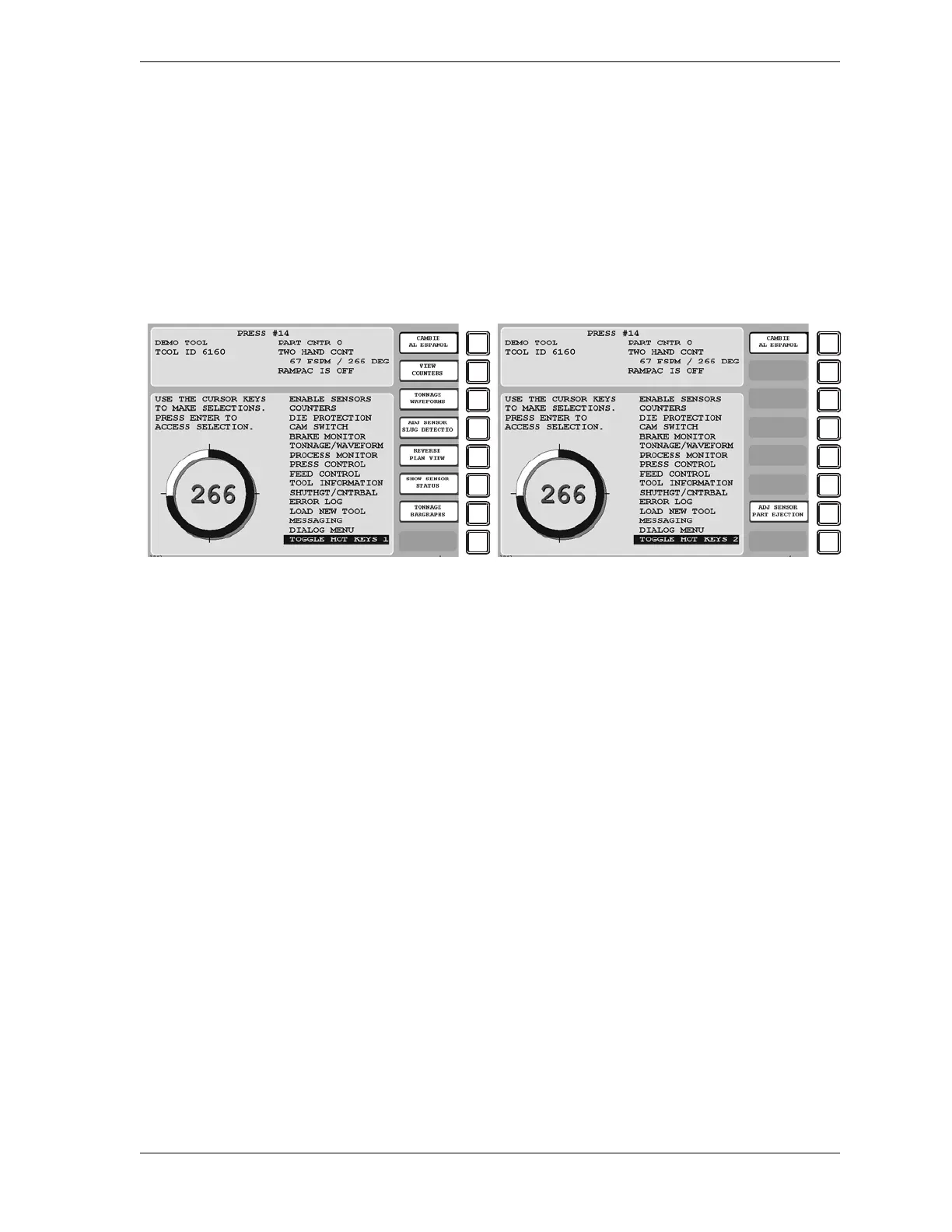
This item enables you to switch between the two sets of Hot keys available in SmartPAC 2. If
you select this item when TOGGLE HOT KEYS 1 is the caption, the second set of Hot Keys
displays; when you select TOGGLE HOT KEYS 2, the first set of Hot Keys appears (see
Figure 6-30). For more information about programming and using Hot keys, see
Programming Hot Keys, page 6-3.
Figure 6-30. Toggle Hot Keys 1 and 2 Menu Items


 To Next Page
 Loading...

