1126700 SmartPAC 2 User Manual
5-32 Program Mode
When planning the sensors to be assigned to each DiProPAC 32 input, make sure to reserve
sensor positions 1-16 for green sensors only. Also, if you are using multiple green sensors for
the same function (e.g., transfer, stripper, slug detection, etc.), program only one of the sensor
positions 1-16 for this application, leaving sensor positions 17-32 for programming the
remaining sensors in the group.
Programming Sensors 17-32 as Green, Green Quick Check, or Green Constant
To program a sensor in the group of sensors 17-32 as a green, green quick check, or green
constant sensor, do the following, referring to the appropriate sections of Programming
Sensor Settings (see page 5-20) if necessary:
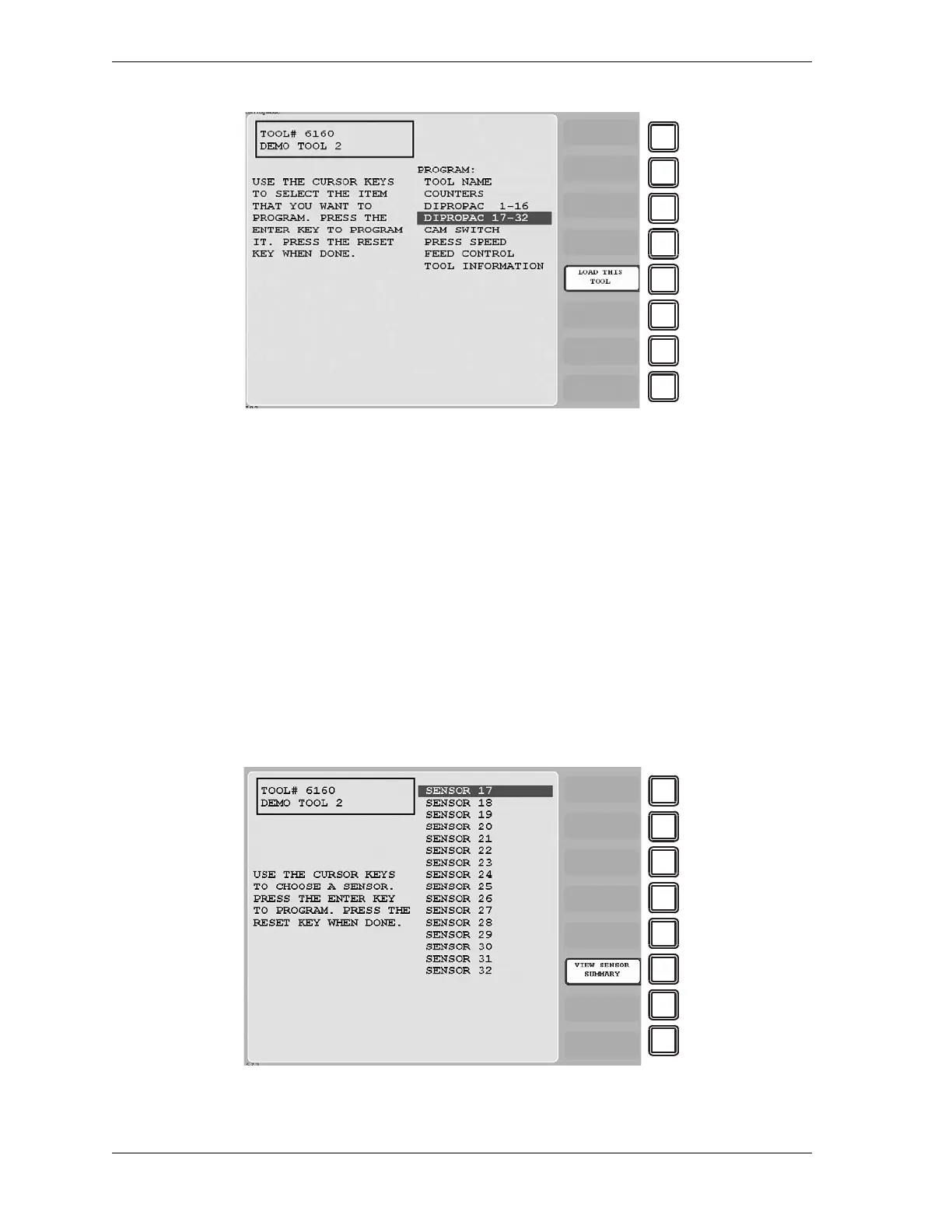
1. On the Tool Program Menu (see Figure 5-32) select the DIPROPAC 17-32 item. The Die
Protection Sensor 17-32 Menu (see Figure 5-33) displays.
Figure 5-32. Tool Program Menu with DIPROPAC 1-16 and DIPROPAC 17-32 Items
Figure 5-33. Die Protection Sensor 17-32 Menu


 To Next Page
 Loading...
