6-1
6. RADAR
This chapter provides the information necessary for radar operation.
6.1 Transmit, Stand-by
Press the Home key (or tap the Home icon) to show the display selection window then
select the radar display. Push the RotoKey
TM
(or tap the screen) to show the RotoKey
menu then select [Tx Radar] to transmit.
If you do not require the radar for some time, set the radar in stand-by to save the mag-
netron from unnecessary use. Push the RotoKey
TM
(or tap the screen) to show the
RotoKey menu then deselect [Tx Radar] to set the radar in stand-by.
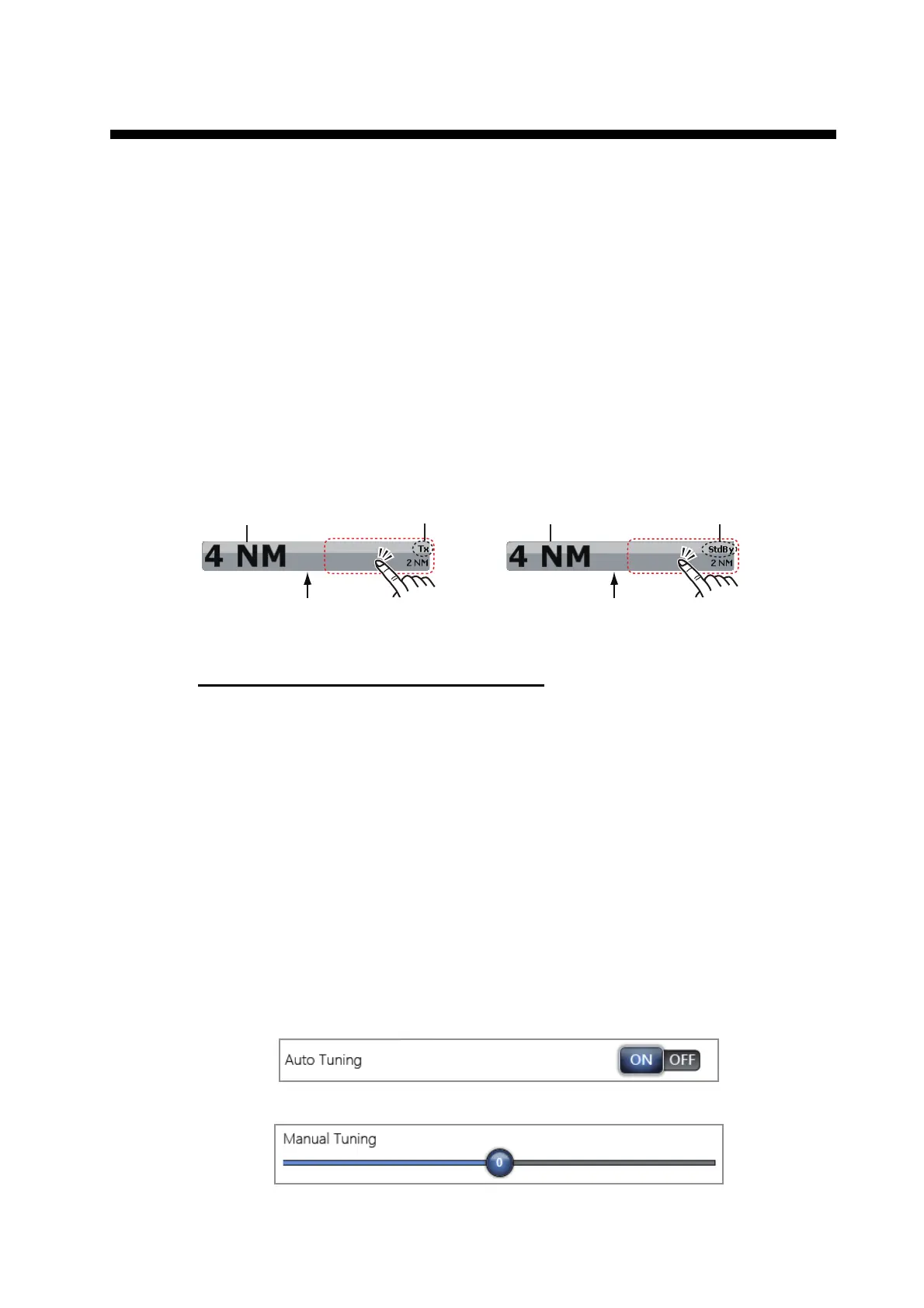
You can switch the radar between transmit and stand-by by tapping the radar scale
box at the bottom left-hand corner of the screen.
TX channel (w/DRS4D-NXT radar sensor)
In the default setting, the best TX channel is automatically selected at random among
three channels. However, if interference is received from the radar of a nearby ship,
open the [Radar] menu, then set [TX Channel] to [1], [2] or [3], the channel where the
interference is smallest.
6.2 Tuning
In default, the radar receiver is tuned automatically after turning the radar to TX. If you
require fine tuning, do the following to tune manually:
1. Select [Menu] on the menu icon bar to open the main menu.
2. Select [Radar].
3. In default, the automatic tuning turns on. First turn off the automatic tuning. Select
the [OFF] icon in [Auto Tuning].
4. Drag the circle icon in [Manual Tuning] to set the value.
5. Select [Close] to exit the menu.
TX mode
Stand-by mode
For TZTBB, tap the area circumscribed above to switch between TX and Stand-by.
Note: You can set the range from the radar scale box by tapping the range indication (see section 6.5).
Range Range
Radar scale box Radar scale box


 To Next Page
 Loading...












