6. RADAR
6-8
6.8.4 How to measure the range and bearing with the ruler
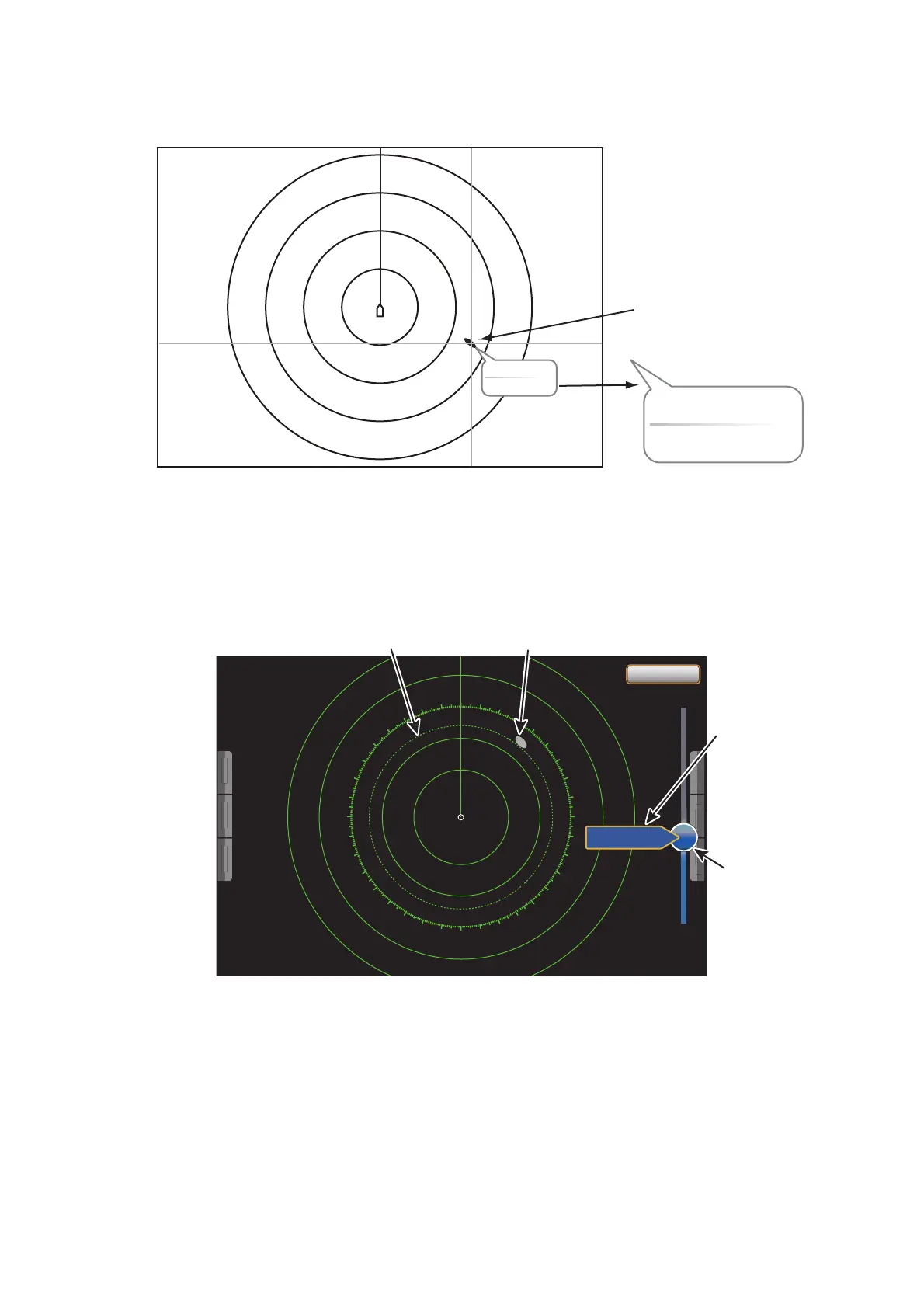
Select an object to get the range and bearing. Read the range and bearing in the box.
6.8.5 How to measure the range with the VRM
The VRM is a dashed ring so that you can identify the ring from the fixed range rings.
1. Select [VRM] from the RotoKey menu.
2. Select [Adjust].
3. Drag the circle icon to put the VRM on the inner edge of the target. Read the range
to the target at the left side of the circle icon.
4. Select [End VRM] at the top right-hand corner of the screen to erase the slider bar.
To delete the VRM, select [VRM] - [Clear] from the RotoKey menu.
You can operate the VRM from a pop-up menu.
Object
Range 3.716 NM
Bearing 109.5
°
Range 3.716 NM
Bearing 109.5
°
00
10
20
30
40
50
60
70
80
90
100
110
120
130
140
150
160
170
180
190
200
210
220
230
240
250
260
270
280
290
300
310
320
330
340
350
4.718NM
VRM
Target
Circle icon
Range to
the target



 To Next Page
 Loading...











