1. SYSTEM INTRODUCTION
1-21
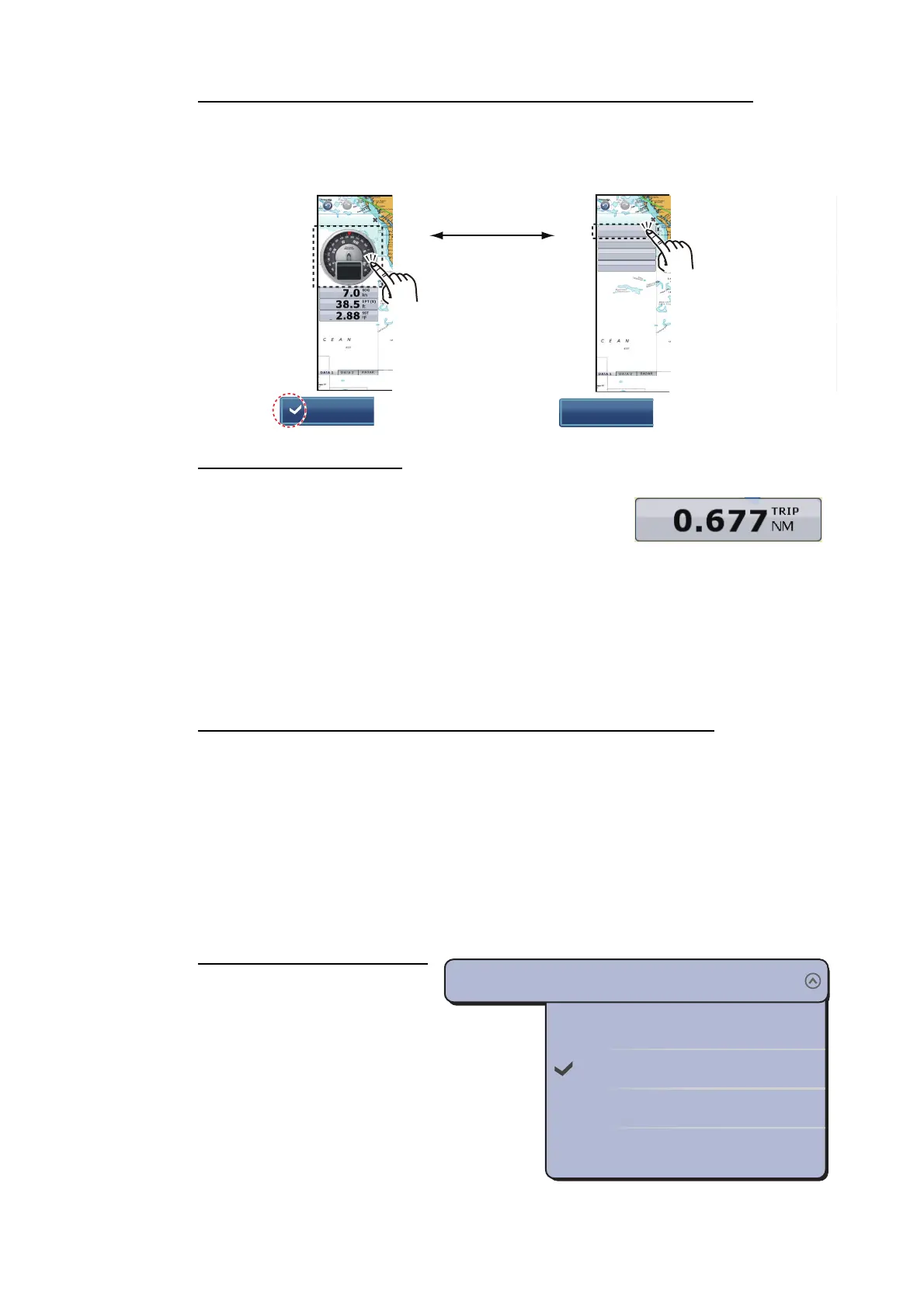
How to switch the indication between analog (graphic) and digital
Select the data box for which to switch the indication. The pop-up menu appears. Se-
lect [Graphic] to display the analog indication. Deselect [Graphic] to display the digital
indication.
How to reset the trip log
The trip log can be reset from the [TRIP] box. Tap the
[TRIP] box to show the pop-up menu. Tap [Reset Trip]
on the pop-up menu, and a window with the message
"Are you sure you want to reset the Trip Log?" appears.
Tap [Yes] to reset the trip log.
1.12.2 Data cycling
A data box may contain more than one data indication. In this case you can cycle the
data, at the interval desired.
How to add a data indication to a data box and cycle the data
Do the following to add data indication(s) to a data box and cycle the data.
1. Select the data box for which you want to add a data indication. The pop-up menu
appears.
Note: You can not cycle the analog data.
2. Select [Cycle Data].
3. Select the data to add.
4. Repeat steps 1 to 3 to continue adding data.
How to set the cycling time
You can set the cycling time in-
terval as follows:
1. Select [General] - [NavDa-
ta Multi Data Dwell Time]
of the main menu.
2. Select [2s], [3s], [5s] or
[10s].
3. Select [Close] to exit the
menu.
: Analog
: Digital
Graphic
Graphic
10:30 AM
COG °M
291.7
ᐲ
m
C
ᶏ㕙ᐲ
10:30 AM
291.7
COG
°M
7.0
SOG
kn
38.5
DPT(S)
ft
2.88
SST
°F
0’02s
0’03s
0’05s
0’10s
NavData Multi Data Dwell Time
0’03s


 To Next Page
 Loading...












