12. WEATHER
12-14
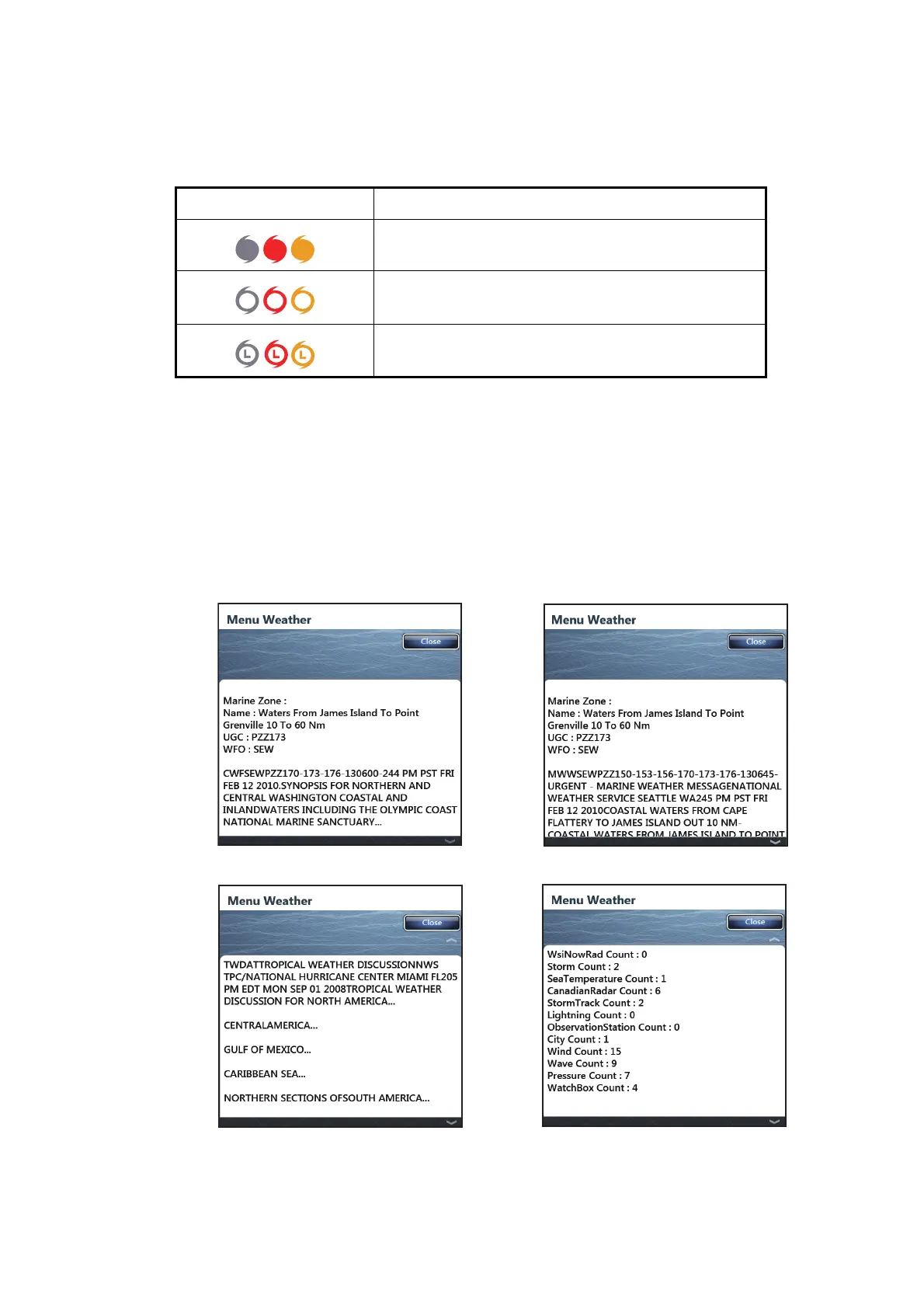
[Storm Tracks]: The storm track icons show major storms in your area. These storms
include tropical disturbances, depressions, storms and cyclones, hurricanes, ty-
phoons and super typhoons. These symbols are displayed in three different colors:
gray (historical), red (current), and orange (forecast).
12.6 Weather Reports
Marine zone forecasts, marine warnings, tropical information and Sirius diagnostic are
sent to your TZT.
1. Select [Menu] on the menu icon bar to open the main menu.
2. Select [Weather].
3. Select [Zone Forecast], [Marine Warnings], [Tropical Infos] or [Sirius Diagnostic].
4. Select [Close] to exit the menu.
Storm track icons Meaning
Hurricane (Category 1-5)
Tropical storm
Tropical disturbance, Tropical depression
Zone forecast
Marine Warnings
Tropical Infos
Sirius Diagnostic


 To Next Page
 Loading...












