14. HOW TO ADJUST SETTINGS
14-8
14.2 How to Set the Display Selection Window
The section 1.5 shows how to arrange the display selection window to your liking. The
default display selection window provides seven displays in configurations according
to the equipment that you have in your network. If the arrangement does not meet your
requirements, you can change the configurations as necessary. You can set a maxi-
mum of 12 displays to show and split a display up to three ways. For example, you can
show the radar and sounder (fish finder) displays in a two-way split screen.
You can select how to split a display by three different methods: full-screen, two-way
and three-way. The displays available depend on the display division selected and
your system configuration. The table below describes display division and possible
display.
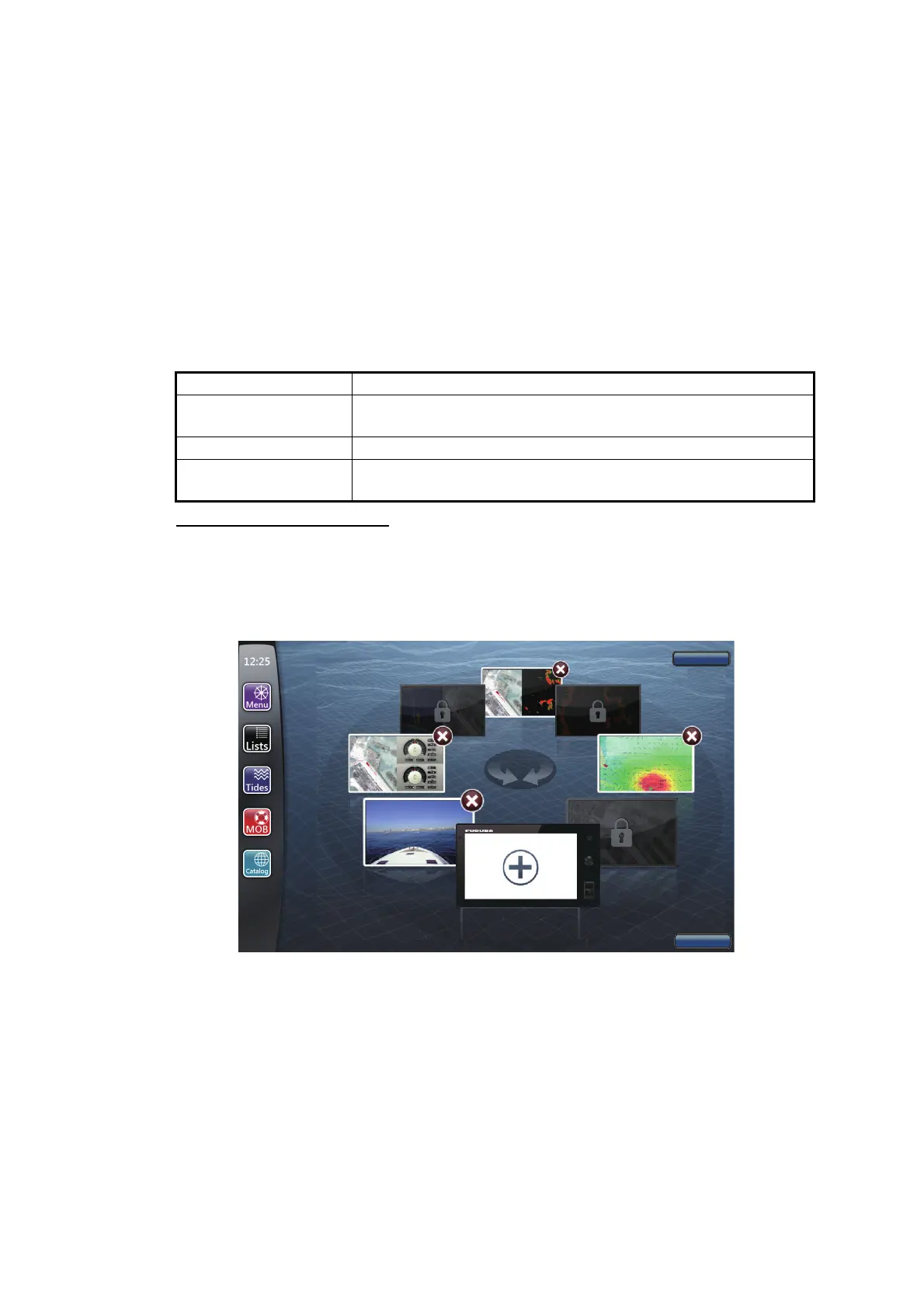
How to add a new screen
Set the display selection window as follows:
1. Press the Home key (or tap the Home icon) to show the display selection window.
2. Select [Edit] at the top right-hand corner of the screen.
Display division Possible display
Full Plotter, weather, radar, sounder, instrument, camera, multi-
sounder, side scan, cross section, 3D history
Two-way split Plotter, radar, sounder, camera, multi-sounder, side scan
Three-way split Plotter, radar, sounder, instrument, camera, multi-sounder,
side scan, cross section, 3D history
Add a new screen
Default
Close


 To Next Page
 Loading...












