6. RADAR
6-3
6.4 How to Reduce the Sea Clutter
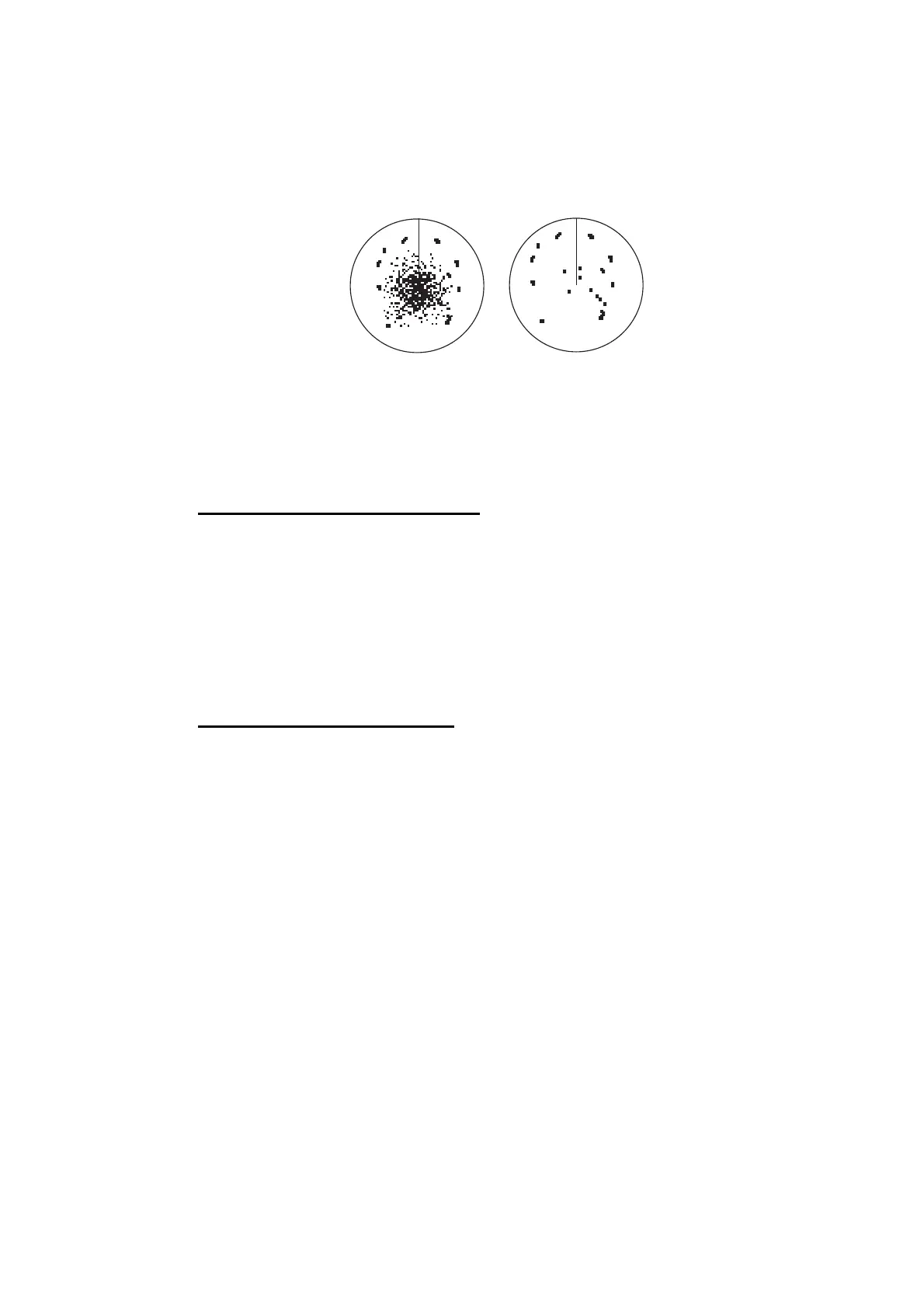
The reflected echoes from waves appear at the central part of the screen and have
the name "sea clutter". The sea clutter increases in width as the height of waves and
the height of the antenna above the water increase. If the sea clutter is strong, targets
can be hidden inside the clutter, like in the left-hand figure shown below.
When the sea clutter hides targets, adjust the sea control (automatically or manually)
to reduce the clutter. After the sea clutter is gone, turn off the sea control to prevent
the loss of targets.
Automatic sea clutter adjustment
1. Select [Radar Adjust] from the RotoKey menu.
2. Select [Auto Sea].
There are two methods of sea clutter suppression; [Advanced] and [Coastal]. [Ad-
vanced] provides for standard suppression of sea clutter and is intended for normal
use. When you are cruising along a coastline with [Advanced], if [Advanced] does not
reduce sea clutter very well, use [Coastal]. To use [Coastal], select [Auto Sea Mode]
from the RotoKey menu followed by [Advanced] or [Coastal].
Manual sea clutter adjustment
1. Select [Radar Adjust] from the RotoKey menu.
2. Select [Manual Sea].
Note: If [Auto Sea] is checked, first deselect [Auto Sea].
3. Drag the circle icon to set the level.
You can switch the method of the sea clutter adjustment between automatic and man-
ual with the [RADAR] side menu at the left side of the screen. You can also adjust the
sea clutter from this side menu (see "[RADAR] side menu" in section 6.3).
Sea clutter at
screen center
Sea control adjusted;
sea clutter suppressed


 To Next Page
 Loading...












