2. RADAR, CHART RADAR OPERATION
2-39
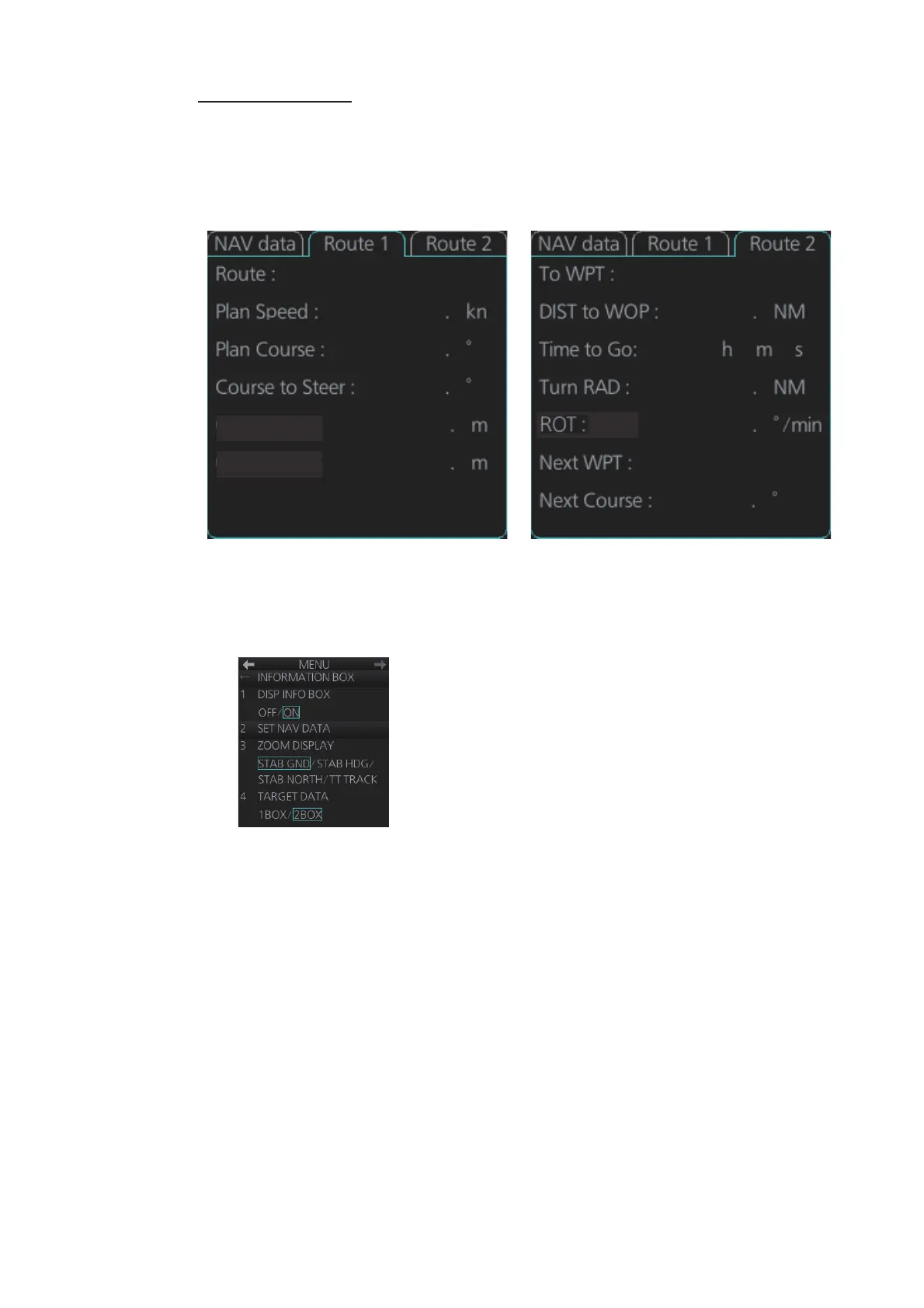
Route information
The route 1 information displays route name, plan speed, plan course, course to steer,
XTD limit and XTD. The route 2 information displays waypoint no., distance to WOP
(wheel over point), time to go, planning turn radius, turn rate, next waypoint no., bear-
ing to next waypoint. Click the [Route 1] or [Route 2] tab to find route information.
2.27.2 How to show the information box
1. Open the menu and select [4 INFORMATION BOX].
2. Select [1 DISP INFO BOX] then [ON].
3. Close the menu.
Route 1 Route 2
10 2
123 2
T
123 2
T
250 2
45 4
XTD Limit :
XTD :
ROUTE10
2
1 7
0 8
0 0
3
0
10 27
123 7
T


 To Next Page
 Loading...








