5. RADAR MAP AND TRACK
5-8
5.9.3 How to copy all radar map marks and lines in a map file to an-
other map file
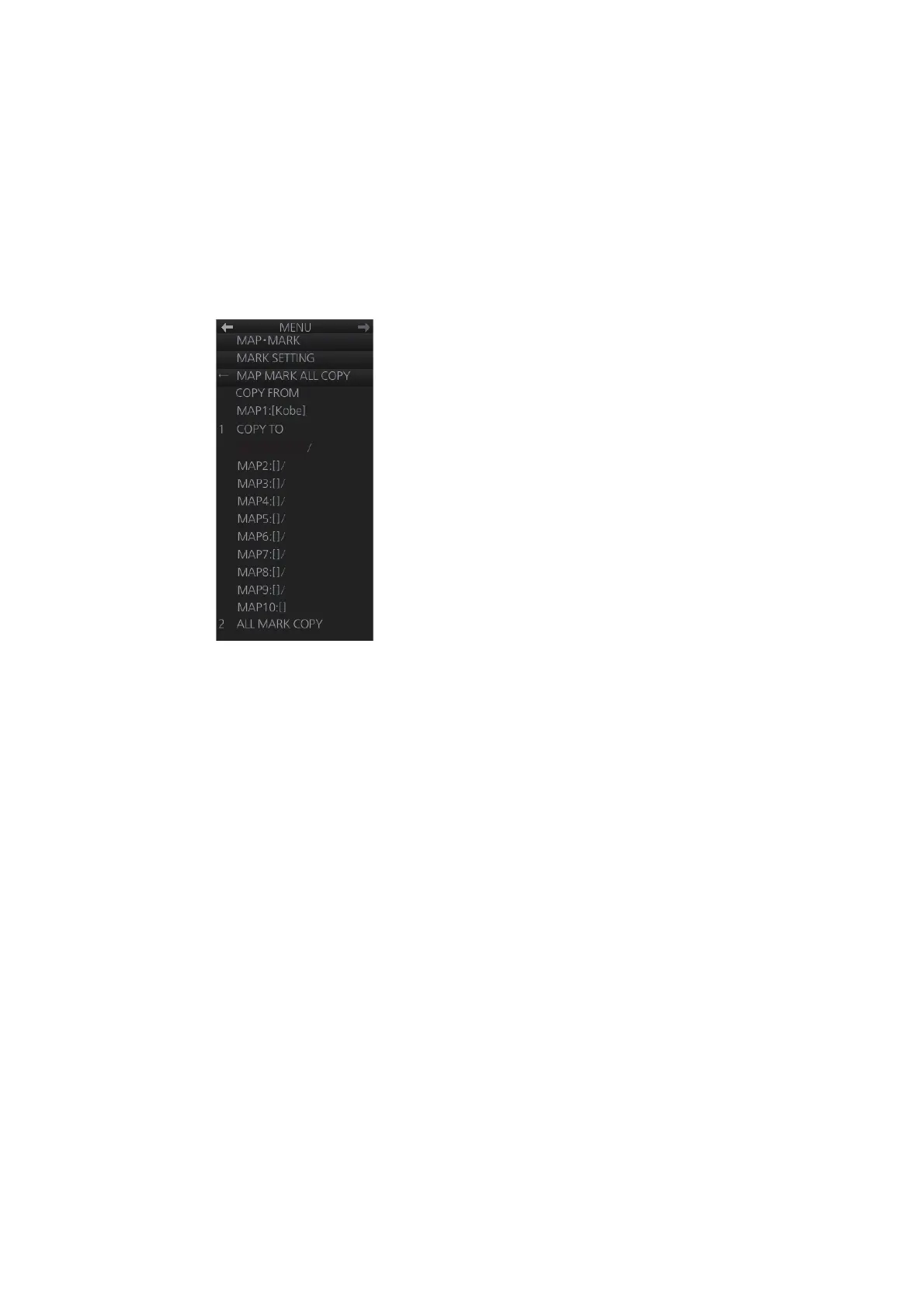
You can copy all radar map marks and lines in the currently displayed radar map to
the radar map file of your choice.
1. Display the map file of which to copy all its marks and lines. See section 5.6.
2. Right-click the [Mark] box then click [Map•Mark Menu].
3. Select [1 MARK SETTING].
4. Select [9 MAP MARK ALL COPY].
5. Select [1 COPY TO] then select where to copy the map marks and lines.
6. Select [2 ALL MARK COPY]. The confirmation message "Attention: Do you wish
to copy all map mark?" appears. Click the [OK] button to copy.
7. Close the menu.



 To Next Page
 Loading...







