18. TT AND AIS DISPLAYS
18-4
18.2 AIS Display
18.2.1 AIS symbols
Refer to section 4.3.
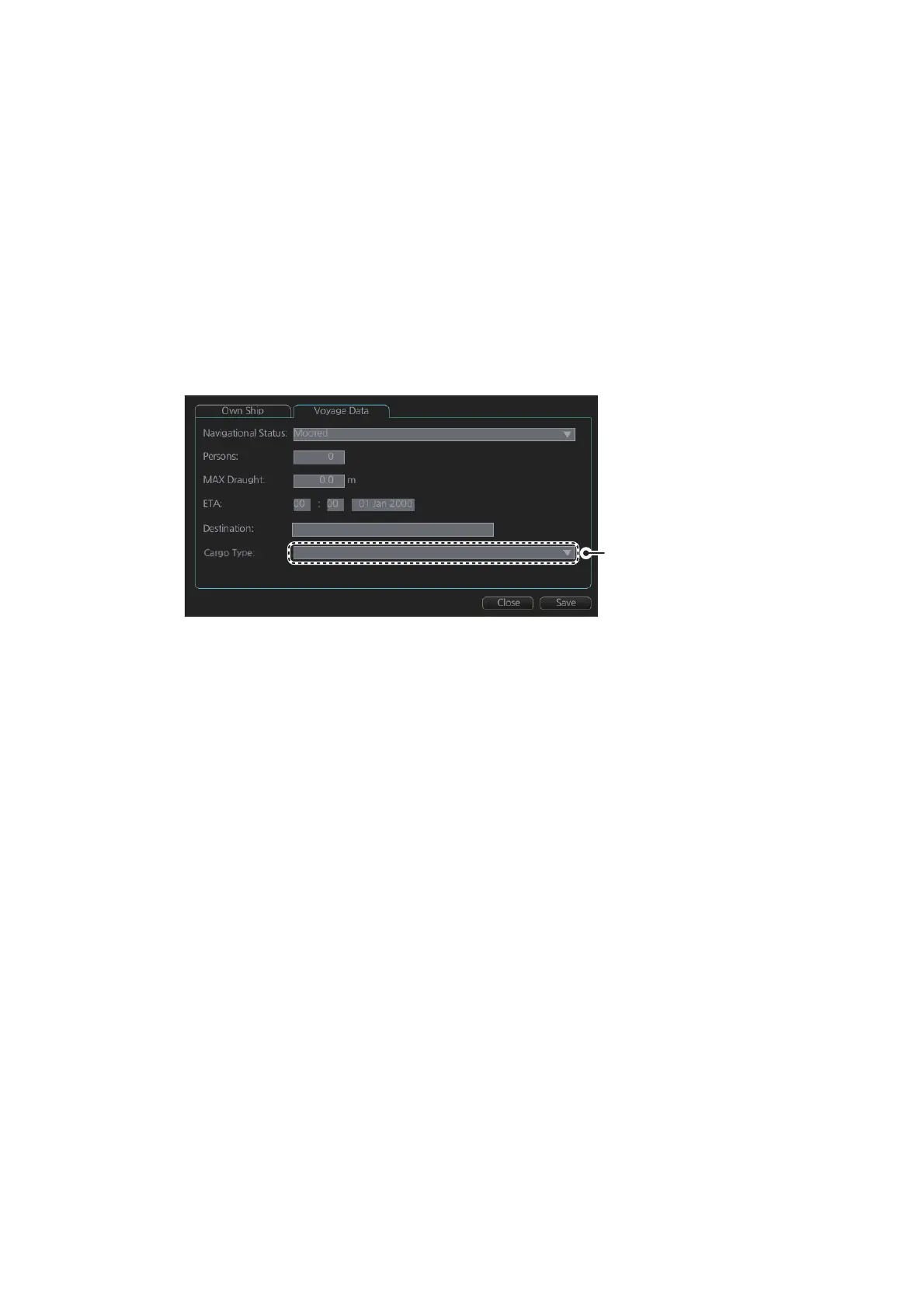
18.2.2 Voyage data
Before you embark on a voyage, set your navigation status, ETA, destination, draught
and the number of persons onboard, on the [Voyage Data] page in the [NAV Status]
menu. The data entered here is reflected to the AIS transponder.
1. Open the MENU then click both [NAV Status] in the [TT/AIS] menu and the [Voy-
age Data] tab.
2. Click the [Navigational Status] drop-down list then select your navigational status,
from the list below.
3. Enter the number of persons onboard (0-8191) at [Persons].
4. Enter ship's draught (0.0 - 25.5 (m)) at [MAX Draught].
5. Enter your ETA at [ETA].
[Day]: two digits; [Month]: Three-character abbreviation; [Year]: Four digits
6. Enter your destination at [Destination], using a maximum of 20 characters.
7. Use the [Cargo Type] pull-down menu to specify the type of cargo your vessel is
carrying.
8. Click the [Save] button to save the settings.
• Underway using engine
• At anchor
• Not under command
• Restricted maneuverability
• Constrained by her draught
• Moored
• Aground
• Engaged in fishing
• Under way sailing
• Reserved for high speed craft
• Reserved for wing in ground
• Power driven vessel towing astern (regional use)
• Power driven vessel pushing ahead or towing along-
side (regional use)
• Reserved for future use
• AIS-SART (active)
• Not defined
• All ships of this type
• Carrying DG, HS, or MP, IMO hazard or pollutant category X
• Carrying DG, HS, or MP, IMO hazard or pollutant category Y
• Carrying DG, HS, or MP, IMO hazard or pollutant category Z
• Carrying DG, HS, or MP, IMO hazard or pollutant category OS
• Reserved for future use (x4)
• No additional information
Display according to
connected AIS transponder
Carrying DG, HS, or MP, IMO hazard or pollutant category


 To Next Page
 Loading...








