4. AIS OPERATION
4-16
4.15 Voyage Data
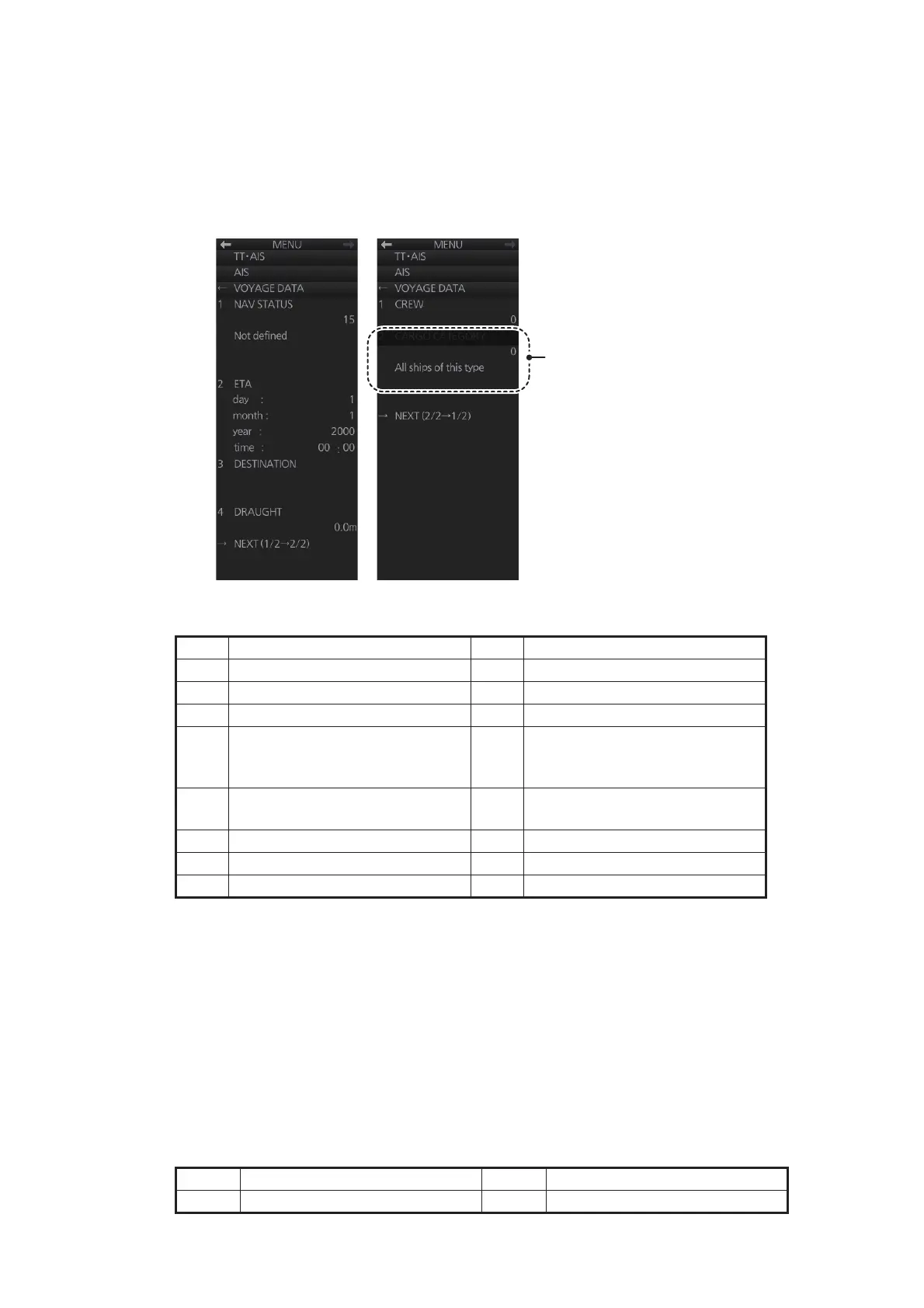
Before you embark on a voyage, set your navigation status, ETA, destination, draught
and the number of crew, on the [VOYAGE DATA] menu.
1. Click the [OWN AIS] button on the InstantAccess bar™ to show the [VOYAGE
DATA] menu.
2. Select [1 NAV STATUS] then use the scrollwheel to set the applicable two-digit
nav status code, referring to the table below.
3. Select [2 ETA] then use the scrollwheel to enter ETA: day (two digits), month (two
digits), year (four digits) and time (four digits).
4. Select [3 DESTINATION] then use the software keyboard to enter the name of
your destination, using a maximum of 20 characters.
5. Select [4 DRAUGHT] then use the scrollwheel to enter ship's draft (0.0 - 25.5 (m)).
6. On page 2, select [1 CREW] then use the scrollwheel to enter the number of crew
(0-8191).
7. Where required, spin the scrollwheel to enter the appropriate [CARGO CATEGO-
RY] referring to the table below.
No. Nav status No. Status
00 Underway using engine 08 Under way Sailing
01 At anchor 09 Reserved for high speed craft
02 Not under command 10 Reserved for wing in ground
03 Restricted Maneuverability 11 power-driven vessel pushing
ahead or towing alongside (re-
gional use)
04 Constrained by her draught 12 power-driven vessel towing
astern (regional use)
05 Moored 13 Reserved for future use
06 Aground 14 AIS SART (Active)
07 Engaged in fishing 15 Not Defined
No. Cargo Type No. Cargo Type
0 All ships of this type 5 Reserved for future use
Display of [2 CARGO CATEGORY]
and [All ships of this type] is
dependant on the settings for the
connected AIS transponder.


 To Next Page
 Loading...








