15. NAVIGATION TOOLS
15-14
15.10 Divider
The divider performs the following calculations:
• Range and bearing between two points
• TTG between two points
• Total TTG from start to end
• Total distance from start to end
The divider is available in the Voyage navigation and Voyage planning modes. Only
one divider can be displayed. The divider is neither saved nor shared among other
units (FMD-3x00, FCR-2xx9 or FAR-3xx0).
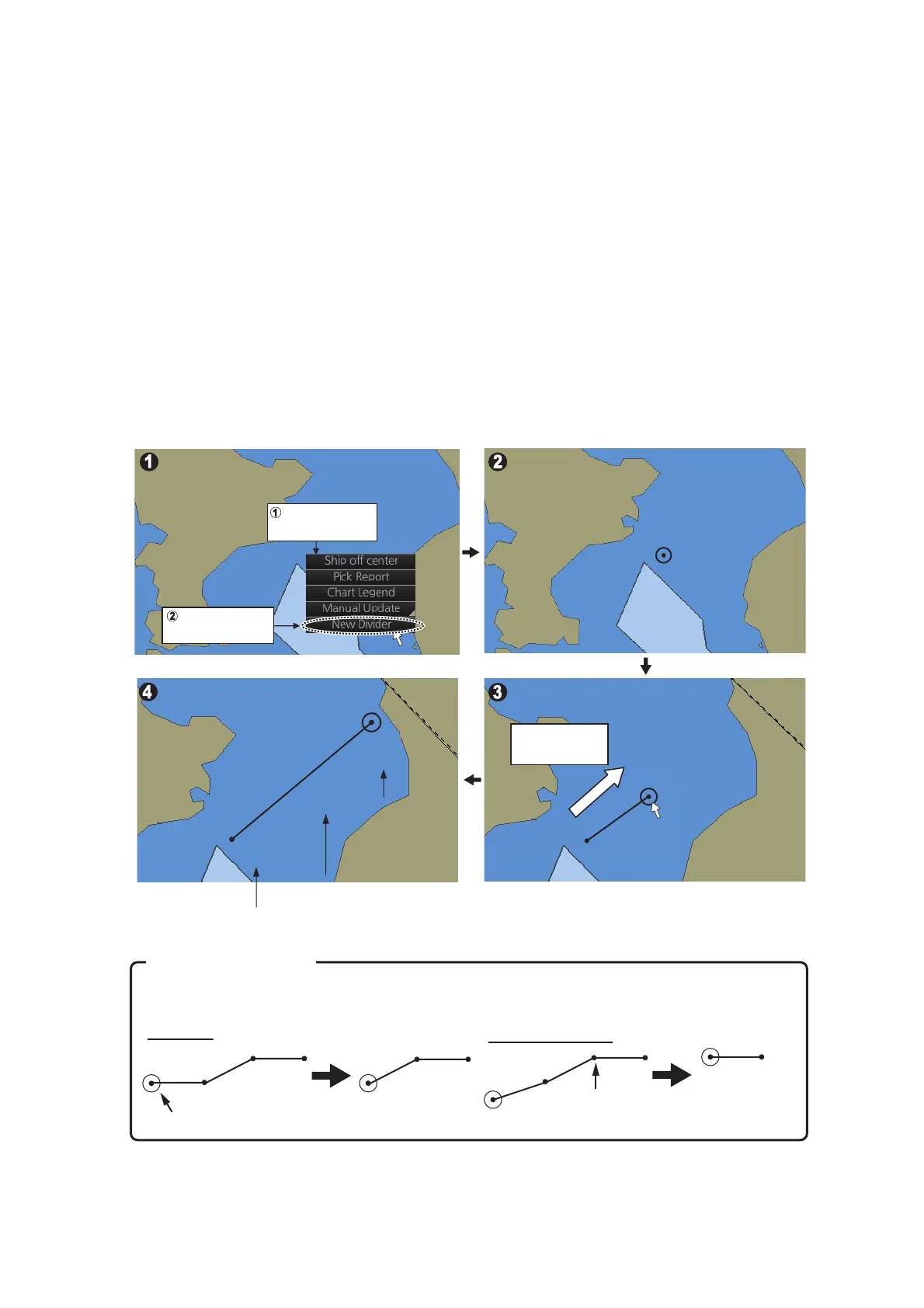
15.10.1 How to use the divider
Do as shown below to use the divider.
00.00
00.00
2.6NM
055.1°
00.00
00.00
Divider appears.
Drag circle to
next point
Right-click
starting point
Select [New
Divider]
00:00
00:00
5.0NM
051.2°
00:32
00:32
5.9NM
Starting point
Delete end point
Delete
intermediate
point
Connecting
points are
deleted.
End point
Intermediate point
How to delete points
- TTG to point
- Total TTG
- Total distance
- TTG to point
- Total TTG
- Total distance
- TTG to point
- Total TTG
- Total distance
Distance and bearing
between points
Distance and bearing
between points
Distance and bearing
between points
Point(s) can be deleted. Put the cursor on a point, right click, then select [Delete Points] from
the pop-up menu. The point(s) deleted depends on the point selected.


 To Next Page
 Loading...








