14. HOW TO MONITOR ROUTES
14-9
14.8.2 Back to track mode
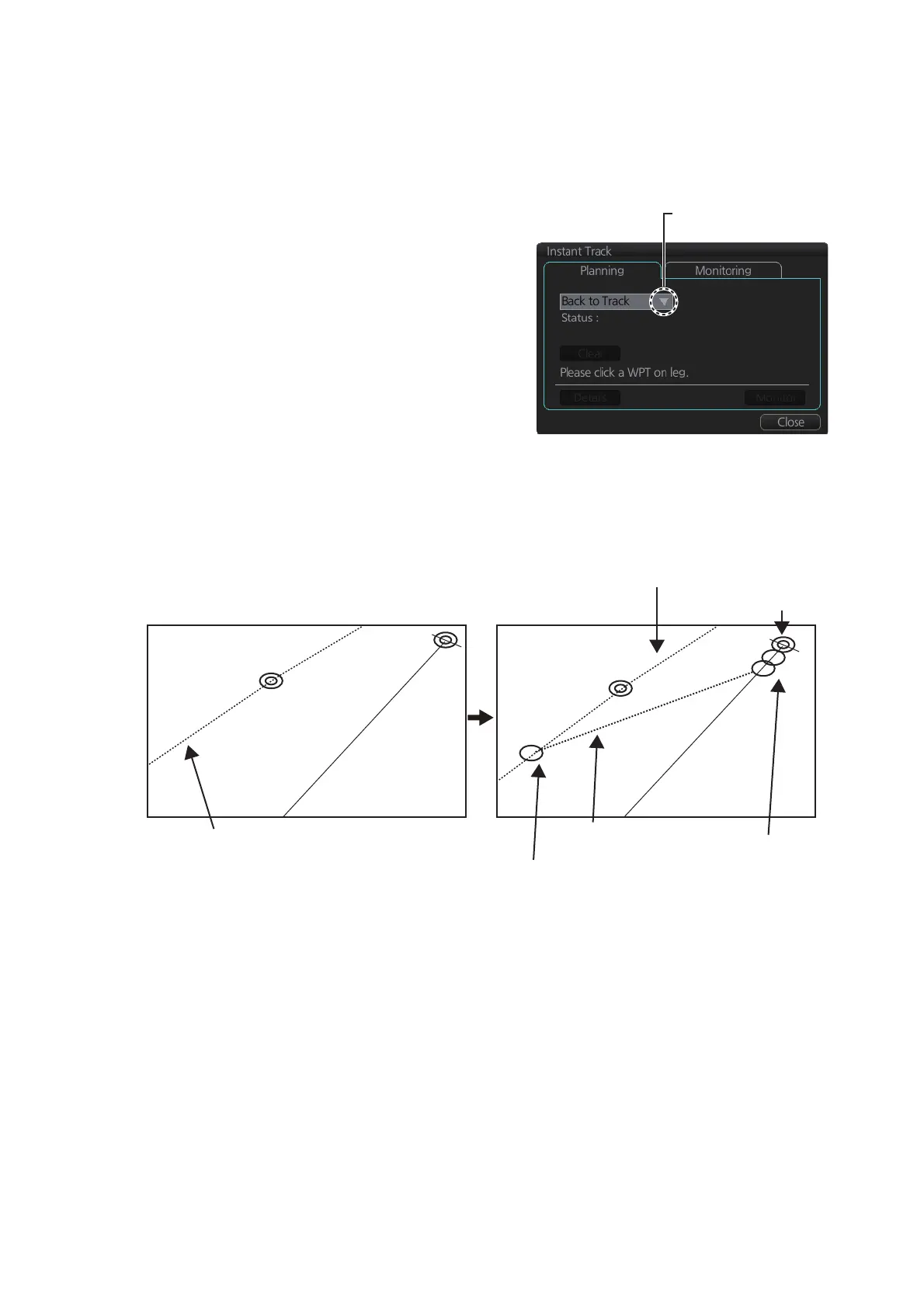
When the vessel goes off track, the Alert 172 (ALF format: 172) "Off Track Alarm" ap-
pears in the [Alert] box. To create an instant track to return to the monitored route, use
the [Back to Track] mode as follows:
1. When the monitored route is active,
click [Voyage] and [Instant Track] on
the InstantAccess bar™ to show the
[Instant Track] dialog box. The mes-
sage "Please click a WPT on Leg." ap-
pears on the [Planning] page.
Note 1: If a monitored route is active,
the [Safe Off Track] mode can also be
selected.
Note 2: If a monitored instant track
route is already active, an instant track
mode different from the currently active
one can be selected. Further, a com-
pletely new instant track route to the original monitored route can be created.
2. Click a leg or a waypoint on the monitored route. The location must be within 50
NM of current position.
The system uses ship position, speed and final waypoint to create a track. The track
is also checked for hazardous objects and the like against the chart alerts.
During the calculation, the [Instant Track] dialog box shows "Checking" in the [Status]
field. If, after completion of the calculation, the track is suitable, the message "OK" re-
places "Checking". The track and its waypoints, labeled [T1] - [T3], are colored or-
ange. The track is saved to the database as "InstantTrack_XXX" (XXX=001 - 400).
If clicking the [Clear] button while or after creating the track, the track is erased from
the screen.
If there is a problem with the track, an error message appears and the track is erased
from the screen. See section 14.8.3 for all the instant track messages and their mean-
ings.
Click here to show drop
down list to select mode.
When monitored route is active
Current position
Monitored route
Click a leg on monitored route.
Instant track
(orange)
Instant track
waypoints
(orange)
Point of return to route
WPT2
WPT2
T1
T2
T3


 To Next Page
 Loading...








