3. TARGET TRACKING (TT)
3-15
3.10 Past Position Display
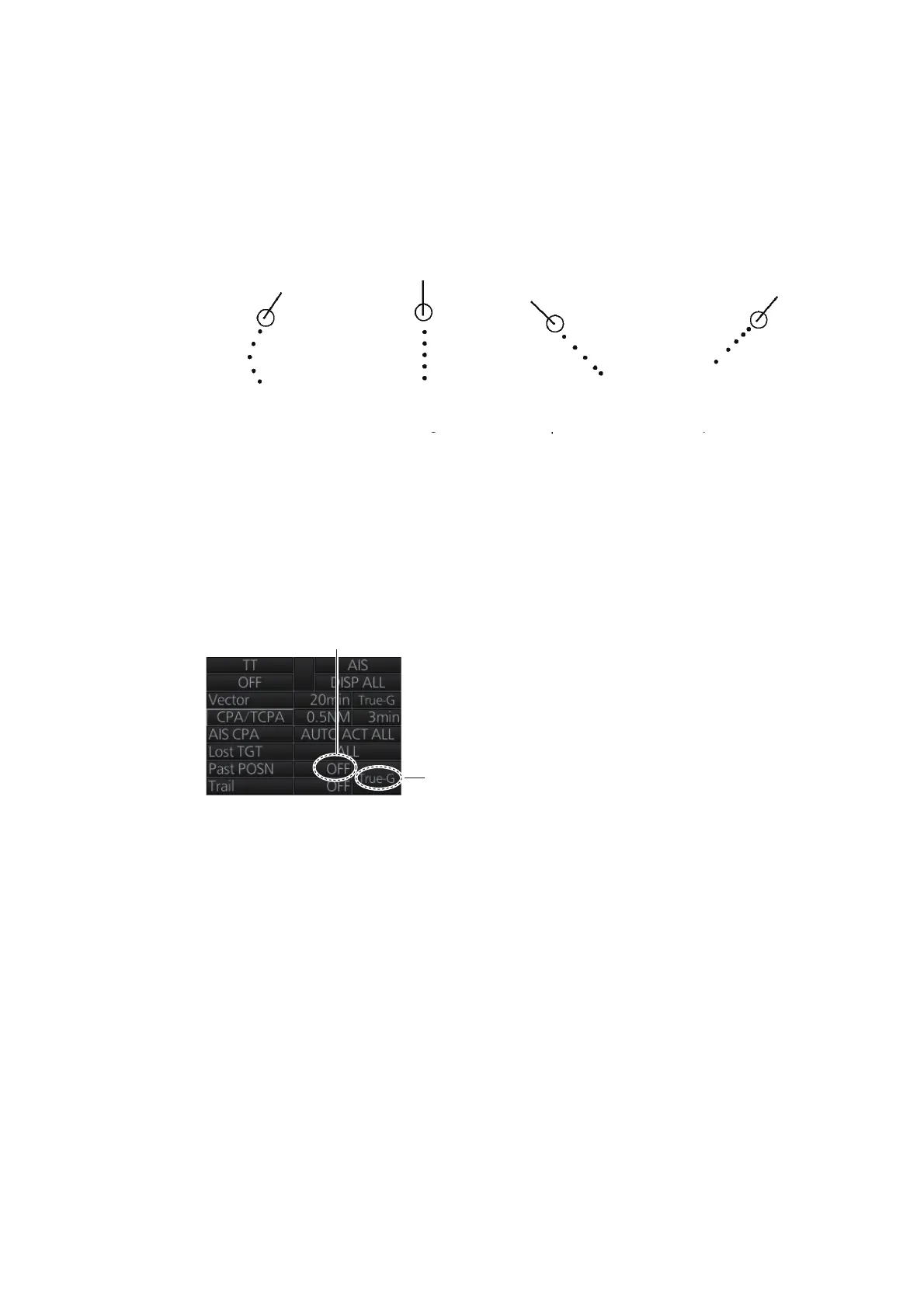
The past position display shows equally time-spaced dots marking the past positions
of any targets being tracked.
If a target changes its speed, the spacing will be uneven. If it changes the course, its
plotted course will not be a straight line. See the illustration below for dot pattern and
ship status.
3.10.1 How to enable/disable the past position display, select past
position reference
Click the indications circled in the figure below to set the plot interval (or disable the
display) and the past position reference (true or relative).
3.10.2 Past position points
You can show 5 or 10 past position points per tracked target. Right-click the past po-
sition indication then select [Past POSN Menu] to show that menu. Set [6 TT•AIS
PAST POSN POINTS] to [5] or [10].
(a) Ship turning (b) Ship running
straight
(b) Ship
reduced speed
(b) Ship increased
speed
Past position
reference
Plot interval, past
position display
ON/OFF



 To Next Page
 Loading...







