2. RADAR, CHART RADAR OPERATION
2-54
2.36 Alert Box, Alert List
2.36.1 Alert box
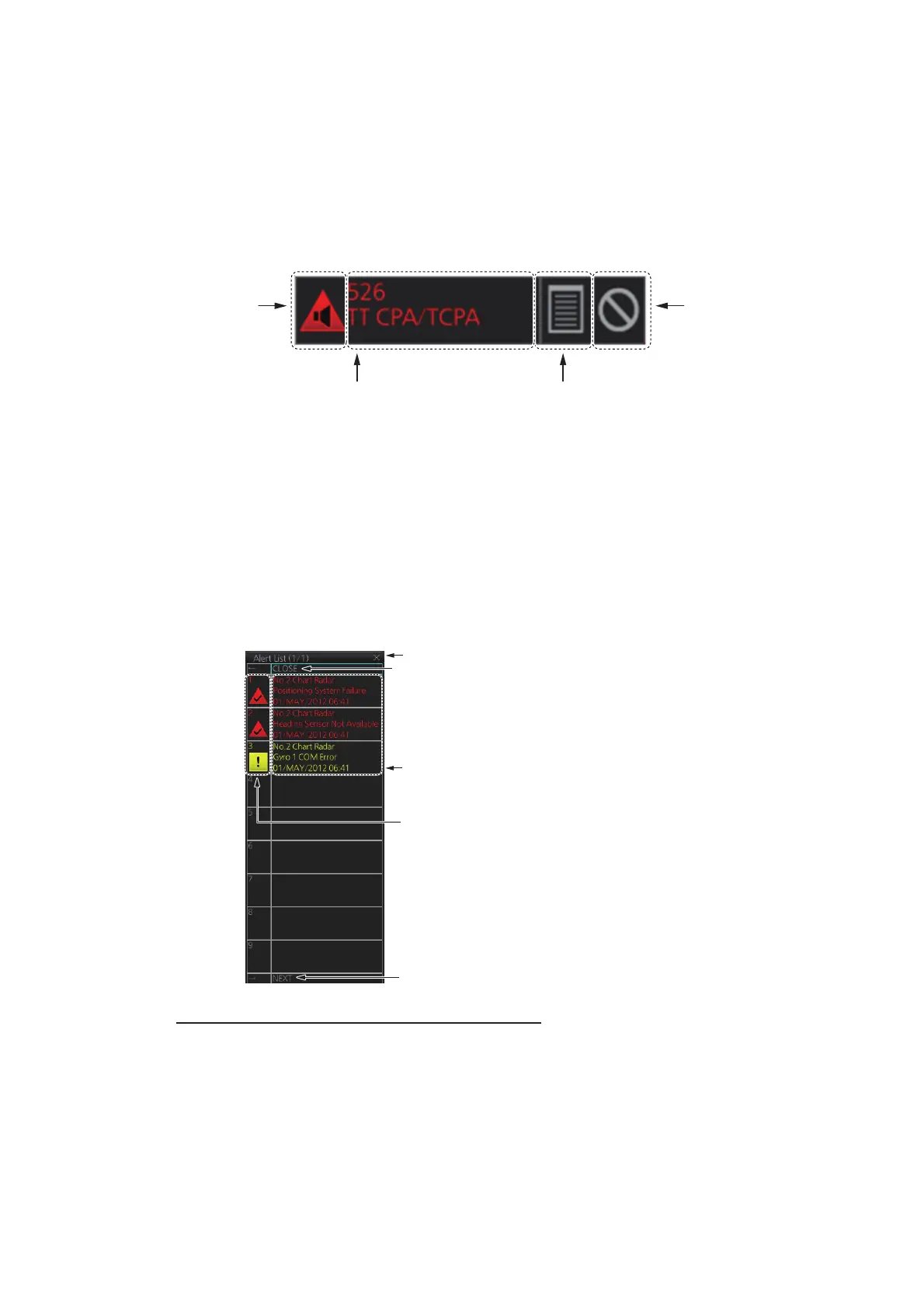
When an alert condition is found, the applicable alert message and alert ID appear in
the [Alert] box. For the alarm- and warning-type alerts a buzzer sounds. The [Alert] box
is composed of the four items shown in the figure below. See chapter 20 for details.
2.36.2 Alert list
The [Alert List] displays the status of the latest 900 system alerts, in order of genera-
tion, latest to the earliest. To display the list, click the Alert list/log icon in the [Alert]
box. The Alert list/log icon is light-blue when the list is displayed. A maximum of nine
alerts are shown per page. Unacknowledged alerts are displayed in flashing red
(alarm) or flashing yellow-orange (warning). The ZDA sentence is required to display
time in the list.
How to acknowledge or rectify from the list
Control Unit: Press appropriate numeric key.
Trackball module: Click alarm name.
Alert message
(Alert ID and alert name)
Alert list/log icon
(Click to display.)
Buzzer stop
icon (Click to
stop buzzer
temporarily.)
Alert state
icon
• Click to close list. (Press ← on the
Control Unit to close list.)
• [BACK] shown when there are two
or more pages. Switch to previous
page in multiple page displays.
Switch to next page in multiple page
displays. (Not shown when only one
page exists.)
The name of the alert not
acknowledged or not rectified.
Status icon
Click to close list.


 To Next Page
 Loading...








